Overview
The Enable Enquire for Price toggle allows you to hide a specific vehicle's price on your customer-facing website while still displaying the vehicle as available. When enabled, the price is replaced with an "Enquire for Price" call-to-action, prompting customers to submit an enquiry rather than seeing a listed figure.
This is useful for high-value or specialty vehicles where you do not want to advertise pricing publicly, while still allowing your sales team to manage and reference the actual price internally.
How It Works
- The vehicle's real price (DAP Price, EGC Price, etc.) remains stored and visible in the Dealer Studio dashboard at all times. This setting only affects what is shown on the public website.
- The car listing remains visible on the website. Only the price is suppressed and replaced with an enquiry prompt.
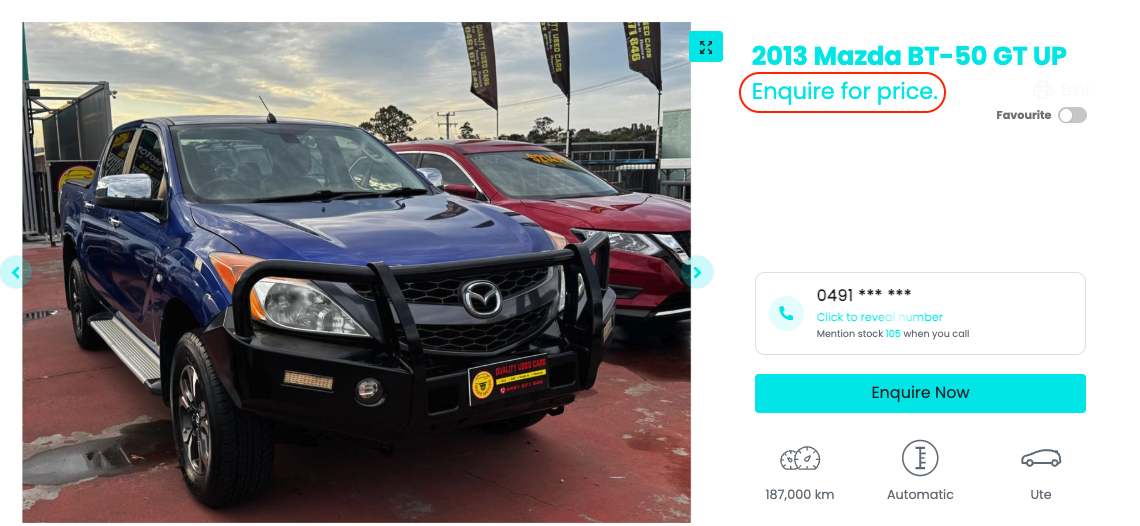
- This setting overrides any website-level price display restrictions. The on-screen tooltip reads: "Show this car on your websites and enable enquiries for price, regardless of website price restrictions."
How to Enable
- Go to Stock and locate the vehicle.
- Open the vehicle for editing.
- Go to the Pricing tab.
- Toggle on Enable Enquire for Price.
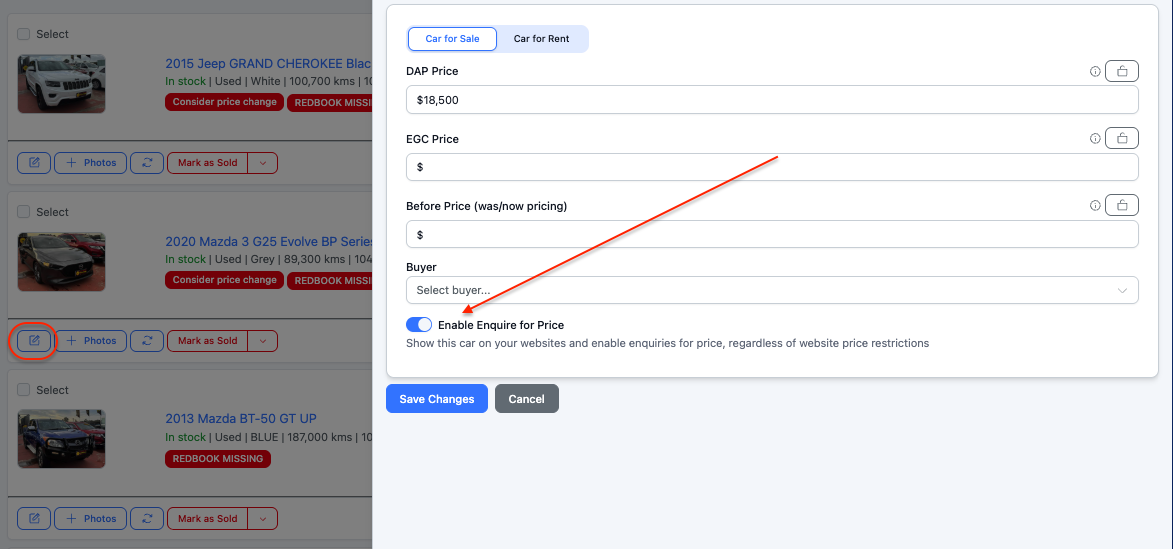
- Click Save Changes.
Was this article helpful?
That’s Great!
Thank you for your feedback
Sorry! We couldn't be helpful
Thank you for your feedback
Feedback sent
We appreciate your effort and will try to fix the article