Dealer Studio includes a built-in report to help you stay on top of inventory pricing. When a vehicle has been listed for an extended period without a price update, it will also be flagged with a "Consider price change" indicator.
How to setup the report
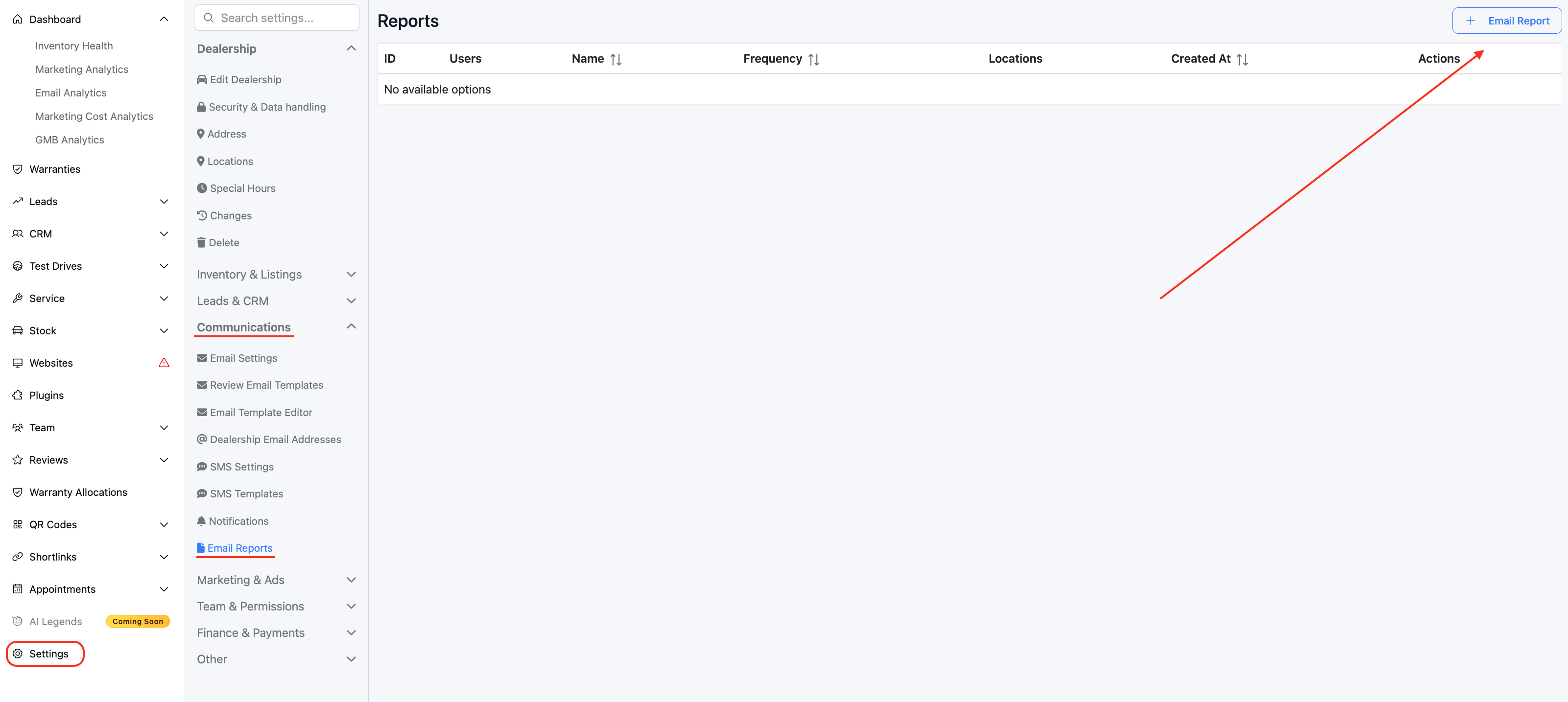
1. On the dashboard head to Settings > Communications > Email Reports > New Report
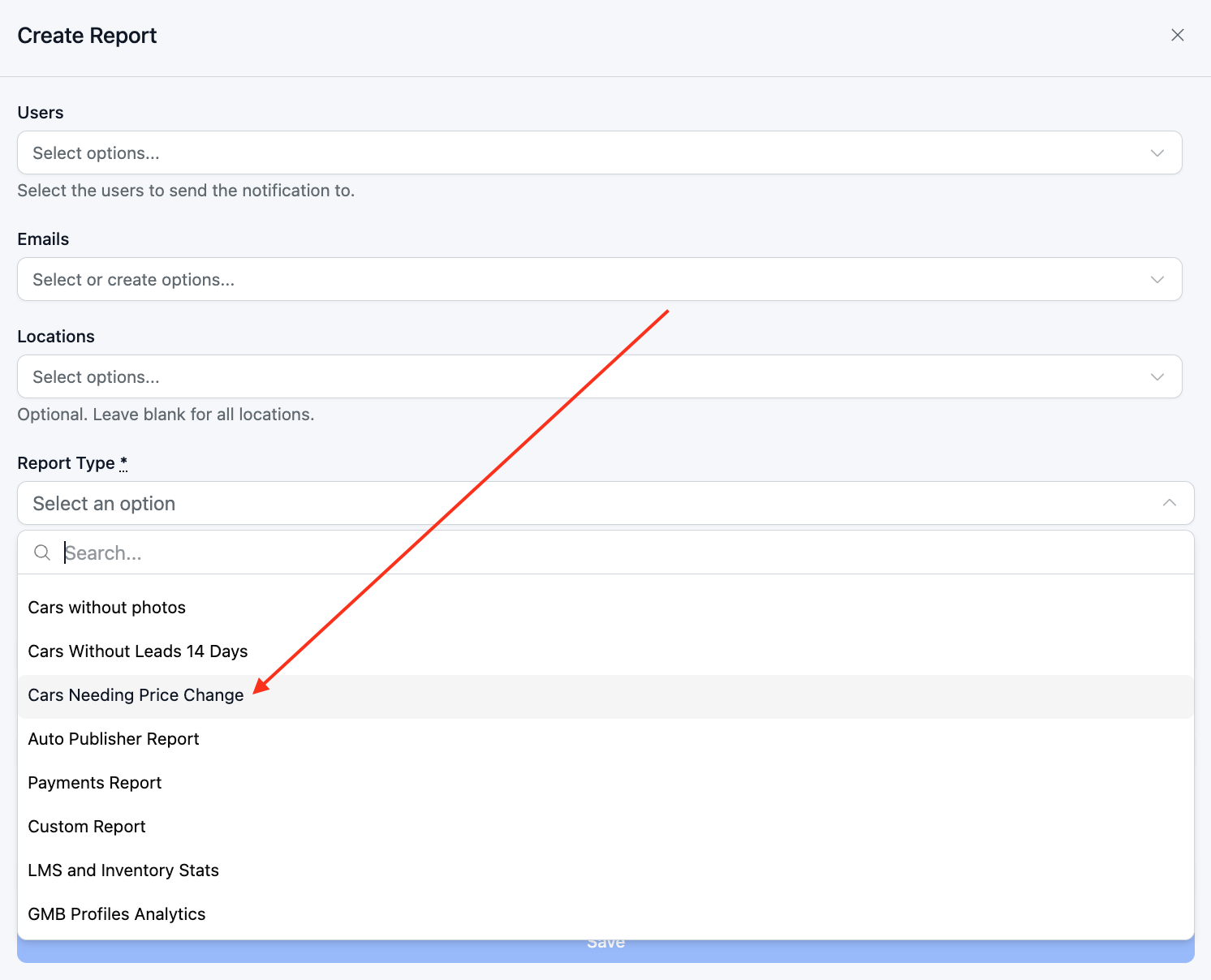
2. Select the users you would like to send the report to, and then select Cars Needing Price Change under Report Type.
Identifying stock that needs a price change
A tag will be added automatically if a car is at least 45 days old and has had no price change for 14 days (this is the default setting, these settings can be changed in Settings > Inventory & Listings > Car Settings)

Was this article helpful?
That’s Great!
Thank you for your feedback
Sorry! We couldn't be helpful
Thank you for your feedback
Feedback sent
We appreciate your effort and will try to fix the article