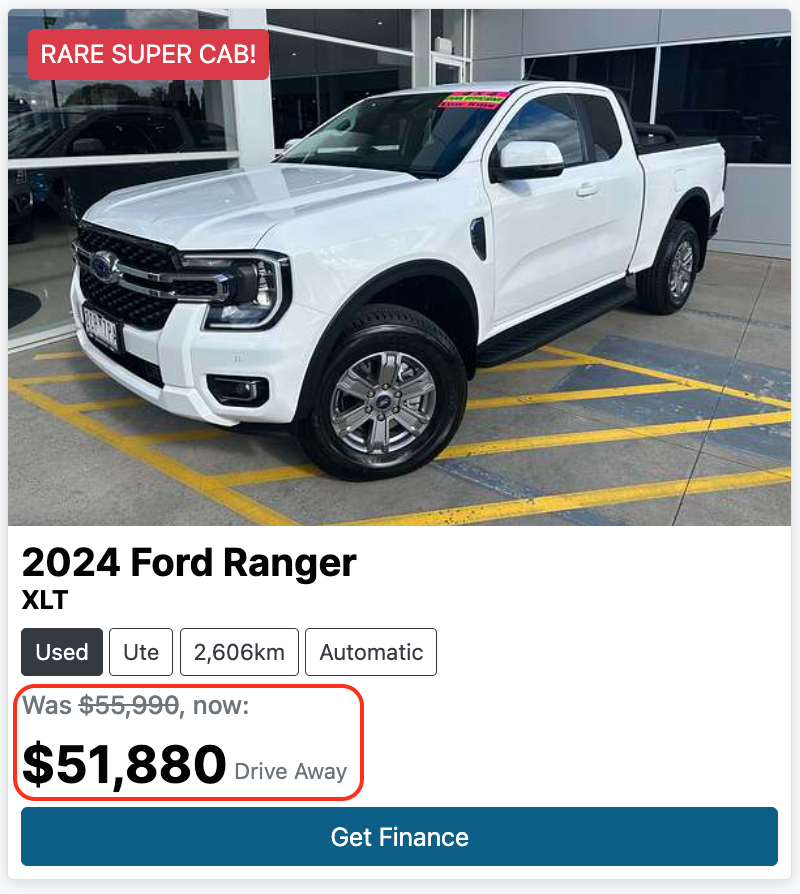
Was/Now pricing lets you display a previous price alongside the current price on your website. The old price appears with a strikethrough and the current price is shown in bold, making price drops clear and compelling to buyers.
Adding a Before Price Manually
- Go to your Stock page.
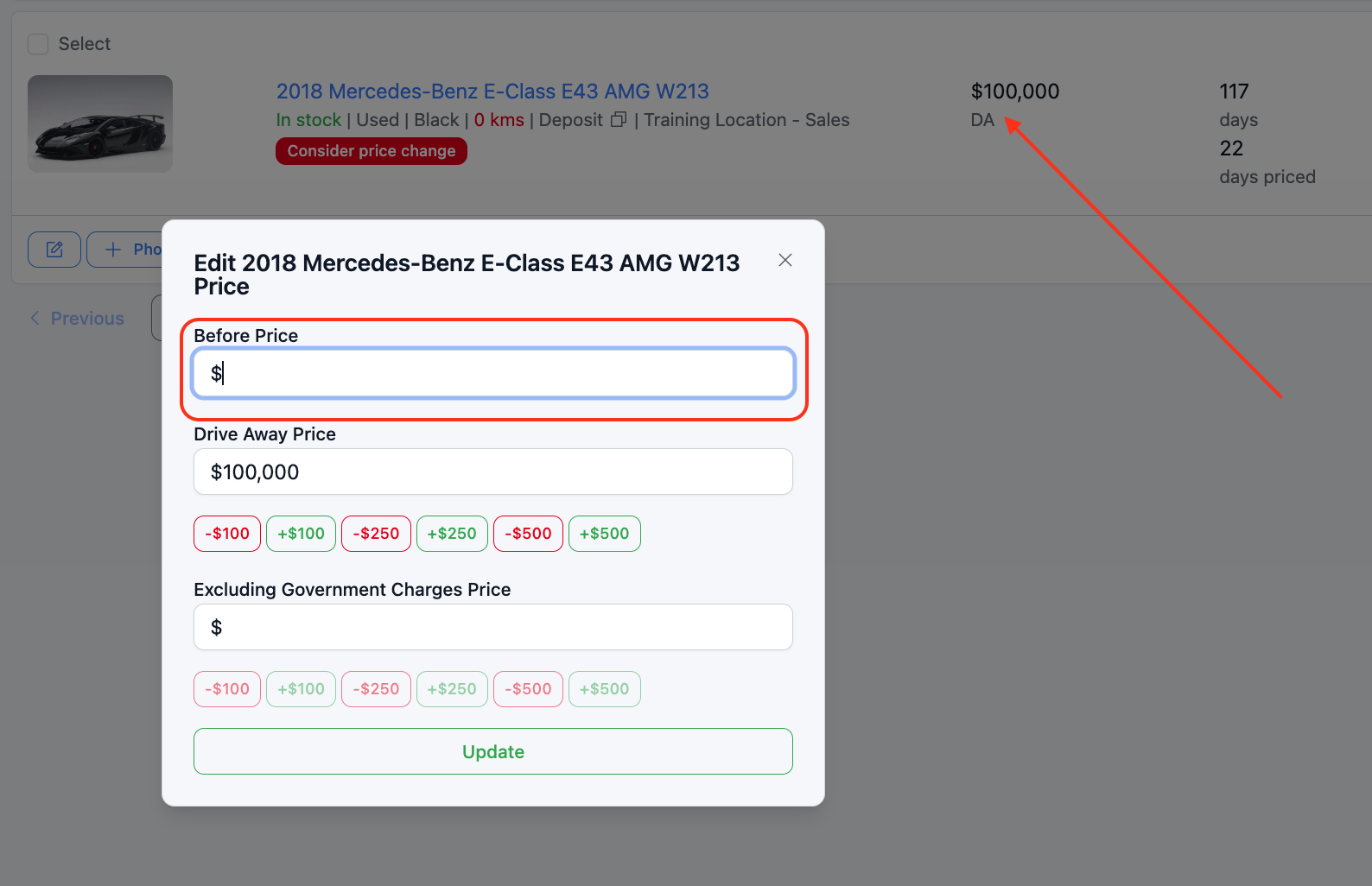
- Click on the current price of the vehicle you want to update. This will open a pricing window.
- Enter the old price in the Before Price field.
- Save your changes. The before price will now appear as a strikethrough on your website listing.
Automating Was/Now Pricing
You can configure Dealer Studio to automatically apply the before price whenever a vehicle's price is reduced, so you never have to set it manually.
- Go to Settings > Car Settings > Was/Now Pricing.
- Enable the automation and choose how the before price should be calculated:
- Starting price — uses the original listing price as the before price
- Latest price — uses the most recent price before the drop as the before price
- Save your settings. From this point on, any price reduction will automatically populate the Before Price field.
Was this article helpful?
That’s Great!
Thank you for your feedback
Sorry! We couldn't be helpful
Thank you for your feedback
Feedback sent
We appreciate your effort and will try to fix the article