Overview
This article explains how to override default vehicle pricing for individual third-party listing destinations, such as Autotrader and Autogate.
Steps
- Navigate to the Stock section from the left-hand menu and locate the listing you want to update.
- Open the vehicle to bring up the Edit Car panel.
- Select the Third Parties tab from the row of options at the top (alongside Pricing, Identifiers, Details, Comments, Media, and Transfer Item).
- Within the Third Parties tab, you will see a separate section for each connected destination (currently Autogate and Autotrader). For each platform you want to update, enter a DAP price and an EGC price specific to that destination.
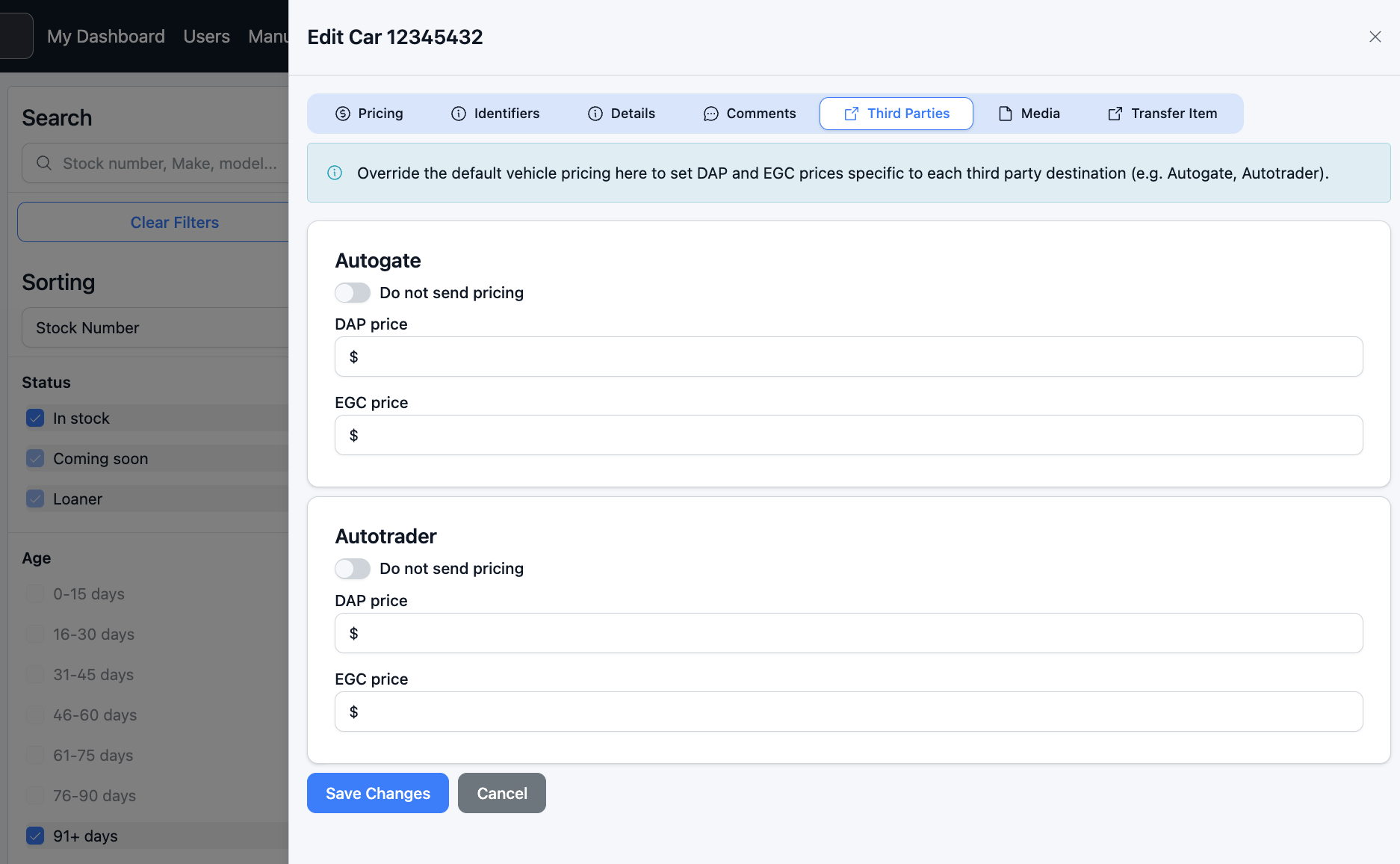
- If you do not want pricing sent to a particular destination at all, toggle on Do not send pricing for that section instead of entering values.
- Click Save Changes to apply the update, or Cancel to discard and leave the existing pricing in place.
Was this article helpful?
That’s Great!
Thank you for your feedback
Sorry! We couldn't be helpful
Thank you for your feedback
Feedback sent
We appreciate your effort and will try to fix the article