Overview
Dealer Studio's Number Plate Blur plugin uses AI to automatically detect and blur number plates in your vehicle listings. This helps protect privacy and keeps your listings looking professional without any manual editing required.
Once enabled, number plates will be blurred automatically whenever images are uploaded to the system. You can also apply the blur manually to individual photos at any time.
Enabling the Number Plate Blur Plugin
- Log in to your Dealer Studio dashboard.
- Navigate to Plugins from the main menu.
- Find and select Number Plate Blur.
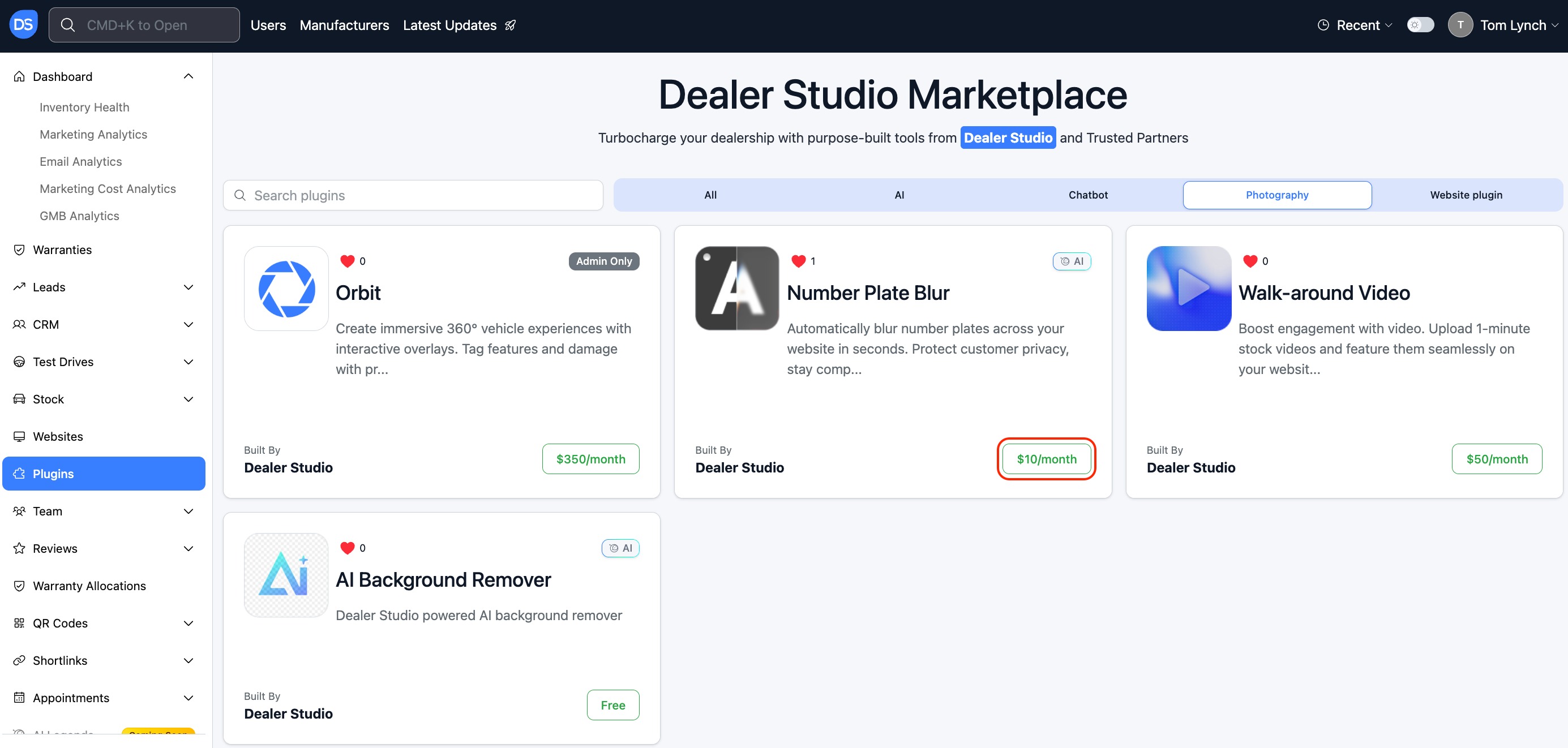
- Confirm to activate the plugin.
Once confirmed, the plugin is available immediately.
Pricing & billing:
- $10 per month
How It Works
Automatic Mode
When automatic blurring is enabled, Dealer Studio will detect and blur number plates in any images uploaded to the system.
Automatic blurring will be turned on by default, if you wish to apply the blur manually it can be toggled here: 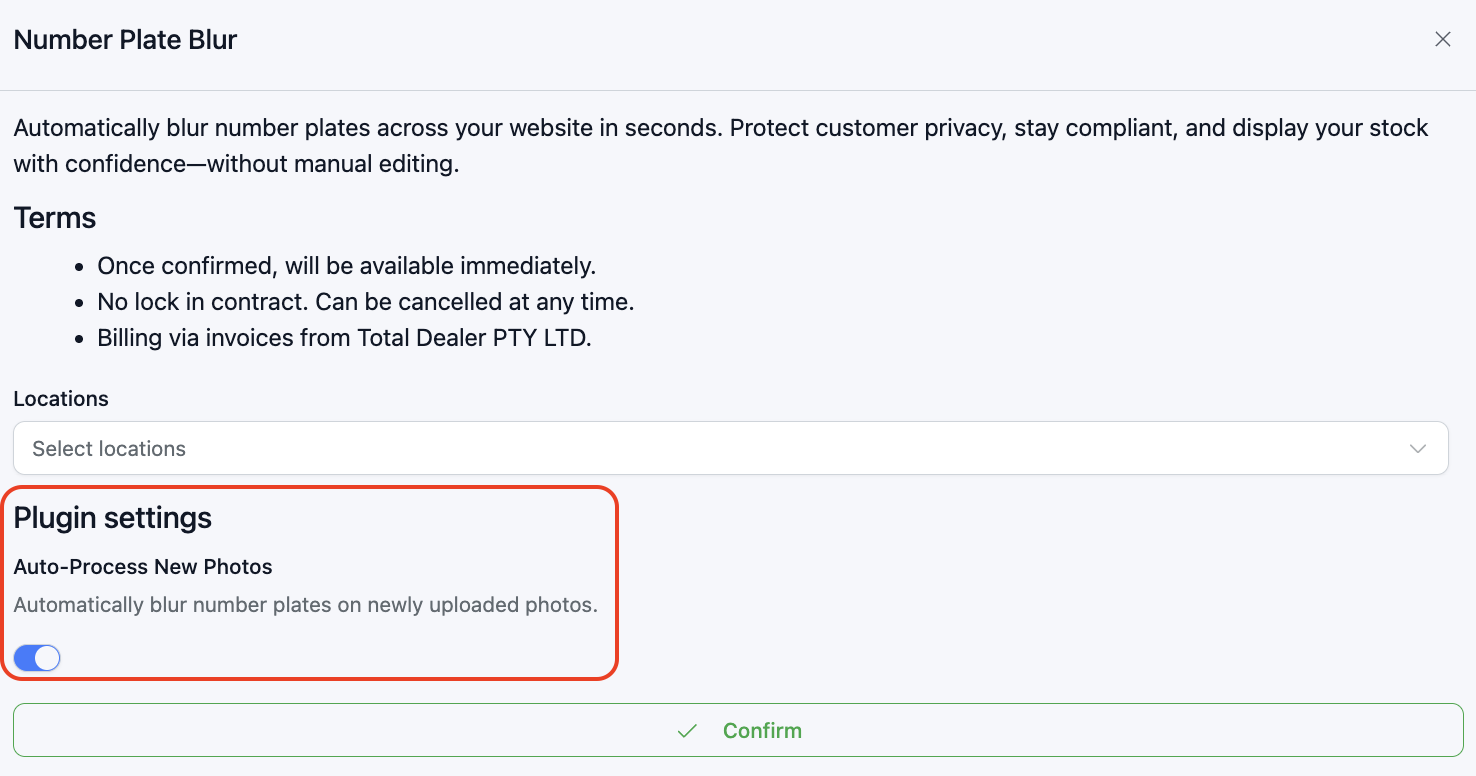
Manual Mode
You can also blur number plates on individual photos on demand:
- Open a vehicle listing in your dashboard.
- Go to the Photos tab.
- Hover over the photo you want to edit and click the "..." (more options) menu.
- Select Blur Number Plate.
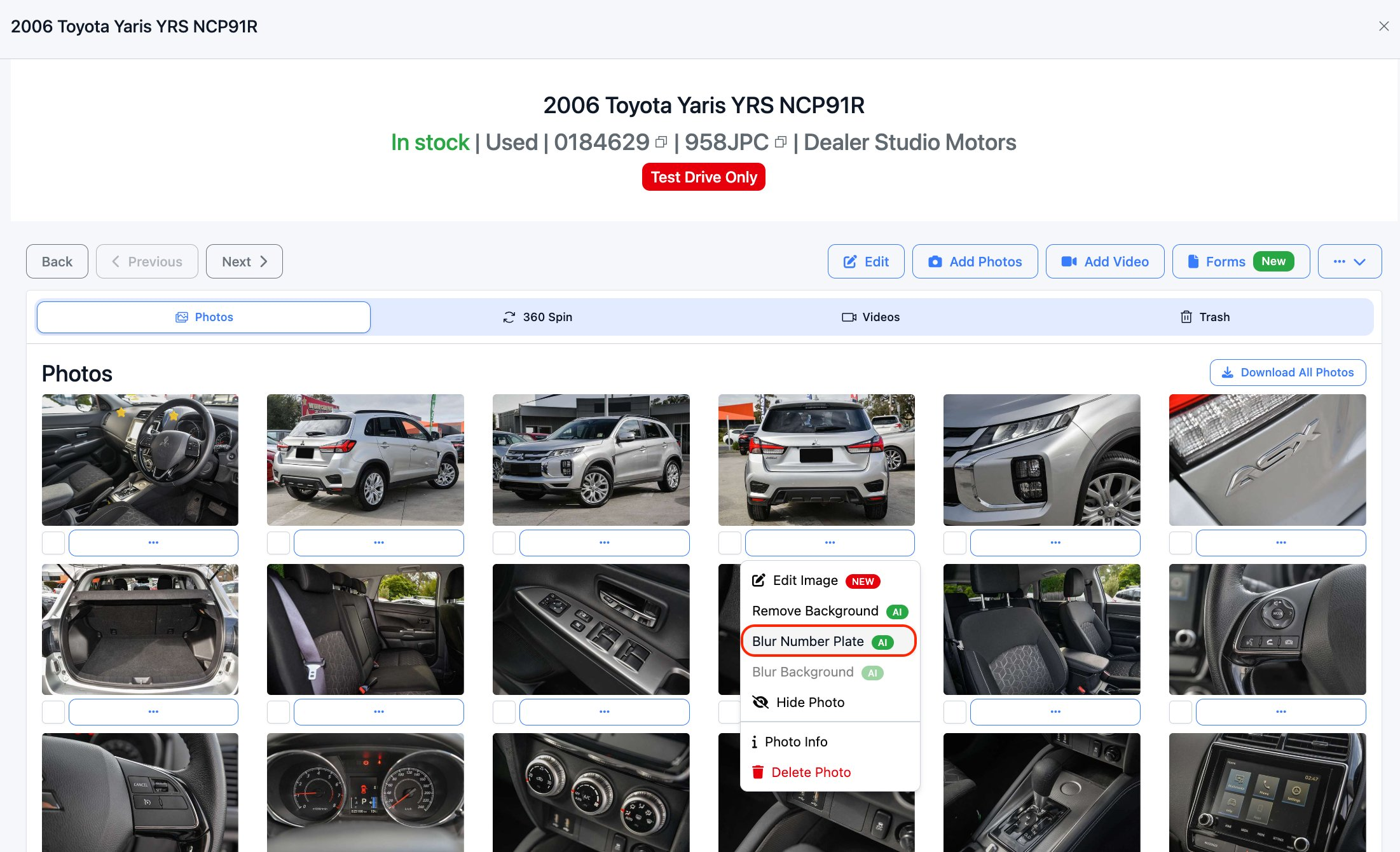
- The blur will be applied to that image.
Was this article helpful?
That’s Great!
Thank you for your feedback
Sorry! We couldn't be helpful
Thank you for your feedback
Feedback sent
We appreciate your effort and will try to fix the article