You can mark any vehicle listing as Manufacturer Certified directly from your inventory.
Steps
- Find the vehicle in your inventory list.
- Click Settings on the right side of the listing row.

- Toggle on Manufacturer Certified.
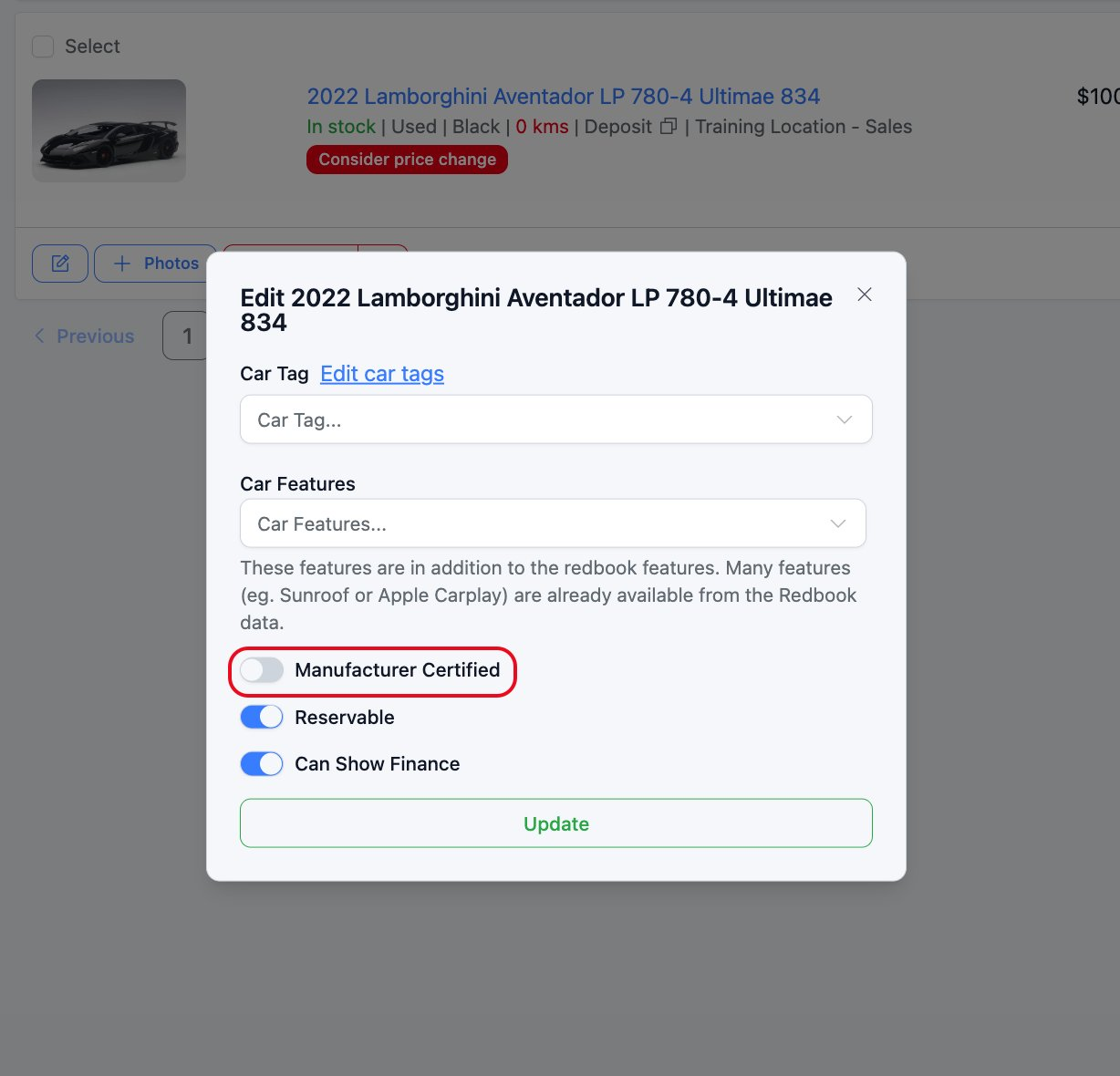
- Click Update.
Was this article helpful?
That’s Great!
Thank you for your feedback
Sorry! We couldn't be helpful
Thank you for your feedback
Feedback sent
We appreciate your effort and will try to fix the article