The Deliveries feature in Dealer Studio allows you to create and manage client reviews that are matched directly to a specific salesperson. This helps track customer satisfaction, showcase positive feedback, and attribute reviews accurately to your team members.
Deliveries can be added individually or uploaded in bulk from the Deliveries section of your dashboard, making it easy to manage multiple entries at once.
Please note: the Deliveries feature is available as an add-on to the standard Dealer Studio package. If you do not currently have access and would like to enable it, please contact our support team for assistance.
Instructions to on How to Add a Delivery
Step 1: Please login to Dealer Studio
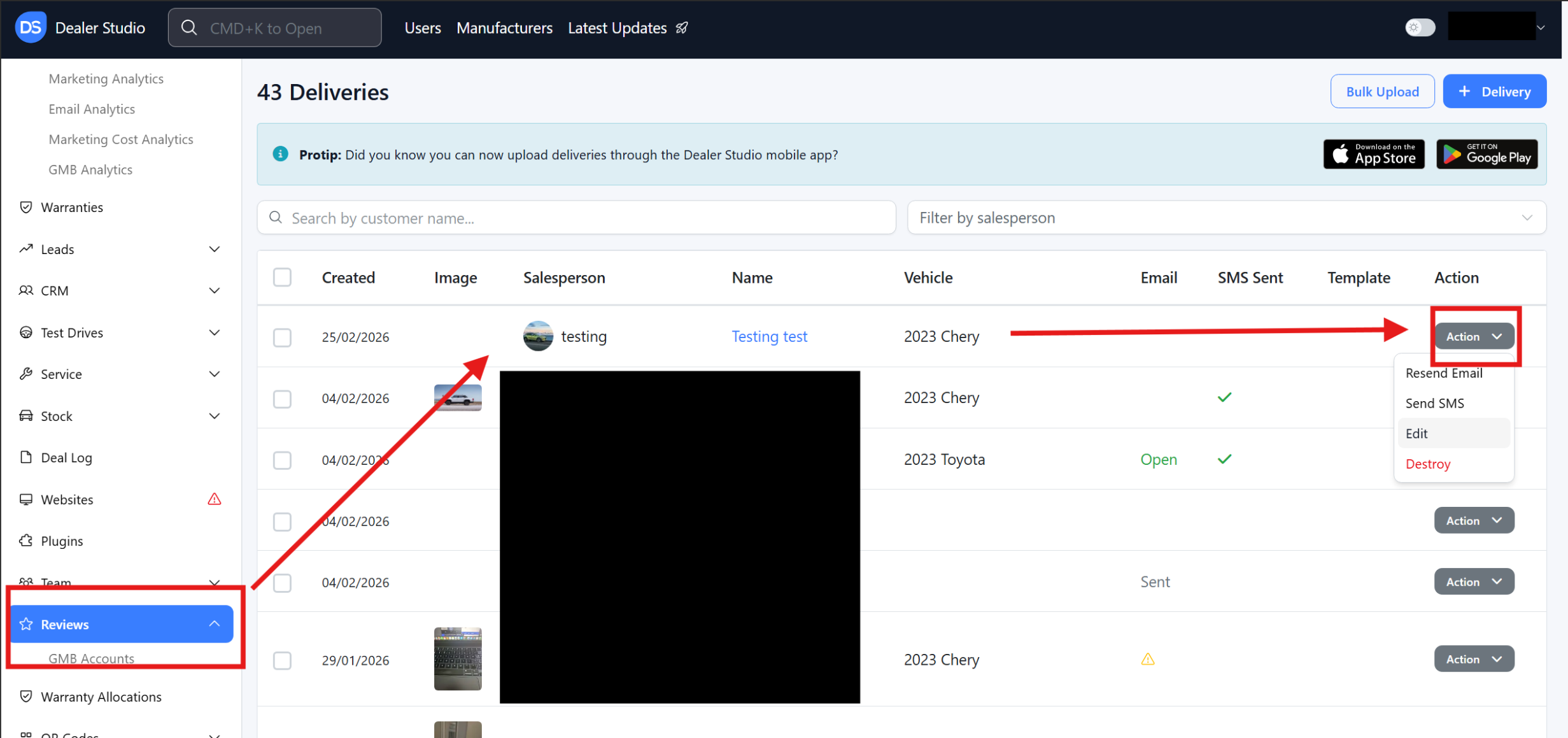
Step 2: Once you have logged in, please navigate to 'Reviews'
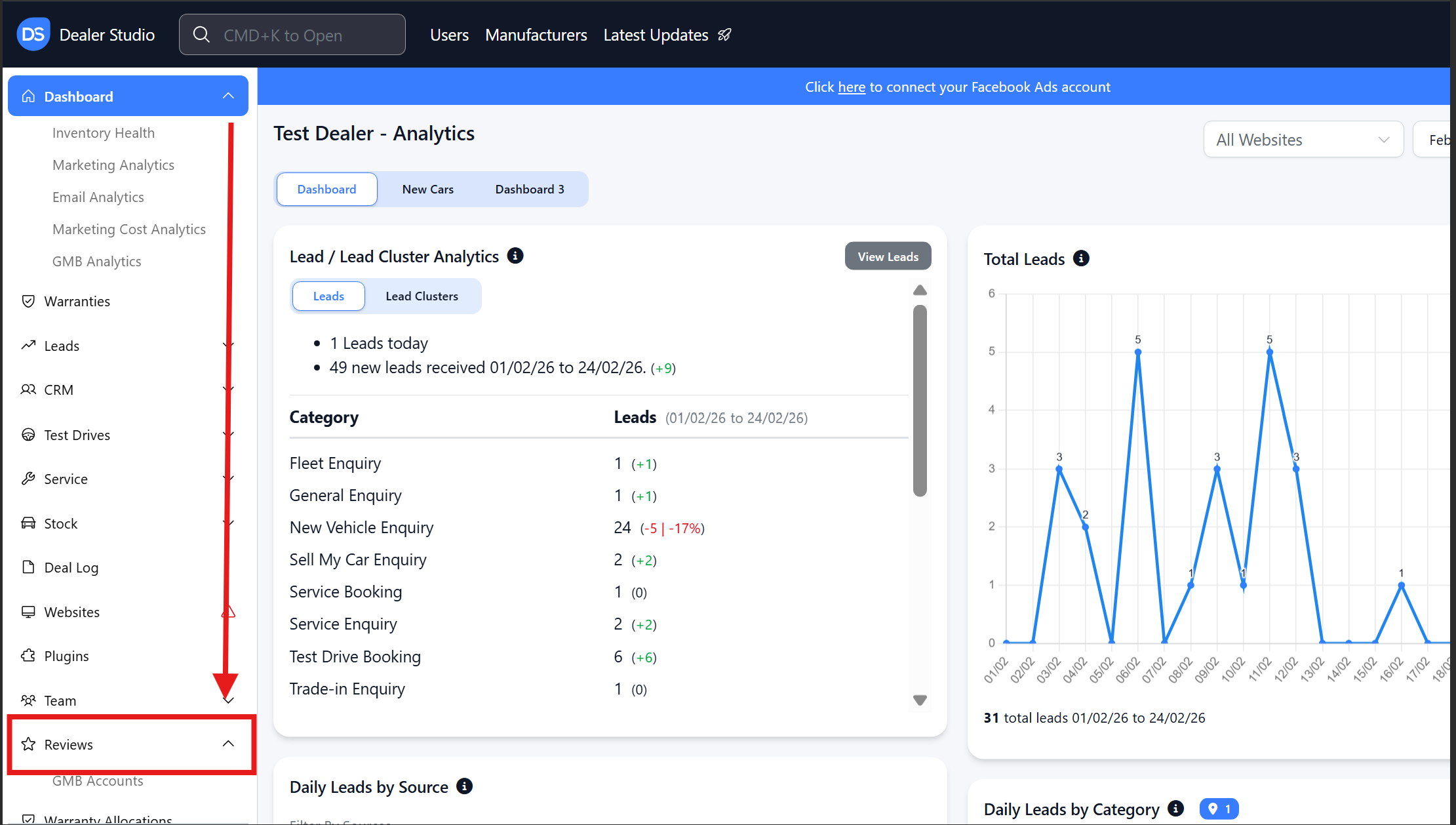
Step 3: Under reviews, please click '+ Delivery'
- This is how you process another correct delivery.
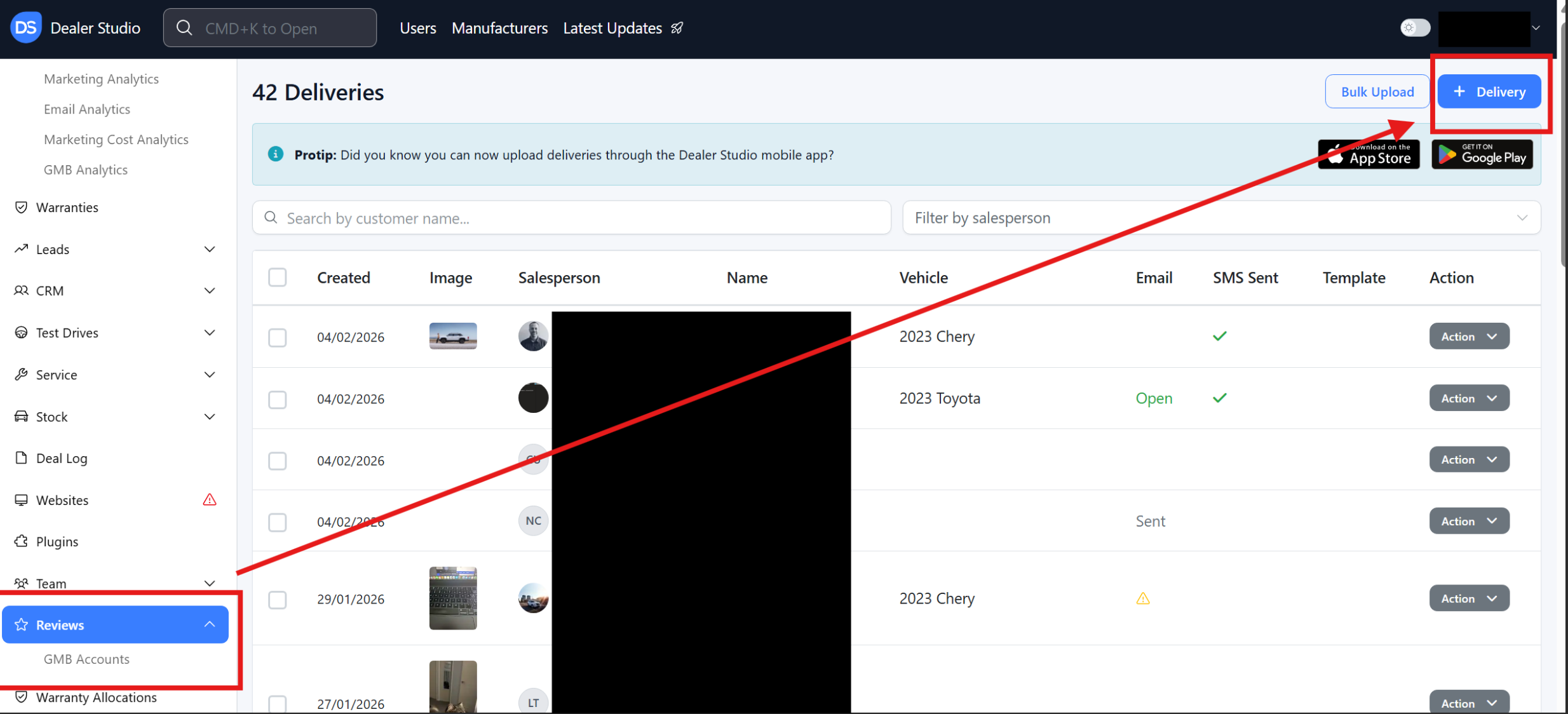
If the delivery has already been processed, you will only need to edit it.
Step 4: You will then get a pop-up with the mandatory step of selecting the client
- This is who purchased the vehicle

Step 5: Once you have selected a client, you will get another Pop-Up
- Image: Picture of the Client with the Vehicle
- Salesperson: Who sold the vehicle and who do you want to advertise their sales on the /team page
- GMB profile: can show under the reviews component, and is where the client rates their delivery
- Send Email/Send SMS: Notifies the client of the Google Review request
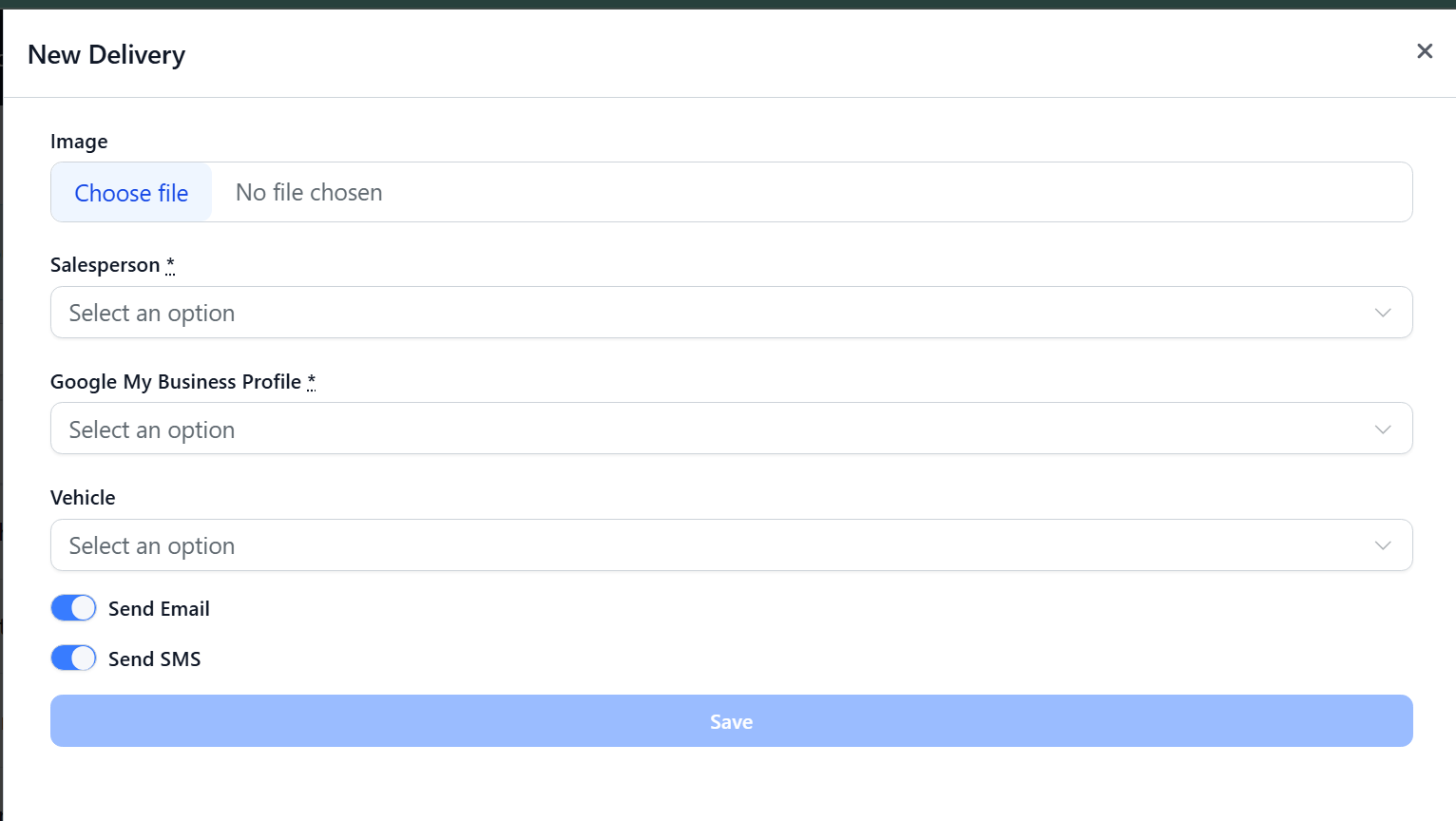
Step 6: Once you click 'Save' It should Process.
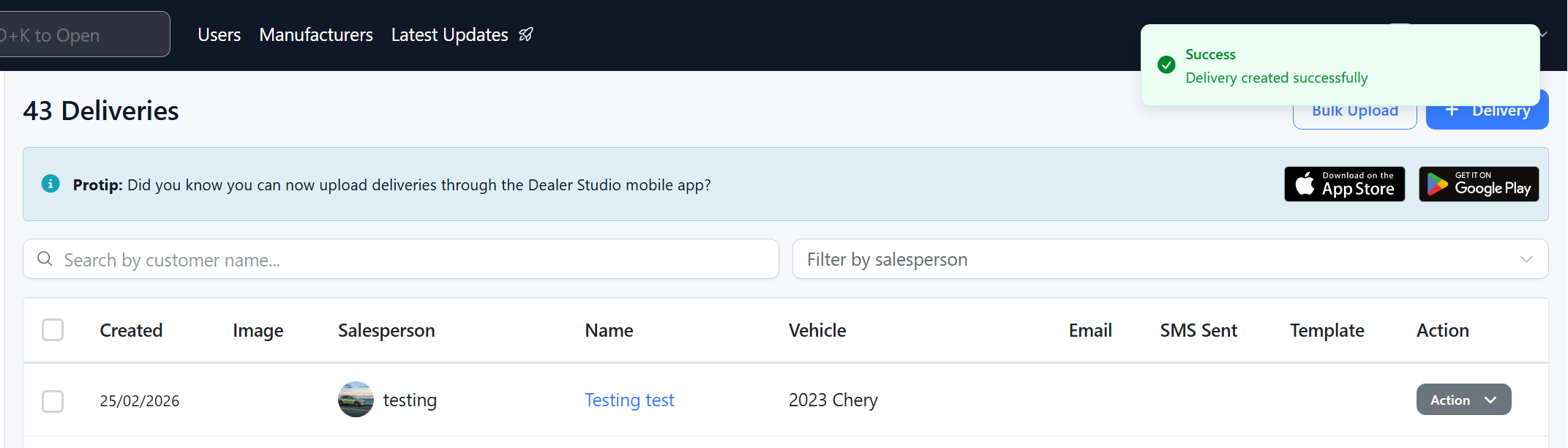
Step 7: If you need to change client, vehicle or GMB profile, you can edit
- Resend Email: Will send through the "Would you like to log a review for [Dealership]"
- Send SMS: Will send through the "Would you like to log a review for [Dealership]"
- Edit: change the criteria and information of the delivery
- Destroy: Remove the delivery completely.
Please see video:
Was this article helpful?
That’s Great!
Thank you for your feedback
Sorry! We couldn't be helpful
Thank you for your feedback
Feedback sent
We appreciate your effort and will try to fix the article