There are 2 steps to setting up Payway, one needs to be done in Payway itself and the other steps are done on the Dealer studio dashboard
1 - Payway
1 .Setup a Payway Account
2. In Payway, setup a custom field called 'customField1',
Here is the documentation from PayWay for setting up custom fields
https://www.payway.com.au/docs/rest.html#custom-fields13
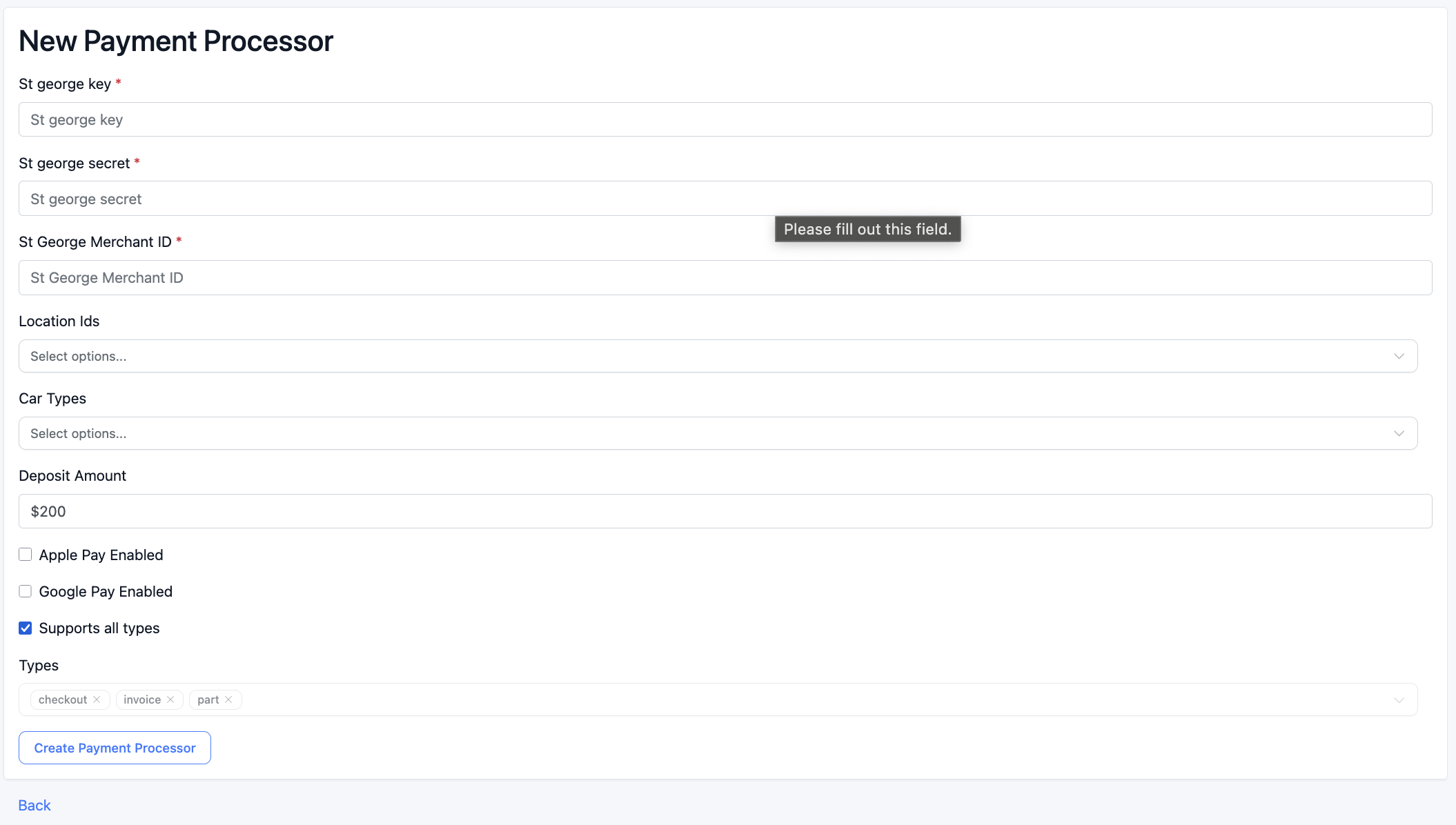
3. Provide Dealerstudio with the following details which are entered under St George in Payment Processors:
- Public Key
- Merchant ID
- Secret Key
2 - Dashboard
In the Dashboard, you can find the payment processor settings below or the url will end with - /payment_processors
https://dashboard.dealerstudio.com.au/dealerships/test-dealer/payment_processors
1. Go to the dealership, click settings -> Finance & Payments -> Payment processors
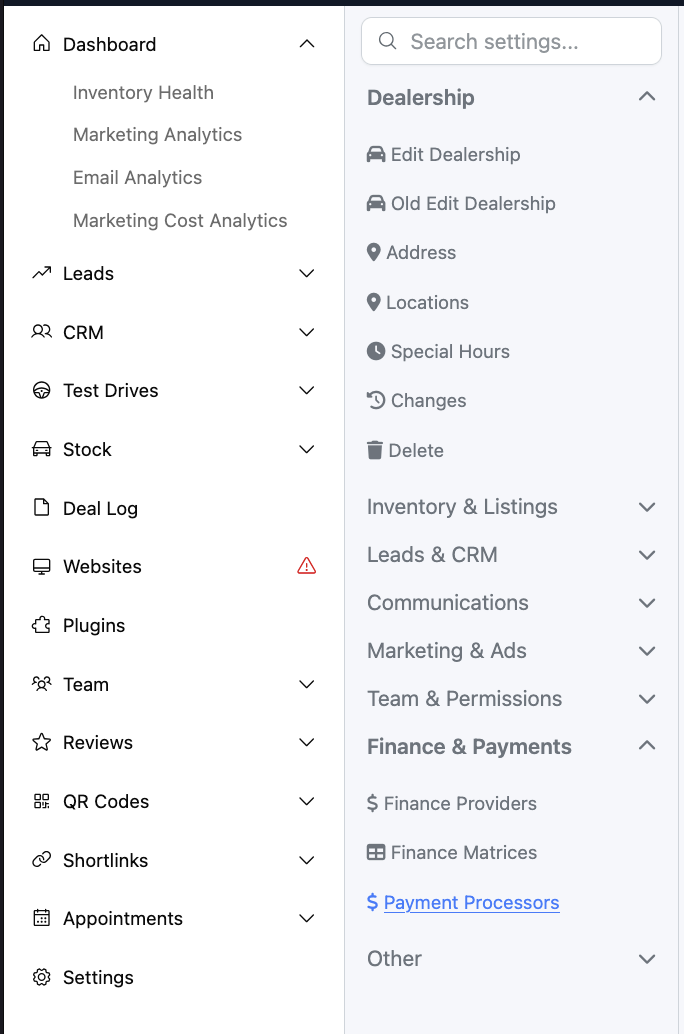
2. Make sure St George is setup
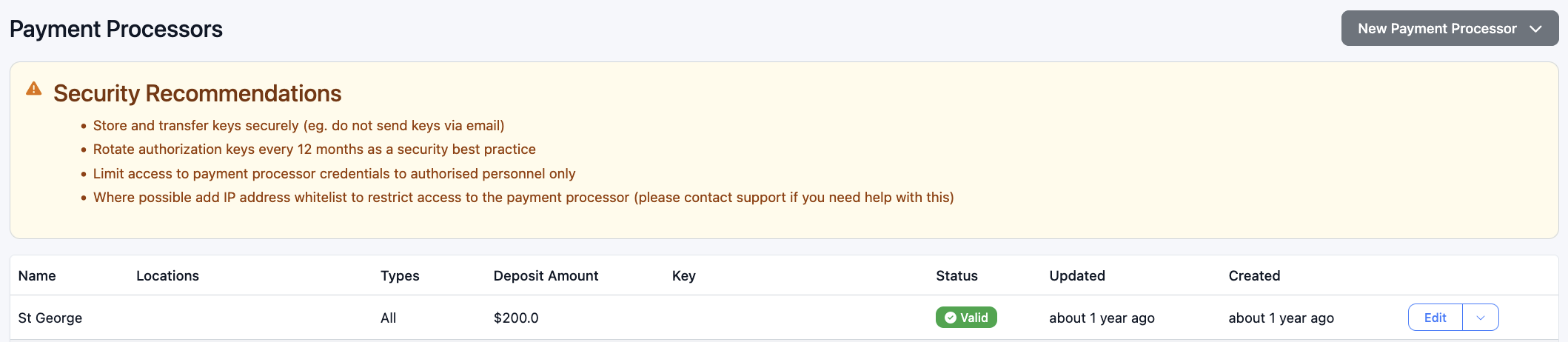
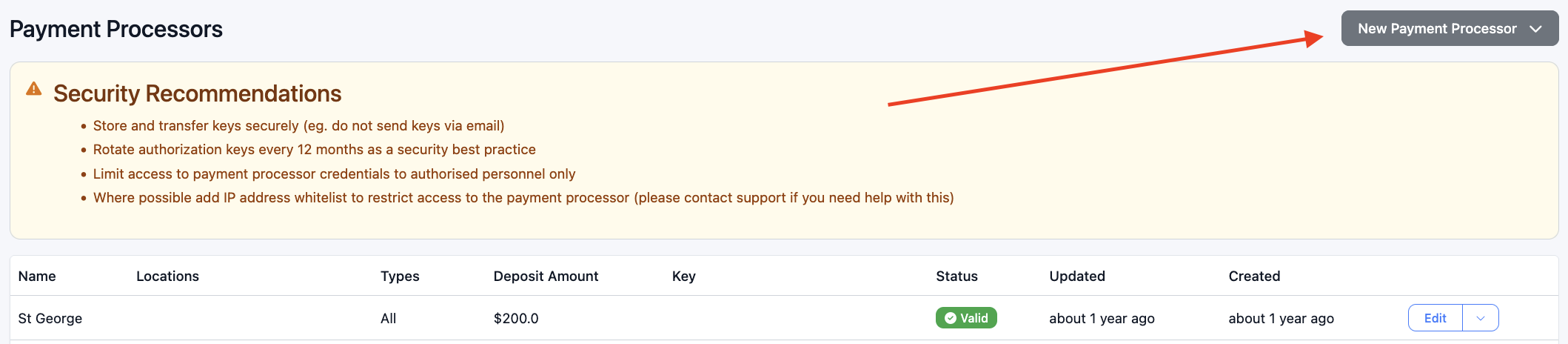
If St George payment processor is not setup click the 'New Payment Processor' button, select 'St george' from the dropdown
Fill in these details
Was this article helpful?
That’s Great!
Thank you for your feedback
Sorry! We couldn't be helpful
Thank you for your feedback
Feedback sent
We appreciate your effort and will try to fix the article