As a salesperson, collecting Google Reviews after closing a sale is a great way to showcase your performance and build trust with future customers. Dealer Studio makes it easy to send a Google Review request directly to your customer.
Follow the steps below to send a Google Review request.
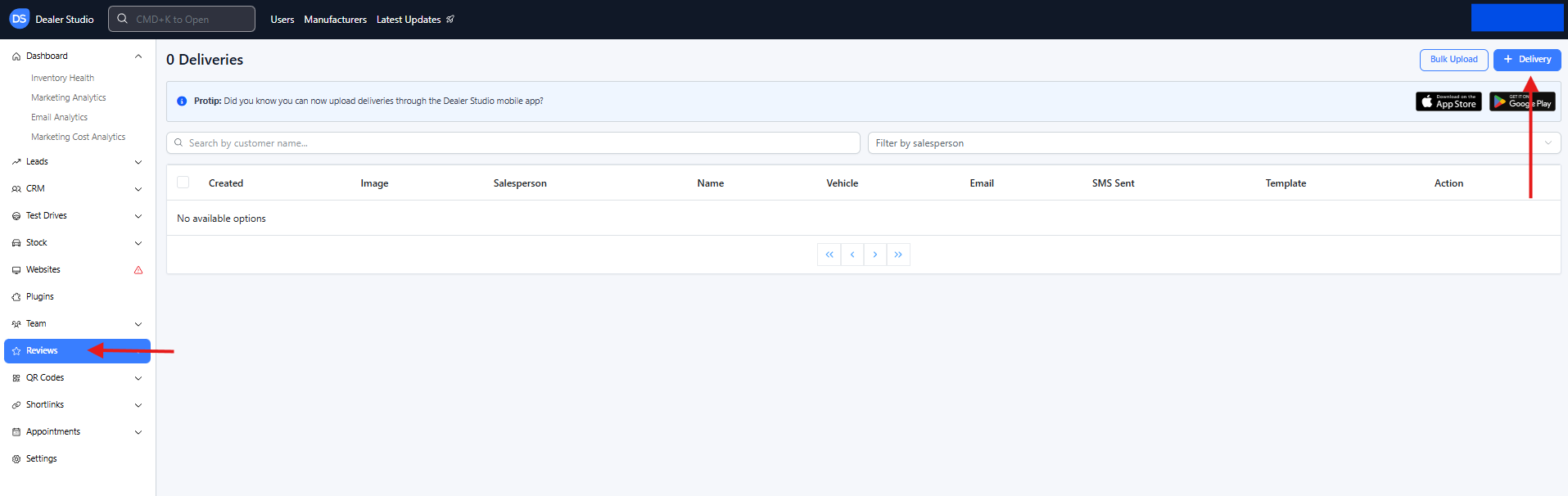
Step 1: Navigate to Reviews
Log in to the Dealer Studio dashboard.
From the left-hand sidebar menu, select Reviews.
In the top-right corner of the page, click + Delivery to create a new review request.
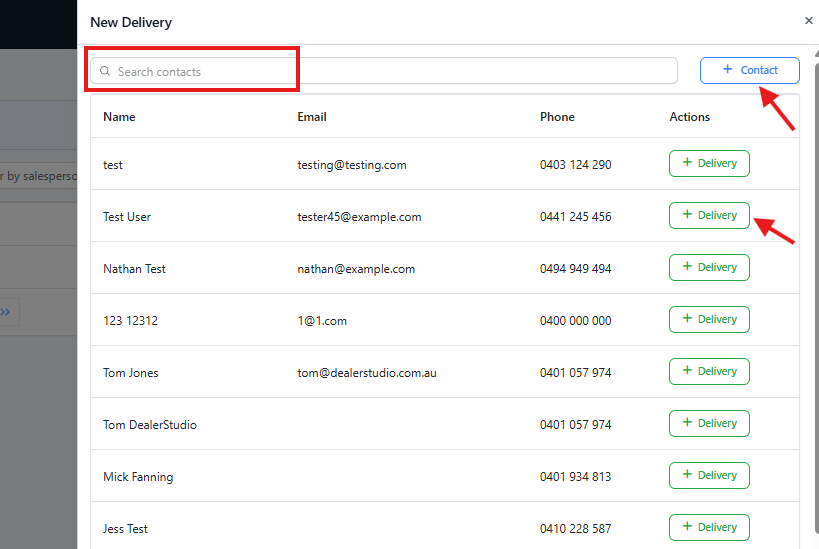
Step 2: Select or Create a Customer
Search for the customer if their contact details already exist in the system.
If the customer does not exist, click + Contact to create a new customer record.
Once the customer is selected, click + Delivery to proceed.
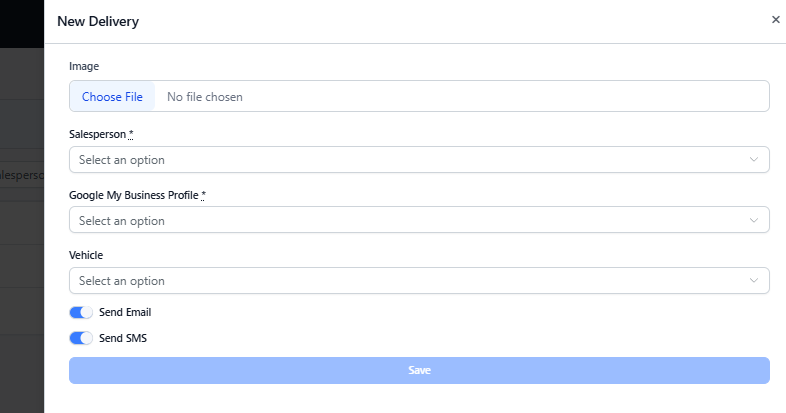
Step 3: Complete the New Delivery Form
In the New Delivery form, fill in the relevant details:
Upload images related to the sale (optional).
Select the salesperson associated with the sale.
Choose the correct GMB (Google My Business) profile for the dealership.
⚠️ Important: This is the Google profile where the customer will leave their review. Make sure you select the correct dealership’s GMB profile.
Select the vehicle involved in the sale (optional).
Step 4: Send the Review Request
Choose how you would like to send the review request:
Email
SMS
Or both
Review the details to ensure everything is correct.
Click Save to send the Google Review request.
Once sent, your customer will receive a link prompting them to leave a Google Review for your dealership and sales experience.
Was this article helpful?
That’s Great!
Thank you for your feedback
Sorry! We couldn't be helpful
Thank you for your feedback
Feedback sent
We appreciate your effort and will try to fix the article