Please note: Your device needs to be signed into the relevant GMB in order to link it.
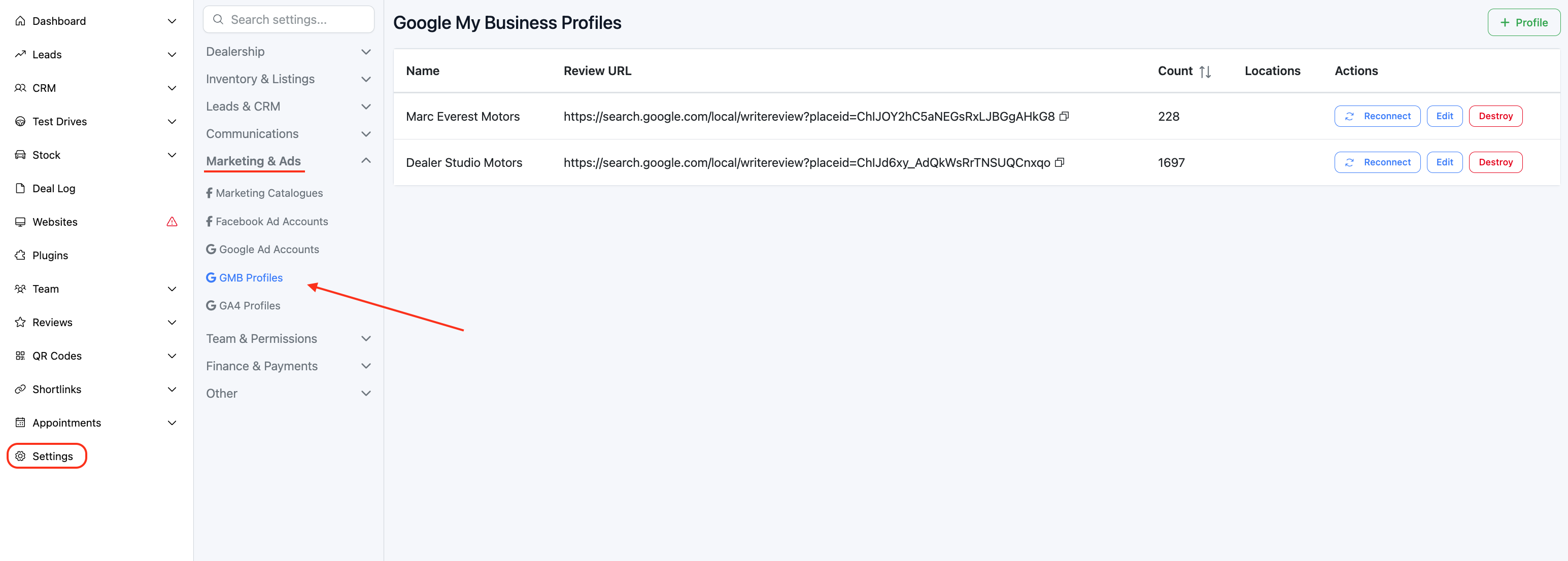
Step 1: Navigate to GMB Profiles
- On the Dashboard > Settings > Marketing & Ads > GMB Profiles
Step 2: Link the profile
- Click + Profile > + Account
- This will prompt you to sign into your GMB, log in and authorise the link.
Was this article helpful?
That’s Great!
Thank you for your feedback
Sorry! We couldn't be helpful
Thank you for your feedback
Feedback sent
We appreciate your effort and will try to fix the article