AI-powered call insights are now available across your leads, helping you quickly understand customer intent, outcomes, and buying readiness without listening to call recordings. Each transcribed call is automatically summarised and enriched with actionable signals, allowing your team to prioritise high-value opportunities in seconds.
This feature eliminates the need for manual call review by surfacing key details such as enquiry type, appointment outcomes, and purchase intent, all directly within the lead view and call logs.
Instructions to Use AI Phone Call Buying Signals
Step 1:
1. Access the Lead or Call View
2. Navigate to any lead that includes a recorded phone call, or open the Phone Calls sheet.
3. Open a Lead Detail View
4. Locate the call section under the lead
OR
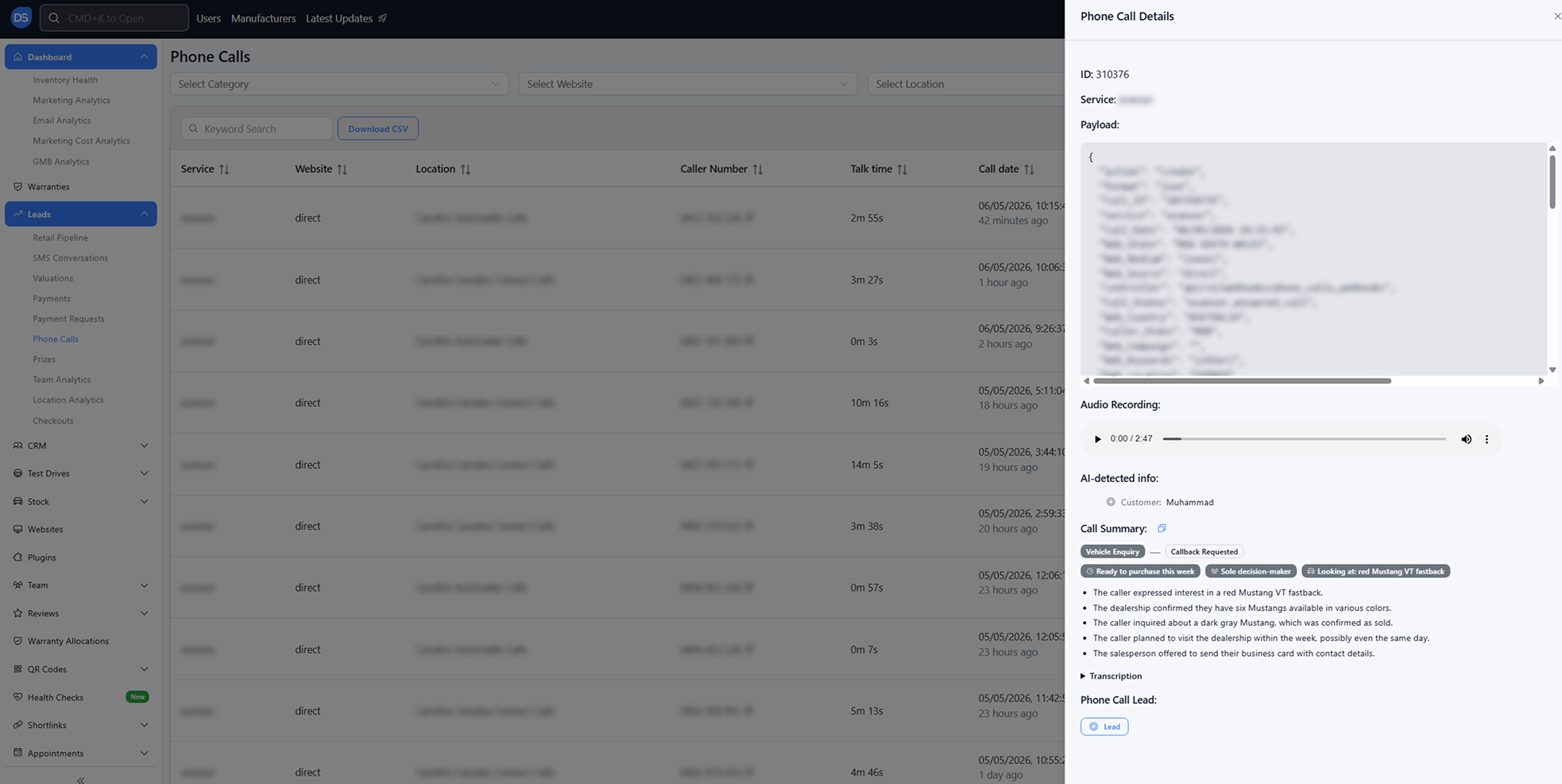
1. Go to the Phone Calls sheet
2. Select any call record
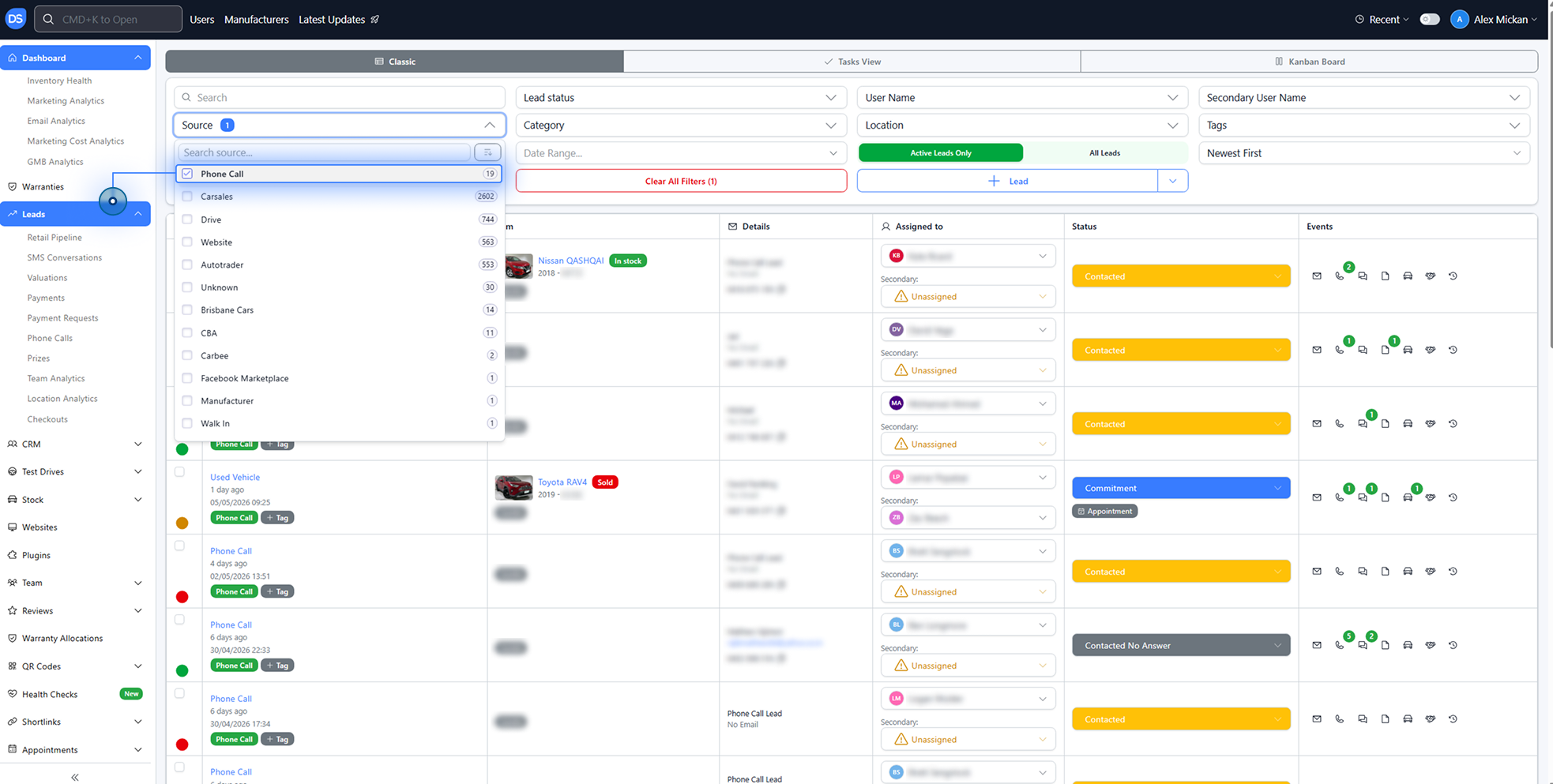
You can also access this via the Lead Cluster Calls table and review the “Signals” column.
Step 2: Review the AI Summary and Call Insights
Each call includes an AI-generated summary and structured insights to help you understand what happened at a glance.
Here’s what is automatically provided:
- Bullet Summary
3–6 plain-English lines summarising the conversation - Caller Intent
Examples include:
Vehicle Enquiry
Service Booking
Trade-in
Finance Enquiry
Complaint - Outcome
Examples include:
Appointment Booked
Info Provided
Callback Requested
Voicemail - AI-Detected Names
Customer name
Matched Sales Representative - Buying Signals (Quick-Glance Chips)
Highlight key indicators such as:
Purchase timeline
Finance interest
Trade-in intent
Test drive request
Decision-maker status
Budget indicators
Vehicle of interest
Step 3: Identify and Act on Hot Leads
Use the buying signal indicators to prioritise leads that are ready to convert.
Example Call Insight:
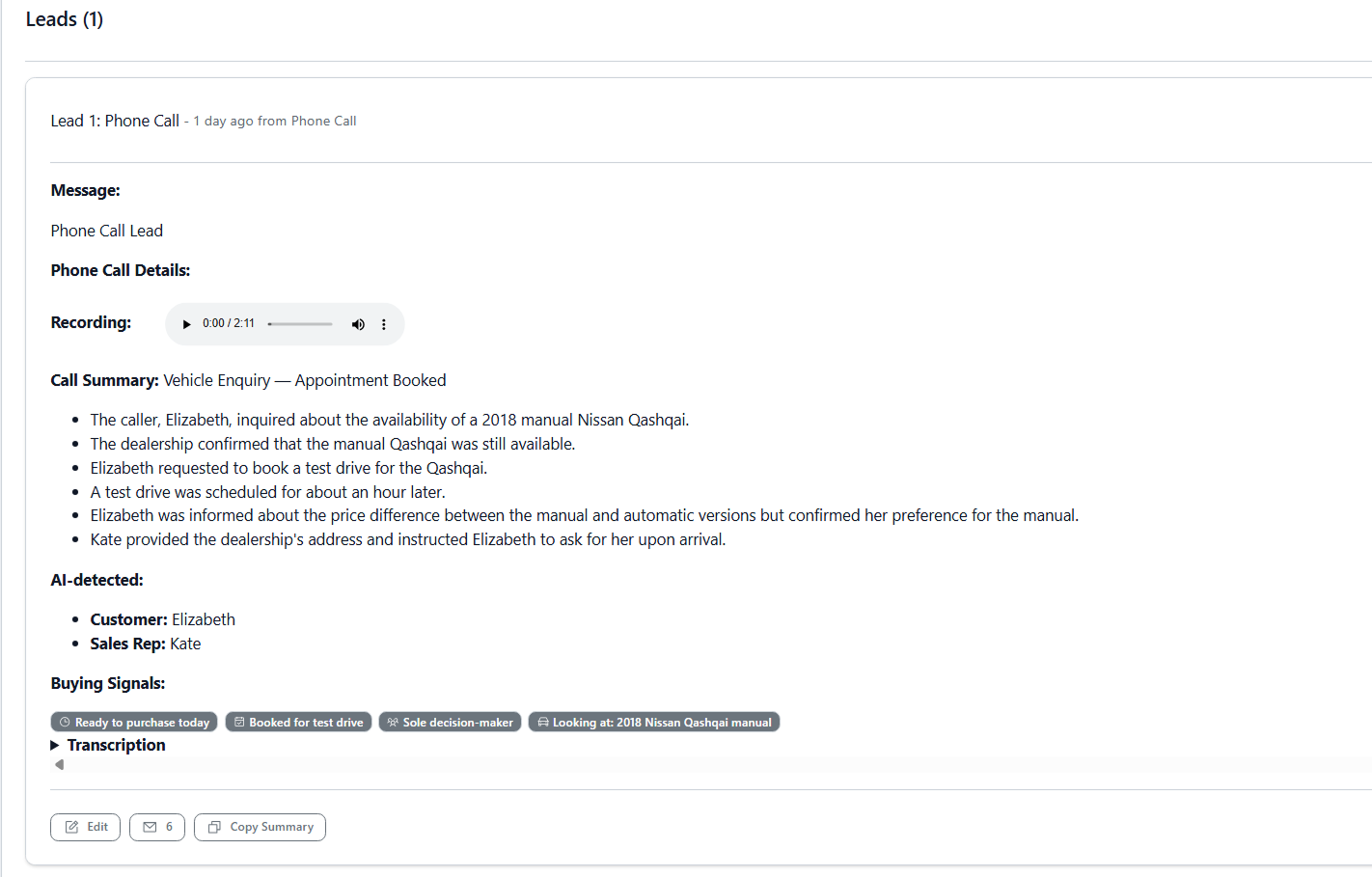
Vehicle Enquiry → Appointment Booked
- Customer asked about a 2018 manual Nissan Qashqai
- Confirmed still available
- Requested a test drive
- Booked for ~1 hour later
- Discussed manual vs automatic pricing
- Provided dealership address and rep contact
AI-Detected:
- Customer: Elizabeth
- Sales Rep: Kate
Buying Signals:
- Ready to purchase today
- Test drive booked
- Sole decision-maker
- Vehicle of interest identified
Important Notes
- Smart Filtering (No False Positives)
Buying signals are only shown for genuine sales-related calls, such as:- Vehicle enquiries
- Finance discussions
- Trade-ins
- Follow-ups
- Non-Sales Calls
For service, complaints, or warranty-related calls:- Buying signals will not appear
- Instead, contextual insights are shown (e.g. existing owner details)
Where to Find This Feature
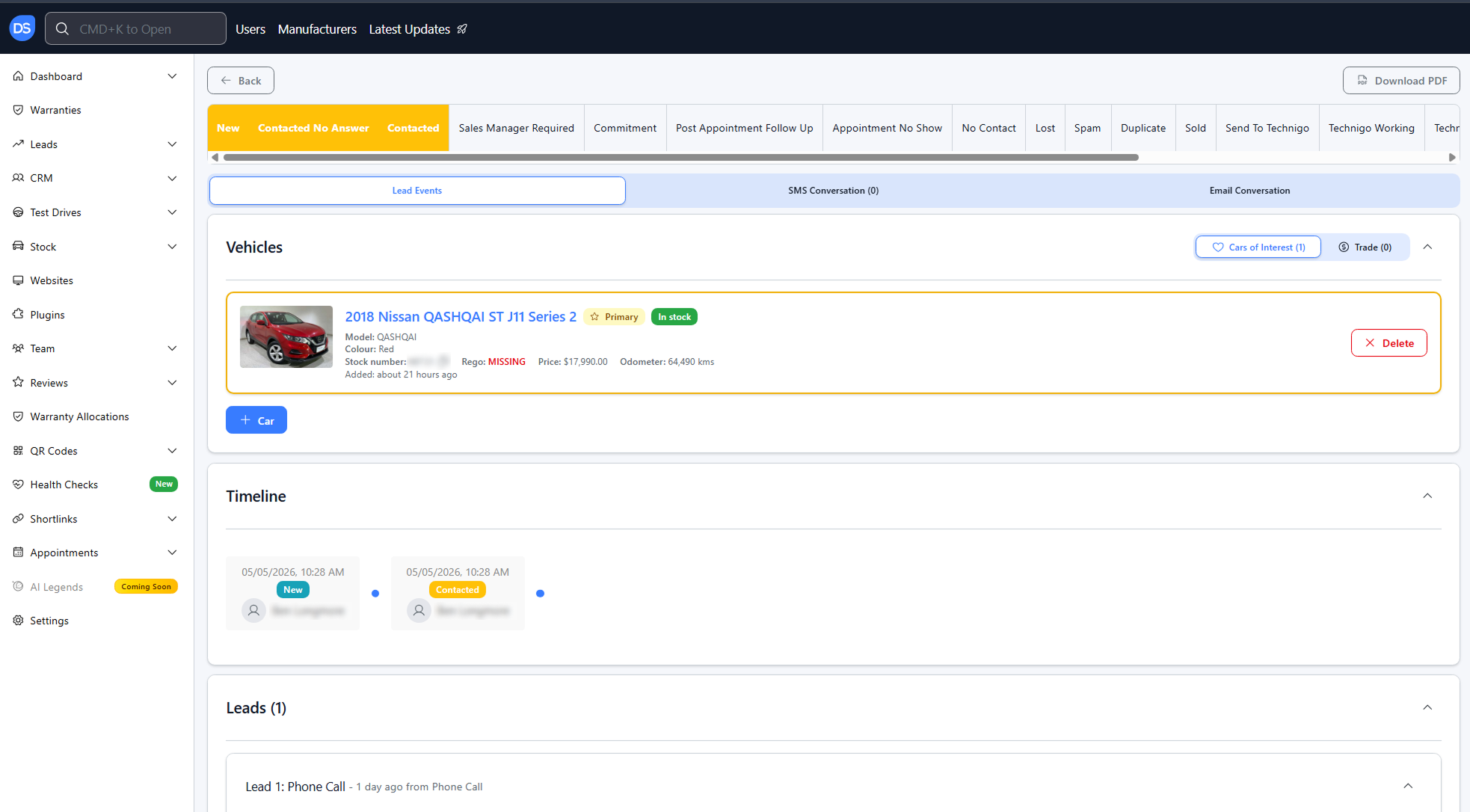
- Lead Detail View → under each call
- Phone Calls Sheet → open any call
- Lead Cluster Calls Table → Signals column
Was this article helpful?
That’s Great!
Thank you for your feedback
Sorry! We couldn't be helpful
Thank you for your feedback
Feedback sent
We appreciate your effort and will try to fix the article