A brief guide to the benefits of obtaining phone numbers through Dealer Studio and how to set them up.
BENEFITS OF DEALER STUDIO PHONE NUMBERS
- Call tracking – All calls are tracked through Dealer Studio and can be redirected to your existing sales lines, so you keep your current workflows.
- AI transcription – Each call is transcribed automatically so you have a searchable record of what was said.
- AI summary – Transcriptions are summarised by AI so you can quickly see the outcome and next steps.
- Car detection and lead creation – AI can detect the vehicle discussed in the call and create a lead in the LMS with the associated car. This is one of the main advantages: callers become leads with the right vehicle attached without manual data entry.
- Better lead attribution – Use different numbers for Google, Facebook, or other channels. The Source field on each number is used as the lead source when a lead is created from a call, so you can see which campaigns drive phone leads.
Pricing: $20/month per number; transcriptions are $0.12 per minute recorded (shown on the Phone Numbers page in the dashboard).
HOW TO BUY AND SET UP A PHONE NUMBER
You need permission to manage phone numbers (or be a manager). If you don't see "Buy Phone Number", ask your dealership admin.
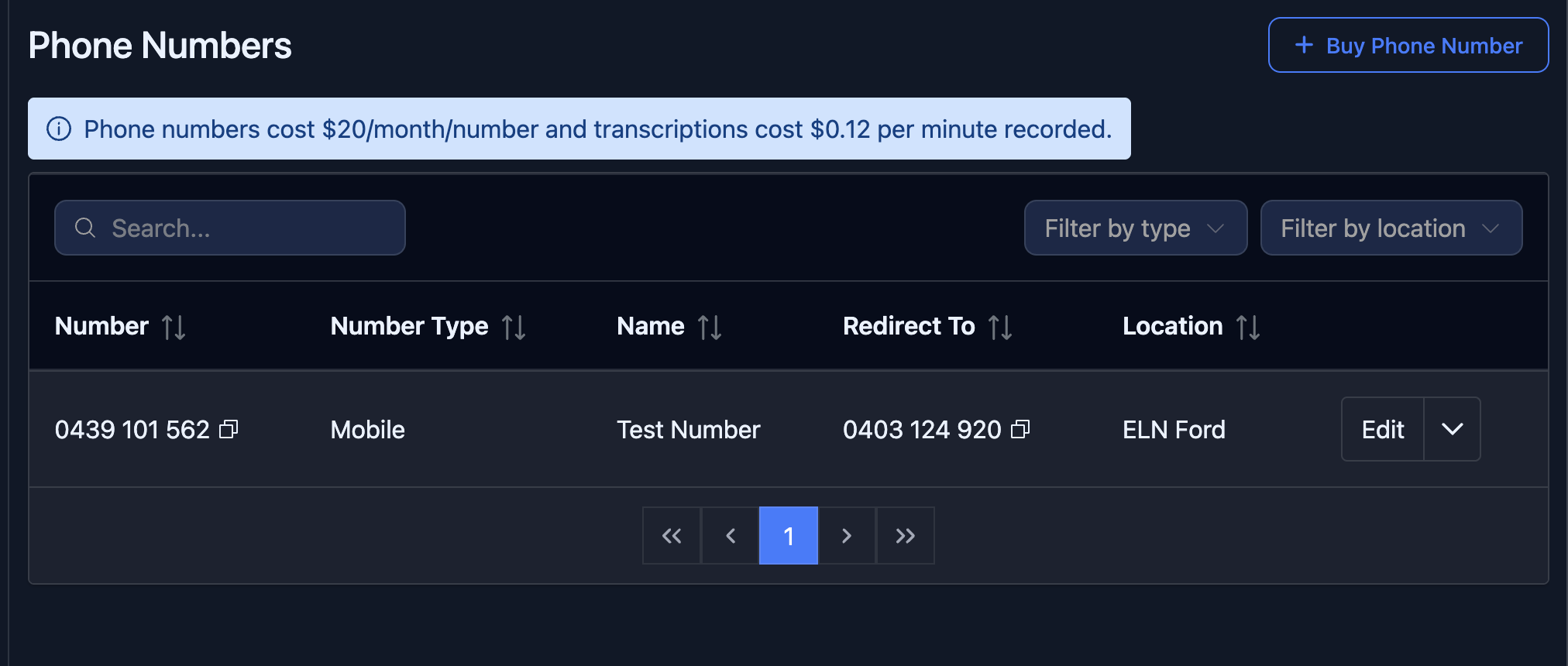
Step 1: Open Phone Numbers and start the flow
- In the dashboard, go to Phone Numbers (via your dealership menu or navigation).
- Click Buy Phone Number.
Step 2: Search for a number
- In the form, choose a Number type: Mobile, Landline, or 1300 (toll-free).
- For Landline, you must also select a Location (your dealership location for that number).
- Click Search Number.
- When results appear, pick the number you want from the Available numbers dropdown. The form will move to the next step.
Step 3: Fill in the details
- Number – Pre-filled from your selection. New numbers can take up to 15 minutes to become active.
- Name – A label for this number (e.g. "Google Ads – Sales", "Facebook – New Cars").
- Location – The dealership location this number belongs to (required).
- Redirect To – The existing phone number where calls should ring (must start with +61). This is your usual sales line.
- Source – Lead source used when a lead is created from a call (e.g. "Google", "Facebook"). Use this to improve attribution for ads and campaigns.
- Lead Category – Optional. If set, leads from this number will use this category instead of the default "Phone Call".
- Enable Lead – Turn this on so calls to this number can create leads (recommended if you want LMS leads and car detection).
- Enable Transcript – Turn this on for AI transcription and summary (recommended).
- Enable SMS – Optional. Turn on if you want to send and receive SMS on this number in the app (e.g. for Mobile numbers).
- Export Phone Call Data – Optional. Turn on if you use Total Selling and want call data exported there.
Click Submit to save. The number will appear in the Phone Numbers list; you can Edit it anytime to change redirect, source, or options.
Was this article helpful?
That’s Great!
Thank you for your feedback
Sorry! We couldn't be helpful
Thank you for your feedback
Feedback sent
We appreciate your effort and will try to fix the article