To manage vehicle availability, update its status in the inventory system. Set the status to Reserved to hold the vehicle for a customer, or switch it back to Available to make it open for sale.
Navigate to the stock item
Select Stock → Search Stock Number
Select Edit
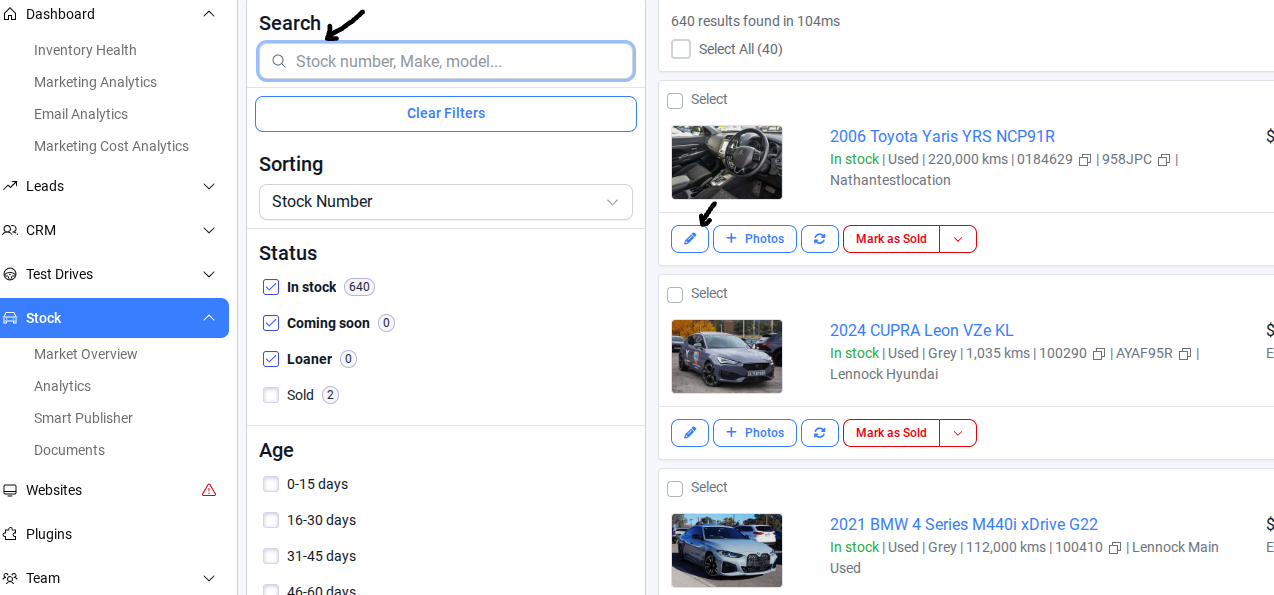
3. Go to the Details section in Edit Car
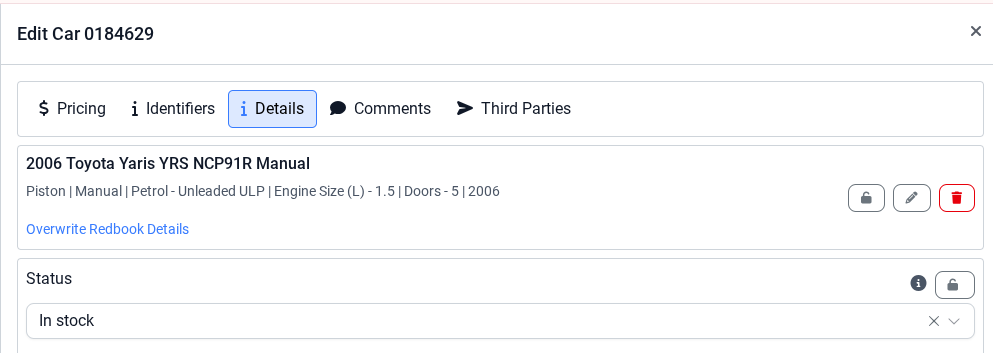
4. Turn it off for Not Reserved and on for Reserved.
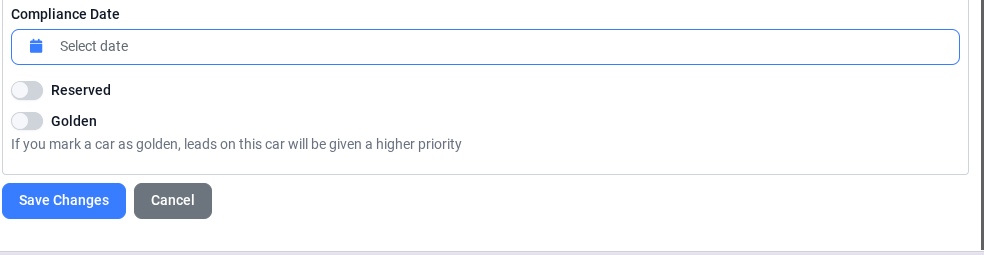
By following the steps above, the correct reservation status will be applied by toggling the setting off for Not Reserved vehicles and on for Reserved vehicles.
Was this article helpful?
That’s Great!
Thank you for your feedback
Sorry! We couldn't be helpful
Thank you for your feedback
Feedback sent
We appreciate your effort and will try to fix the article