Test drive booking availability has been updated to ensure accurate scheduling and a smooth customer experience.
#Navigate to the Correct Level
Your CMS has two levels of settings:
Dealer Level
Website Level
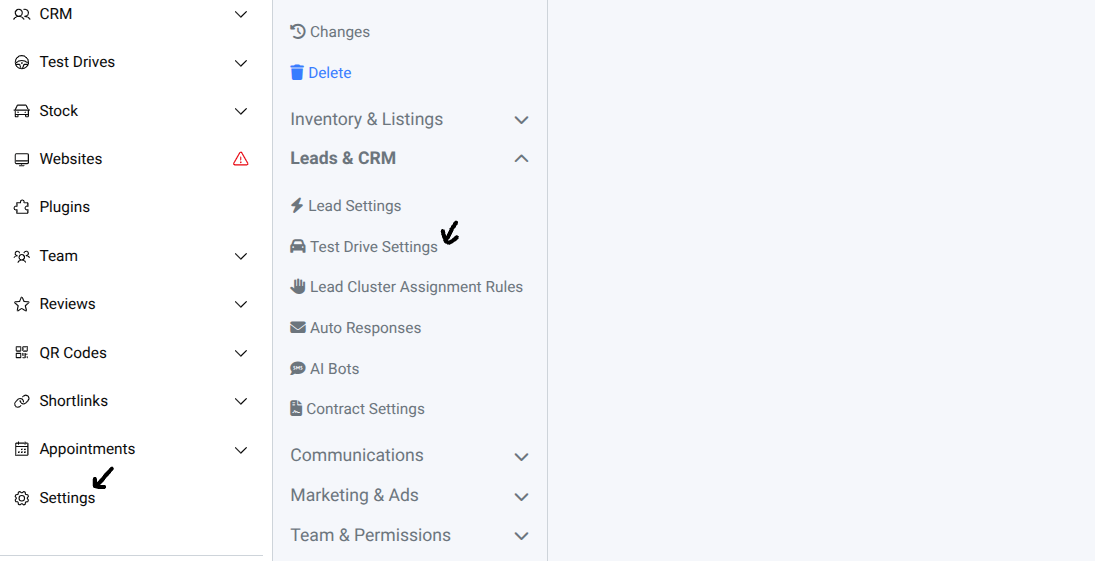
First, ensure you’re on Dealer Level.
Select → Setting
Select → Leads & CRM → Test Drive Settings
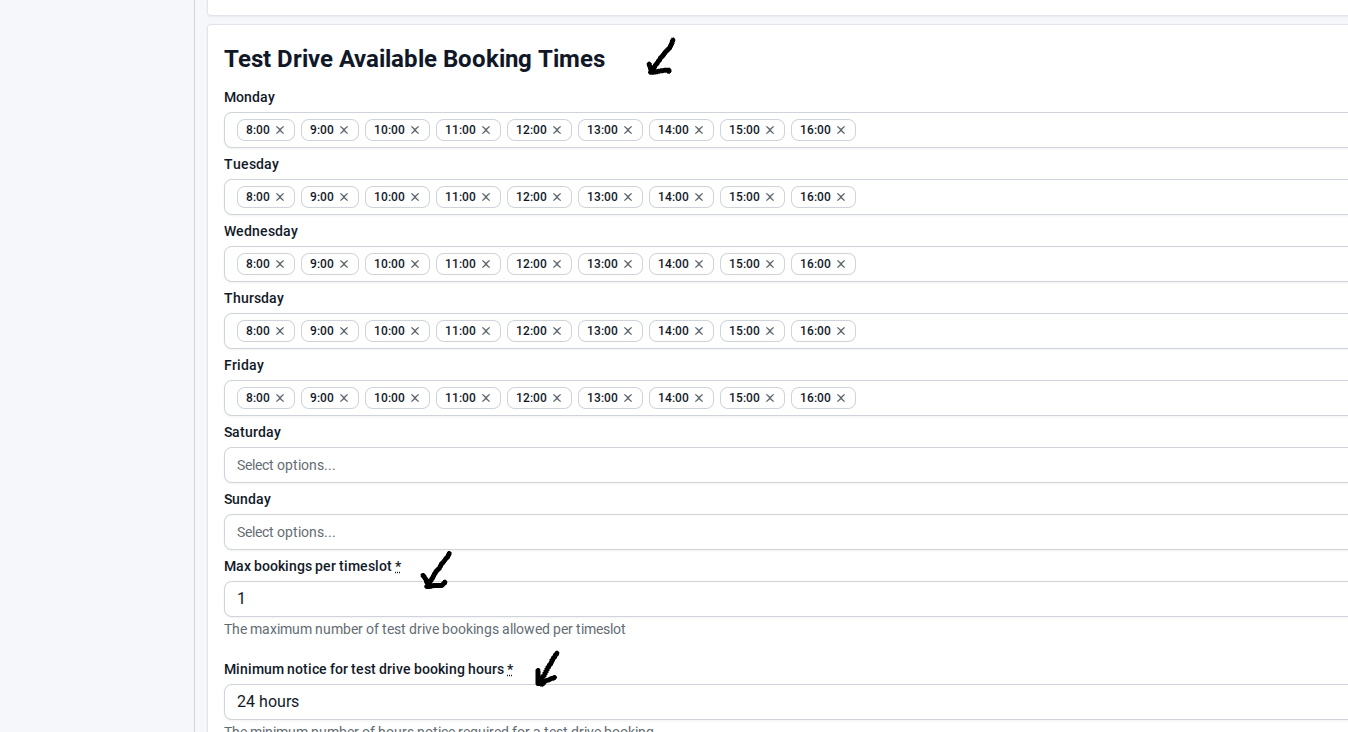
#In Test Drive Settings, navigate to Test Drive Available Booking Times
Change Available Booking Times: Click on the day (Monday to Saturday) you want to update and adjust the time slots.
Update Maximum Bookings per Timeslot: Set the maximum number of bookings allowed for each slot.
Adjust Minimum Notice: Modify the minimum notice required for customers to book a test drive.
Save Changes: Click Save to apply all updates.
Updating test drive booking times, maximum bookings, and minimum notice ensures a smooth scheduling process and an improved customer experience. Always save changes to keep the system up-to-date and avoid conflicts.
Was this article helpful?
That’s Great!
Thank you for your feedback
Sorry! We couldn't be helpful
Thank you for your feedback
Feedback sent
We appreciate your effort and will try to fix the article