Overview
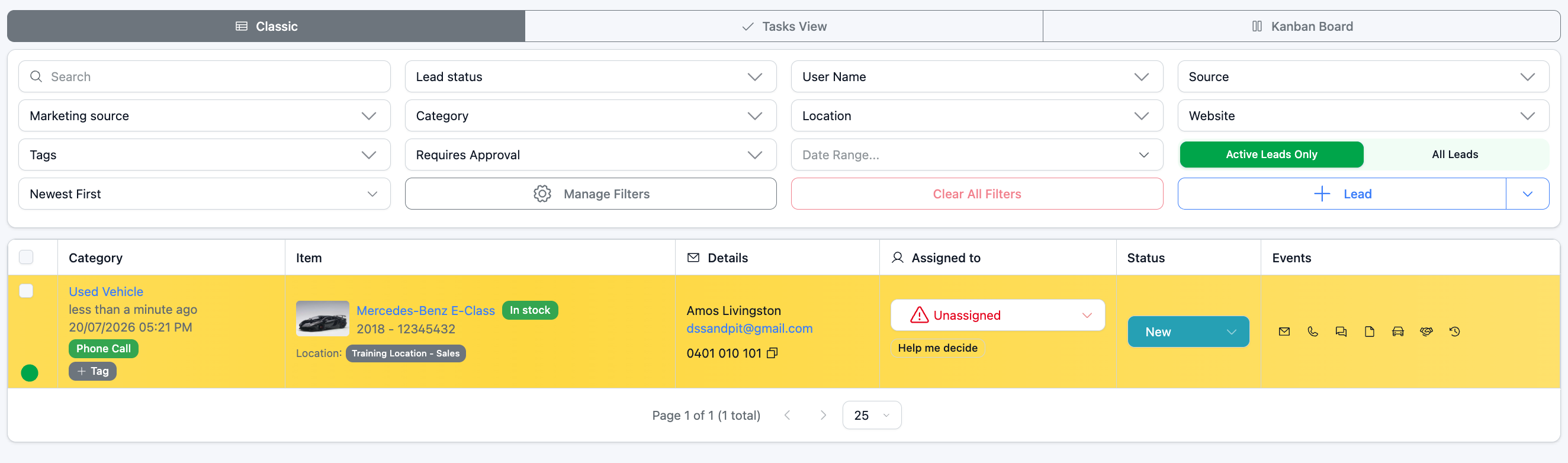
Golden Leads is a prioritisation feature that helps your team focus on your most important stock first. When a car is marked as "Golden," any lead associated with that car is automatically flagged as high priority and highlighted in yellow throughout the lead management system, making it stand out in pipeline views like Sales and Buying Pipeline.
How to Mark a Car as Golden
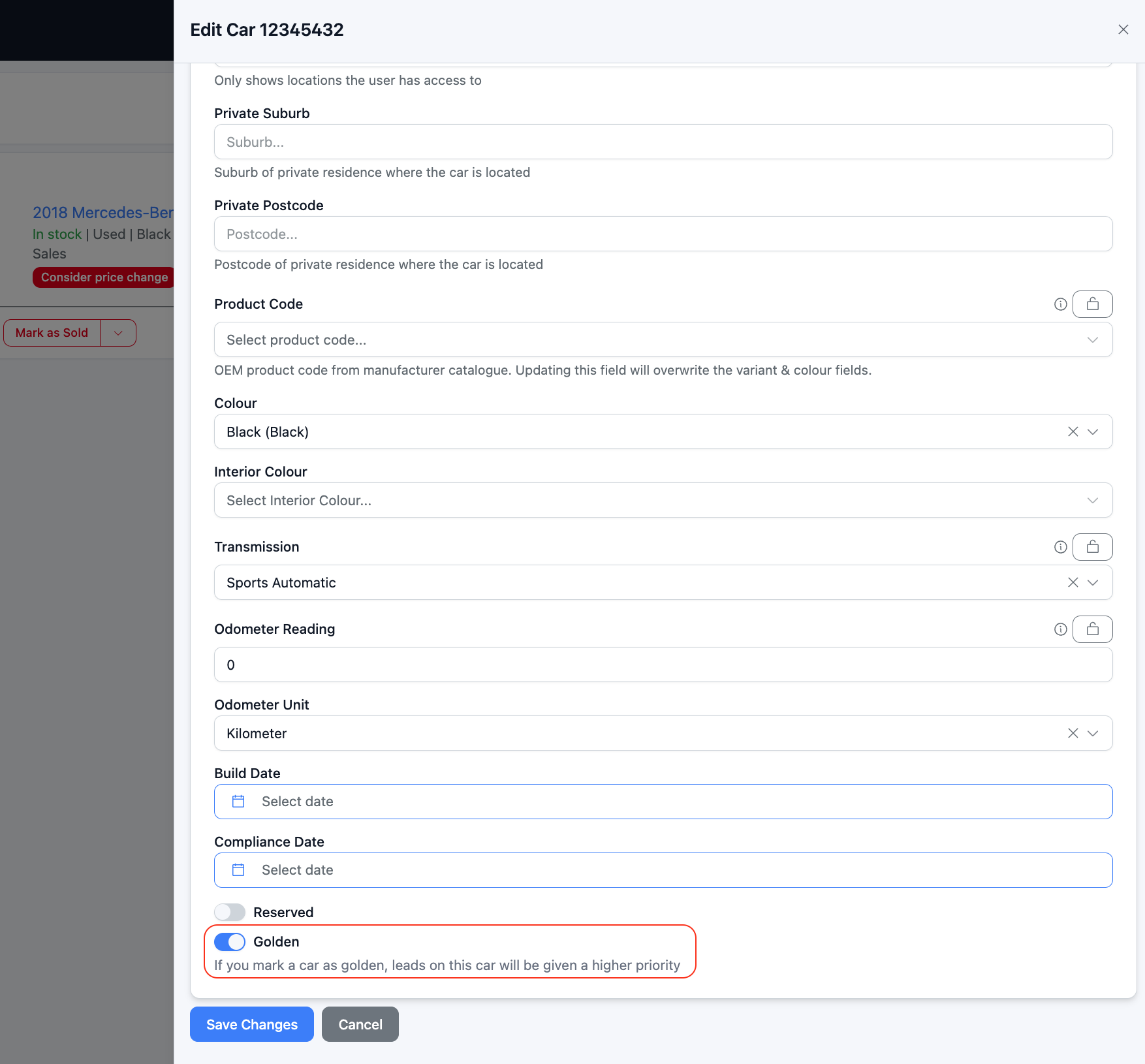
- Open the Stock section and select the car you want to prioritise.
- Click Edit.
- Go to the Details tab.
- Scroll to the bottom and toggle on Golden.
- Click Save Changes.
What Happens Next
Once enabled, the car's listing in Stock will display a GOLDEN badge. Any leads associated with that car will appear highlighted in yellow in the lead views, so your team can quickly identify and action them.
Was this article helpful?
That’s Great!
Thank you for your feedback
Sorry! We couldn't be helpful
Thank you for your feedback
Feedback sent
We appreciate your effort and will try to fix the article