This guide explains how to edit and rearrange content on a website page using the page editor. It will show you how to navigate to the correct website and page, access the editor, and adjust the position of content blocks as needed.
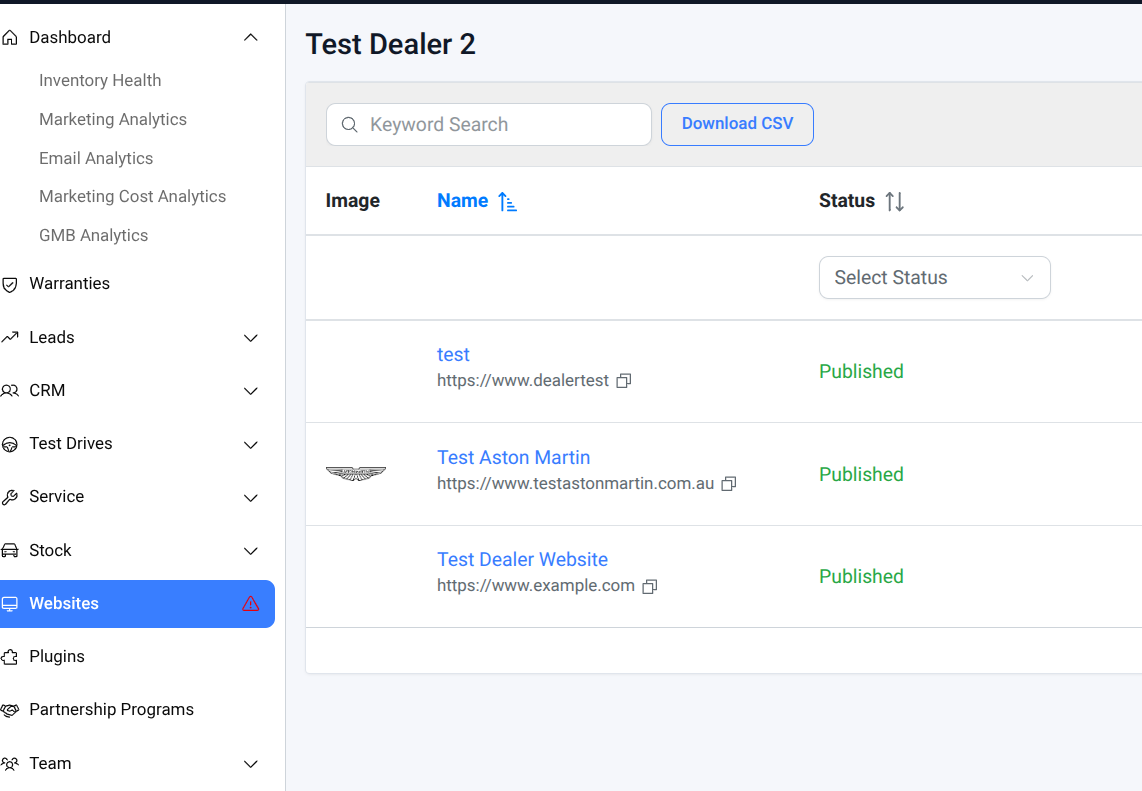
Step 1: Navigate to the Correct Level (Website Level)
- Click Websites -> Select the correct website.
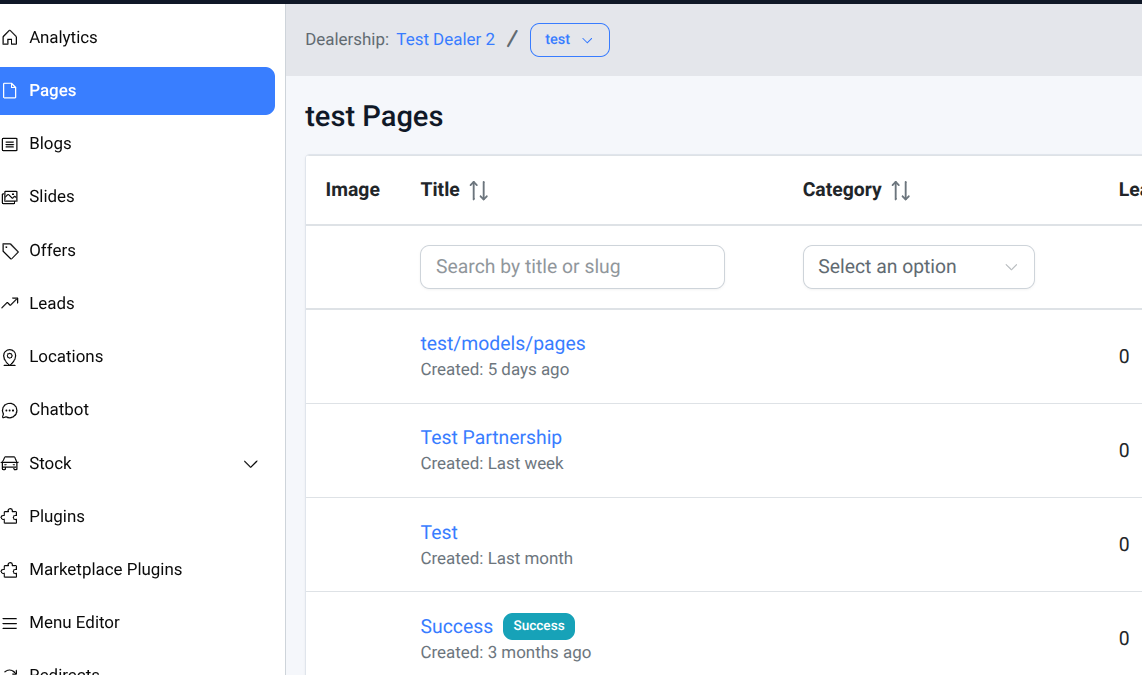
Step 2: Select the correct page
- Go to Pages → Click the relevant page.
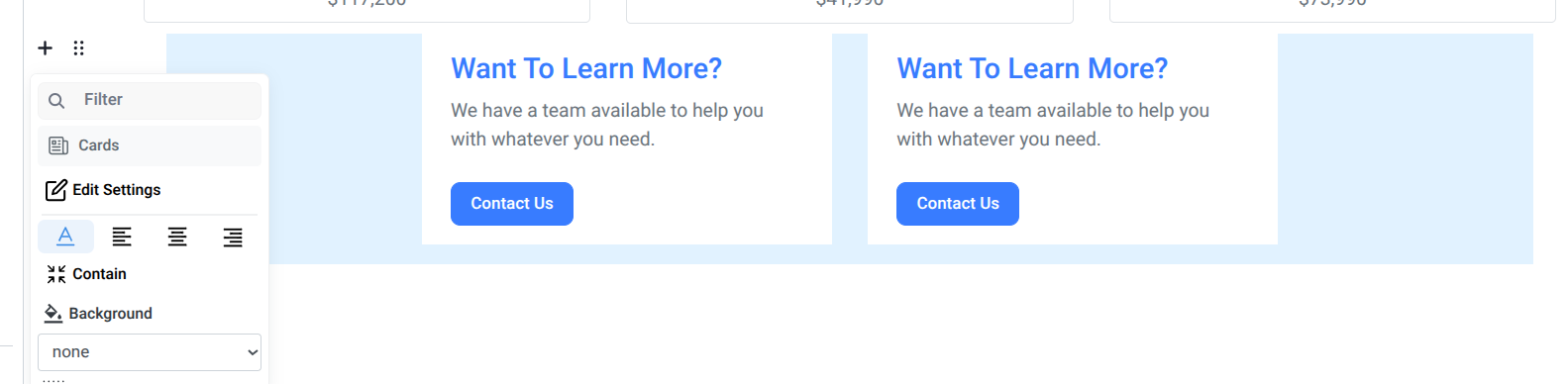
Step 3: Edit in Page Editor
- Click the chocolate bar icon (6 dots) to open the edit options
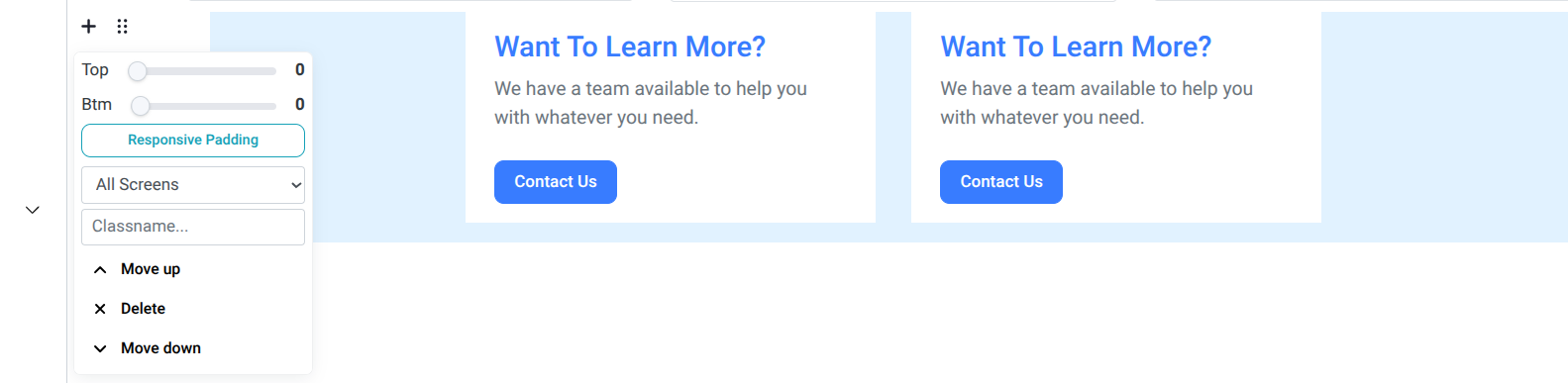
- Scroll to the section you want to adjust, then choose:
- Move Up to shift content upward
- Move Down to shift content downward
Make sure you are editing the correct website and page before making any changes. Always double-check the content position before saving, as moving sections incorrectly may affect the page layout and user experience.Using the page editor, you can easily reposition content blocks to improve page structure and flow. Regular updates help keep the website organised and ensure important information is displayed effectively.
Was this article helpful?
That’s Great!
Thank you for your feedback
Sorry! We couldn't be helpful
Thank you for your feedback
Feedback sent
We appreciate your effort and will try to fix the article