This guide explains how to update a dealership’s opening hours at the location level. It walks through navigating to the correct settings, selecting the relevant location, and modifying the operating hours and status (Open, Closed, or By Appointment) to ensure accurate information is displayed to customers.
Step 1: Navigate to the Correct Level (Dealer Level)
- Go to Settings → Select Locations
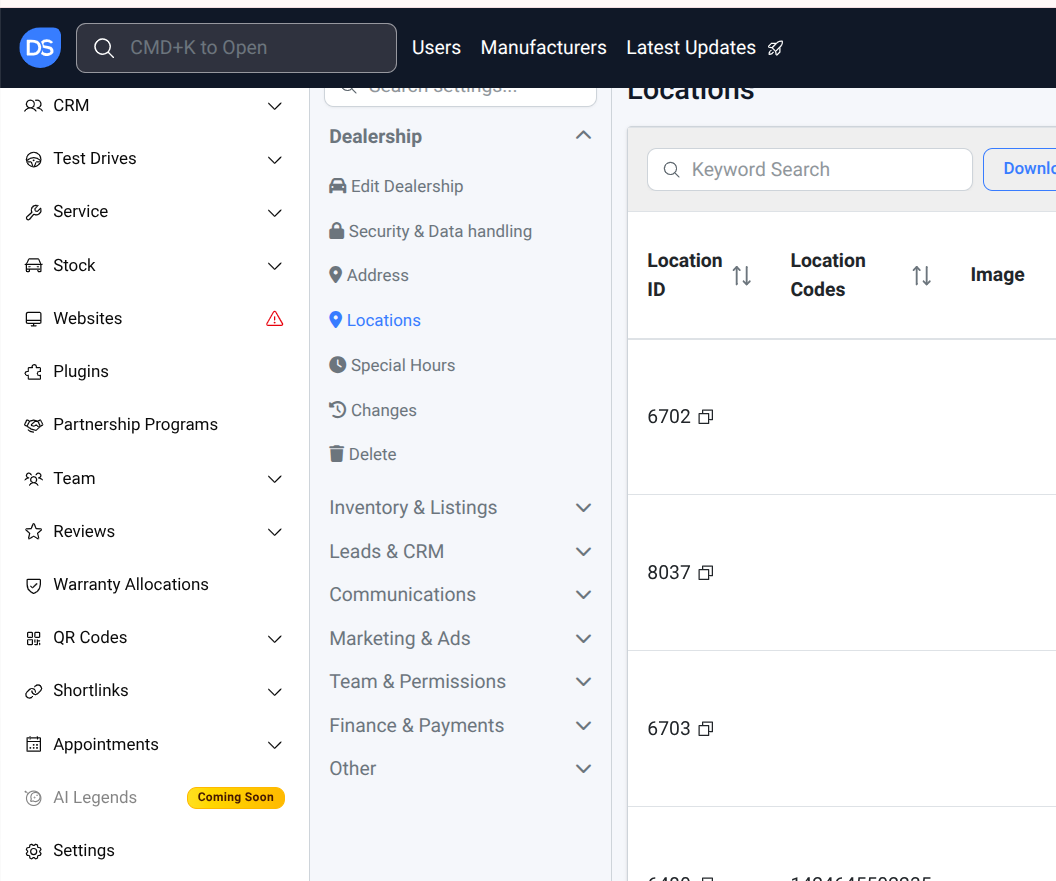
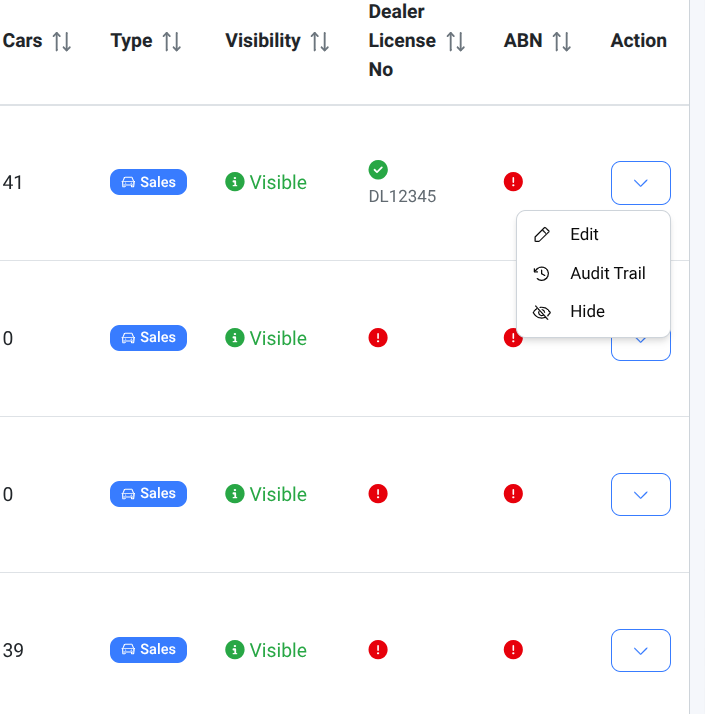
Step 2: Edit the Required Location
- Choose the location you want to update and click Edit
Step 3: Update Opening Hours
- Go to the Opening Hours section and update the hours and status as needed:
- Open
- Closed
- By Appointment
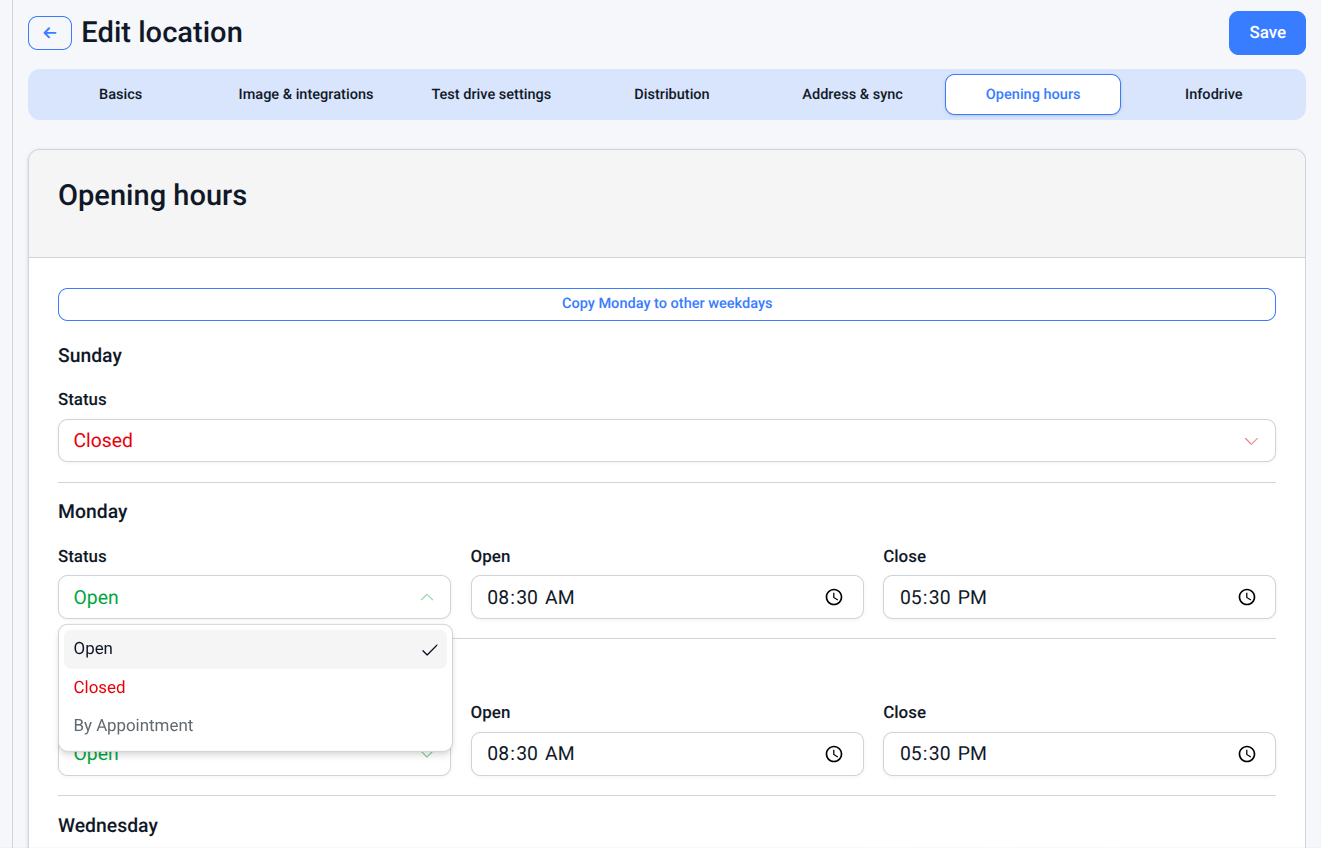
By Appointment:This status indicates that the dealership may offer services on Saturdays. Customers can contact the service team to arrange a booking if required.Keeping opening hours up to date helps provide clear and reliable information to customers. Using the appropriate status—especially “By Appointment”—ensures customers understand service availability and can contact the dealership when needed, improving overall customer experience and communication.
Was this article helpful?
That’s Great!
Thank you for your feedback
Sorry! We couldn't be helpful
Thank you for your feedback
Feedback sent
We appreciate your effort and will try to fix the article