Please note: A plug in needs to be added to your dashboard in order to enable this, please contact your account manager or the support team to switch this on.
If you haven't already downloaded the Dealer Studio App, that can be downloaded here:
Dealer Studio App Store - https://apps.apple.com/au/app/dealer-studio/id6504888047
Dealer Studio App Google Play - https://play.google.com/store/apps/details?id=com.dealerstudio.app&hl=en_AU&pli=1
Give an introduction to the topic of this How-to article. For example, let's consider that this article explains how to use article template
Instructions
Step 1: Adding a video to a listing
- Open the app > Stock > open the listing > select the Walkaround tab > select +
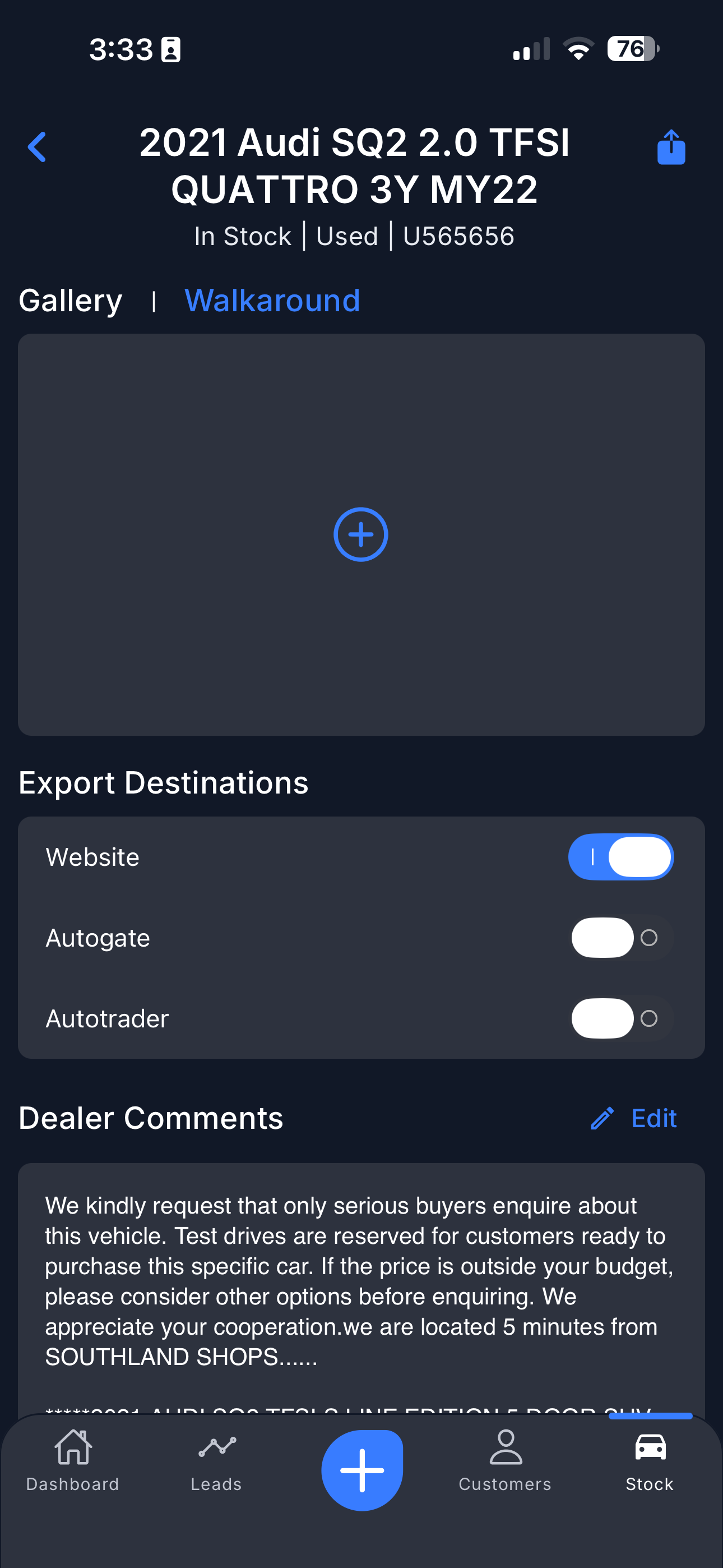
Step 2: Uploading or recording the video
- You will be able to record the video in the Dealer Studio app, or import it from your library.
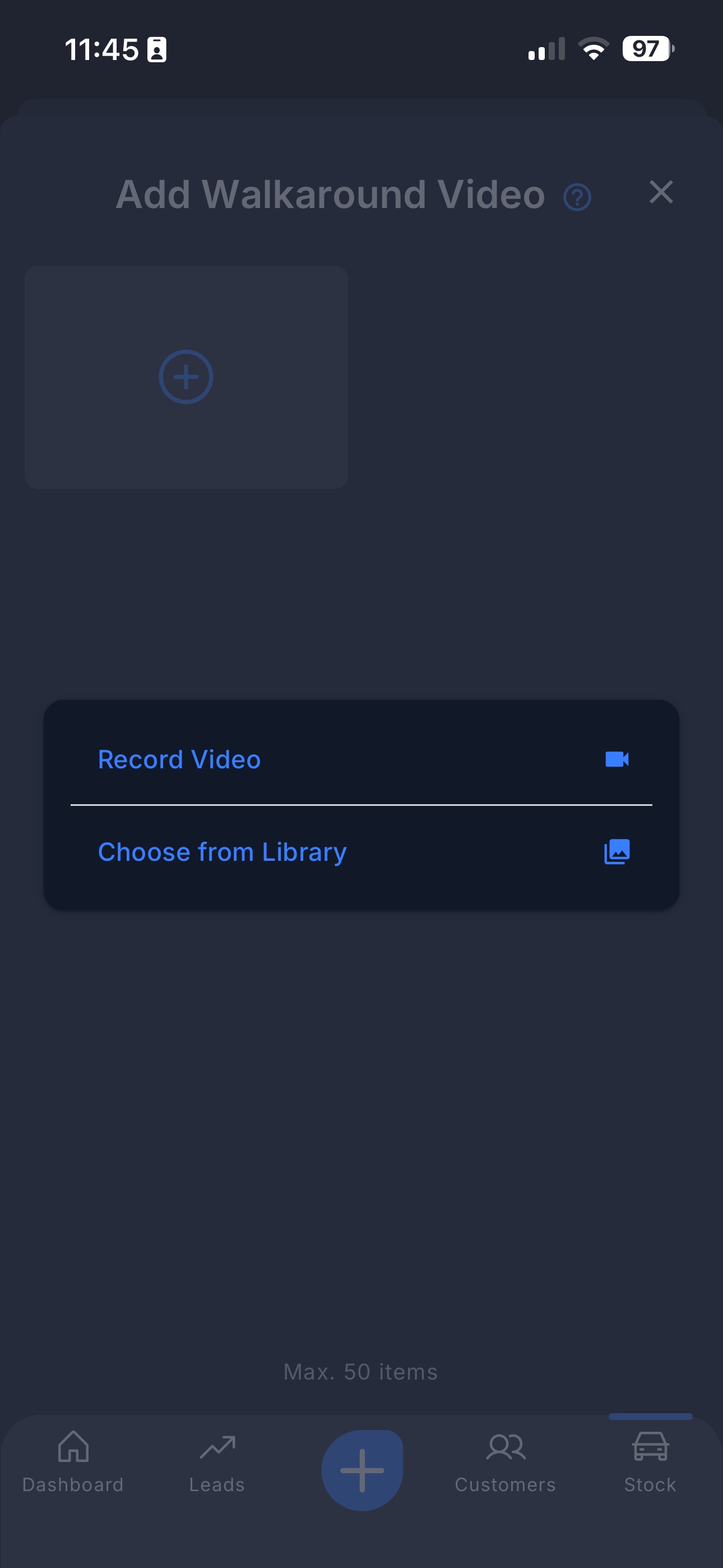
Walkarounds can be up to 1 minute long.
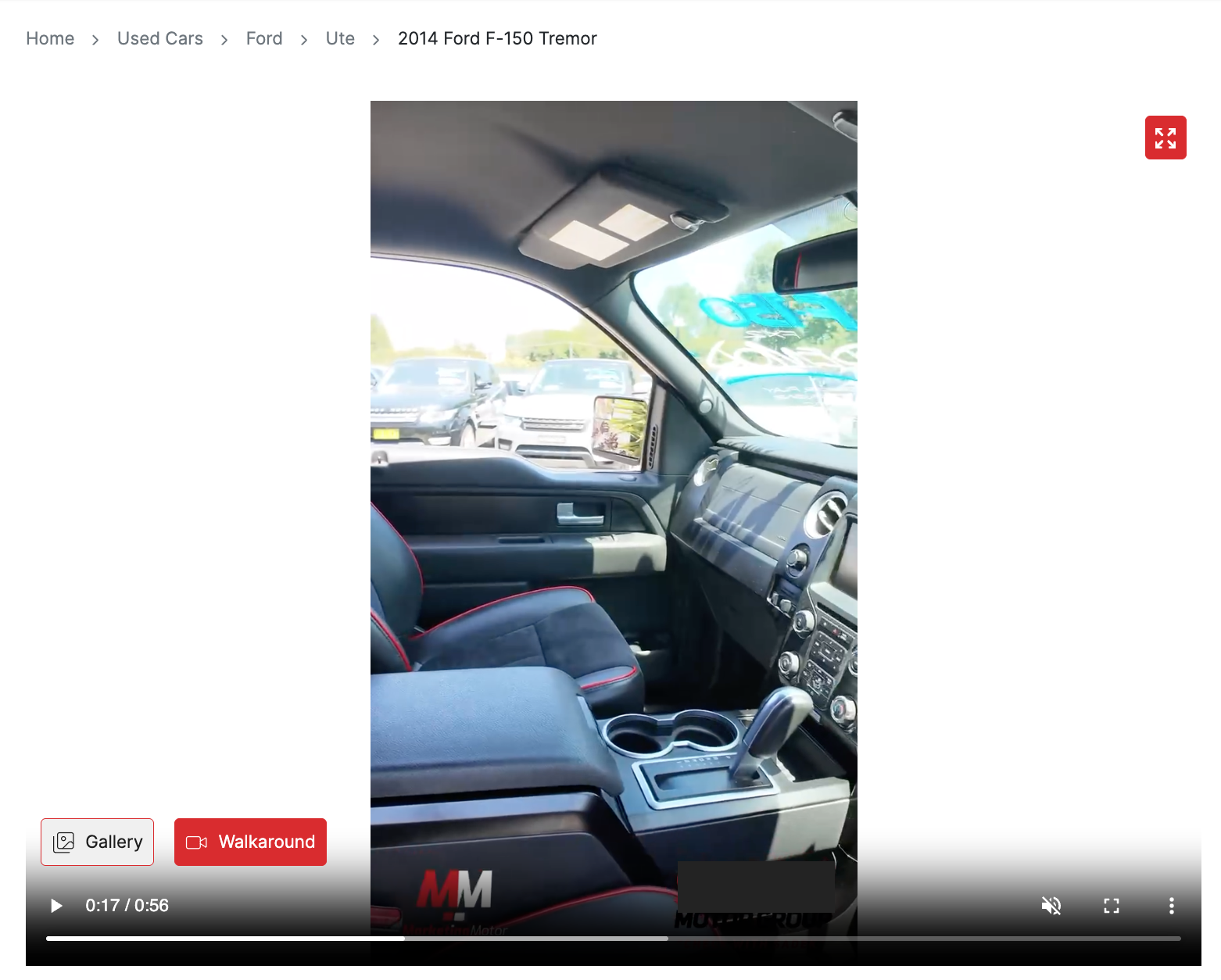
Step 3: The video will go live on your website
- Once you have uploaded the video, it will automatically upload to your dashboard and website and show under the Walkaround tab.
Was this article helpful?
That’s Great!
Thank you for your feedback
Sorry! We couldn't be helpful
Thank you for your feedback
Feedback sent
We appreciate your effort and will try to fix the article