Navigate to the Correct Level (Dealer Level → Website Level)
Your CMS has two levels of settings:
Dealer Level
Website Level
First, ensure you’re on Dealer Level.
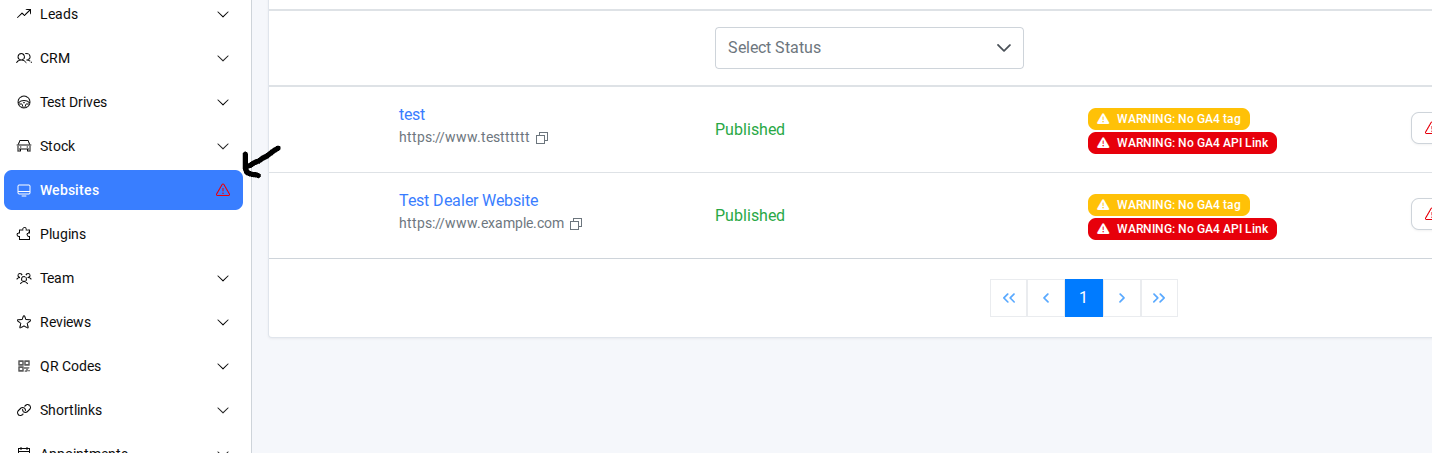
In the left-hand sidebar, go to Websites.
Select the website where you want to edit form submission success page — this switches you into the Website Level.
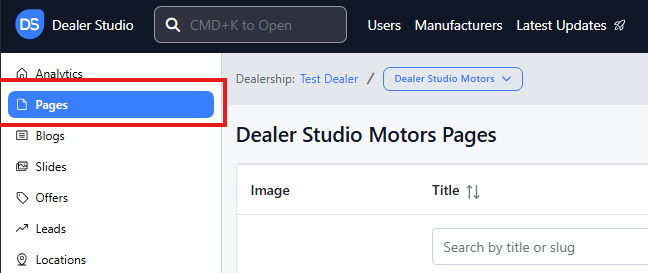
Step 1. Once on the Website Dashboard, select Pages
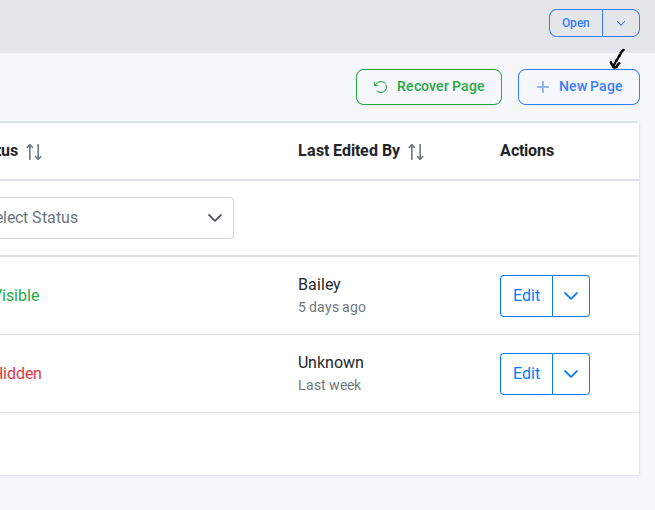
Step 2. Select a New Page
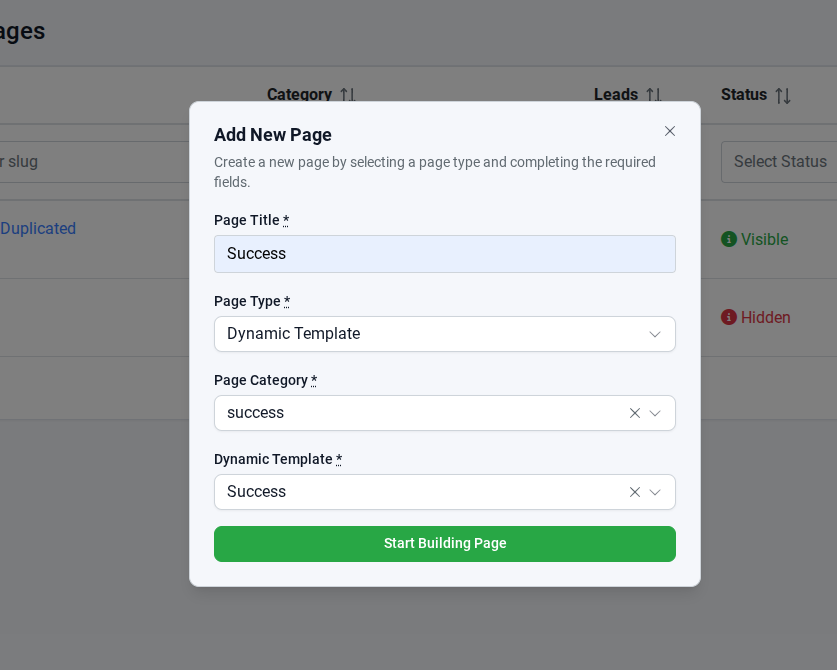
Step 3.In Add New Page,
Create a new page by selecting a page type and completing the required fields.
Page Title: Success - This is the name of the page as it appears in the website or CMS
Page Type: Dynamic Template - its content is generated automatically based on rules.
Page Categery: Success - The category is used for organizing pages in the CMS
Dynamic Template: Success - This specifies which dynamic template is applied to the page
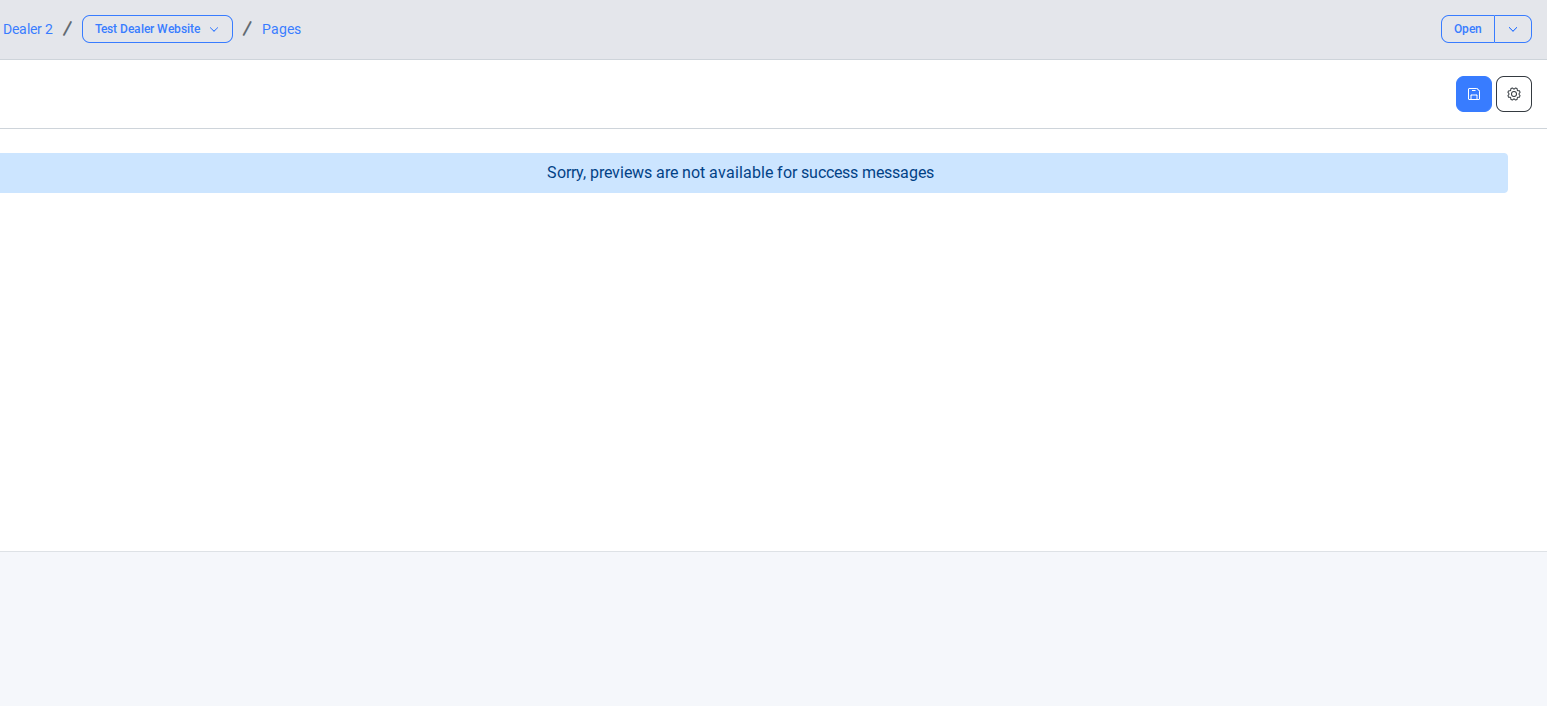
Step 4. After clicking Start Building Page, you will see the page below.
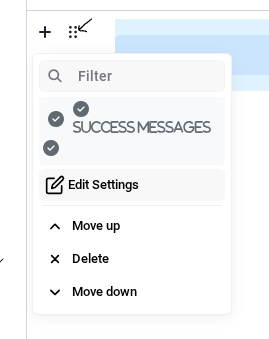
Step 5. Please click the chocolate bar below and select Edit Settings.
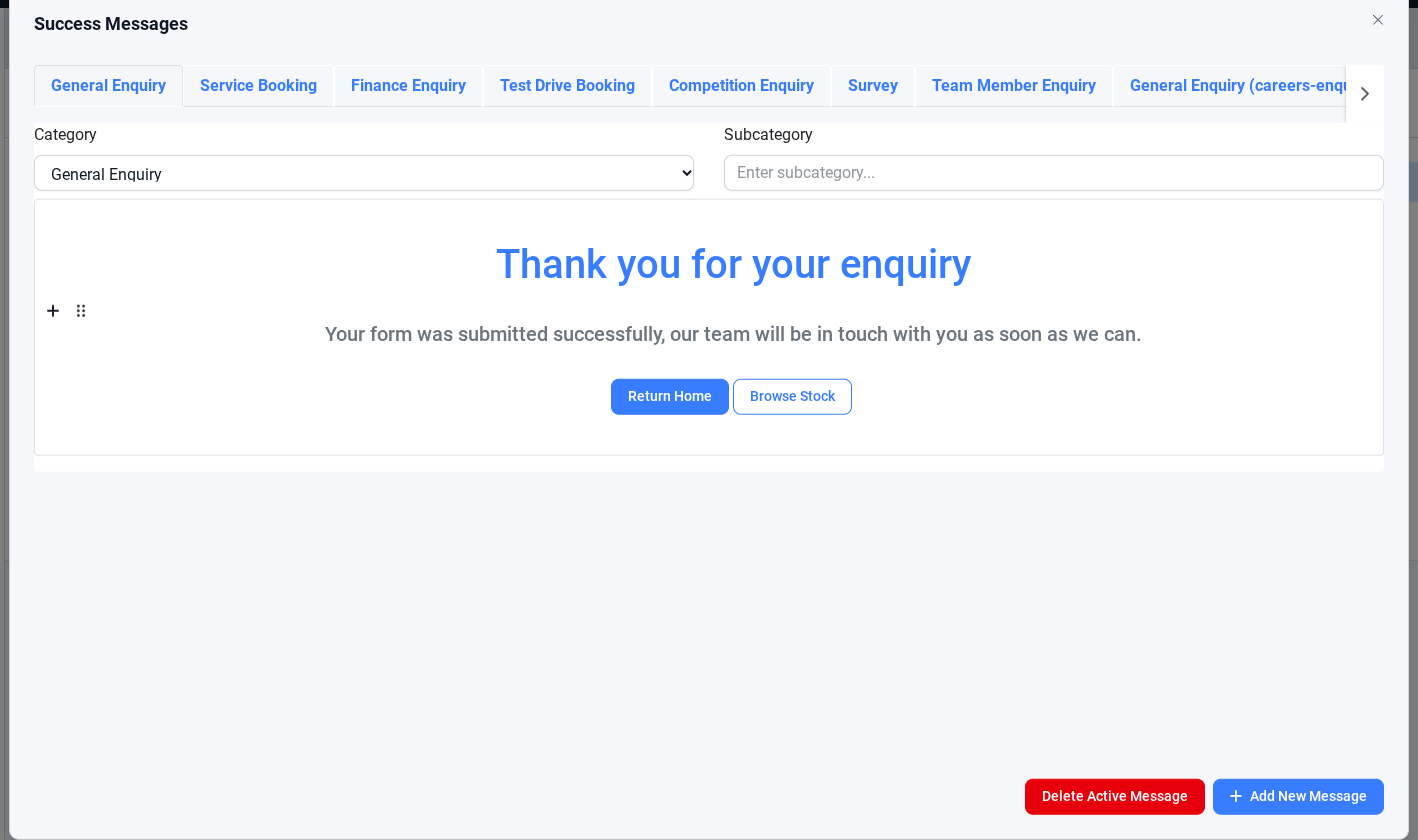
Step 6. Here, you can edit the success messages.
Step 7. After editing the message, Save the page.
Please check the test form on the live website to ensure it is functioning correctly.
This article guides you through creating and editing a Success page using a dynamic template, including updating success messages. After building the page, it is important to review the changes on the live website and test the form to ensure all fields, validations, and submission messages work correctly. Following these steps ensures that the page functions as intended and provides a smooth user experience.
Was this article helpful?
That’s Great!
Thank you for your feedback
Sorry! We couldn't be helpful
Thank you for your feedback
Feedback sent
We appreciate your effort and will try to fix the article