How to' manage search page templates

Created by Andrew S, Modified on Tue, 3 Mar at 9:29 AM by Andrew S

Search page templates control how auto-generated search pages look and read. Each template is tied to a category (e.g. car type, make, make/model, state, city, body type) and defines the patterns used for meta title, meta description, on-page heading, and the “results found” stats line. Templates use shortcodes (e.g. [count][make][default_city]) that are replaced with real data when each page is built, so one template drives many pages (e.g. the “make” template for Toyota, Hyundai, etc.). Dealers can override the defaults per website, enable or disable whole categories of generated pages, and optionally use a separate heading template so the on-page heading can differ from the meta title. Together, search page templates define the SEO and copy pattern for all system-generated search pages on a site.


What is this page and how to find it?

Search Page Templates controls the titlemeta descriptionheading, and stats text for your site’s vehicle search result pages (e.g. “Toyota Cars in Sydney”, “Used Cars in Brisbane”).
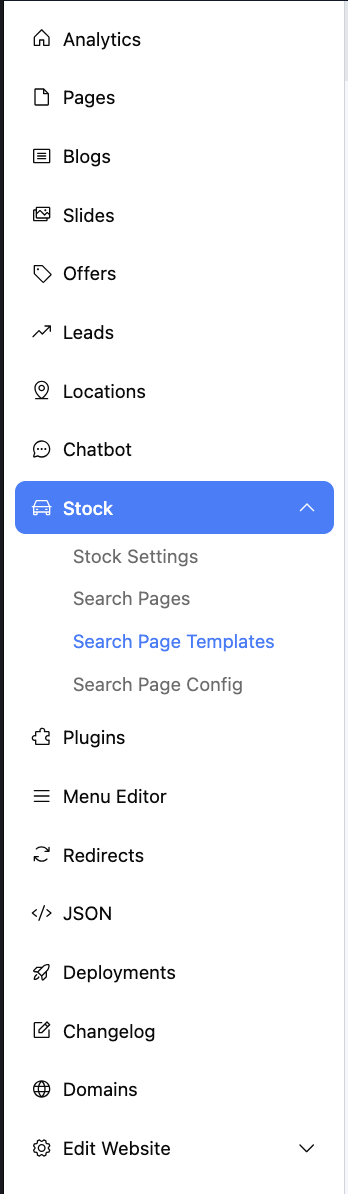
You can find it in the dashboard under Stock → Search Page Templates for your website
(e.g. https://dashboard.dealerstudio.com.au/websites/test-website/search_page_templates).

If you are on the dealership level we need to navigate to the website level
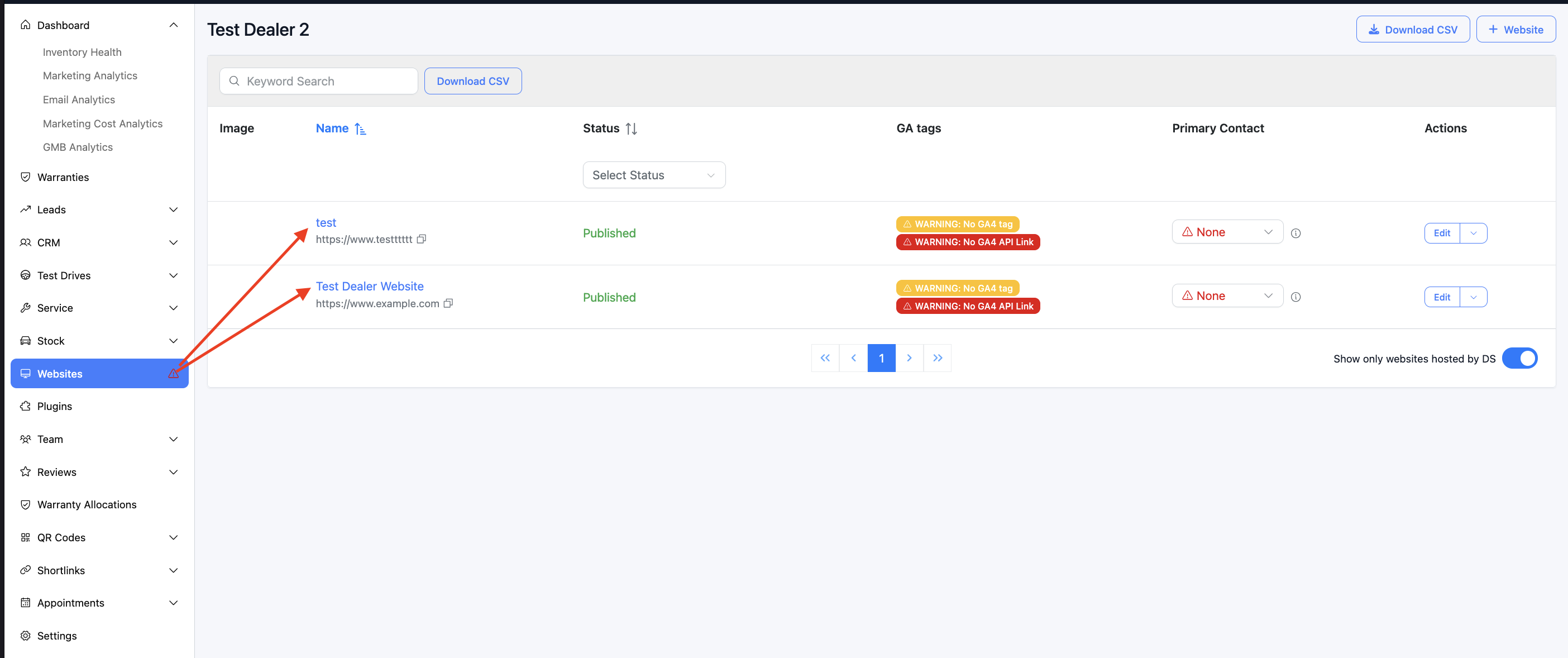

After clicking on the website's you will now be on the 'website level', and easily navigate to the search page templates


Why it matters

Each time a customer searches or filters (by make, model, city, body type, etc.), your site generates a search page. Those pages have:
  • Page title (browser tab and Google)
  • Meta description (snippet in Google)
  • On-page heading
  • Stats line (e.g. “42 Toyota cars found in Sydney in 77ms”)
Search Page Templates let you customise this text per “category” (e.g. by make, by city, by make/model) using variables so the same template works for “Toyota”, “Mazda”, “Brisbane”, etc.

What you see on the page

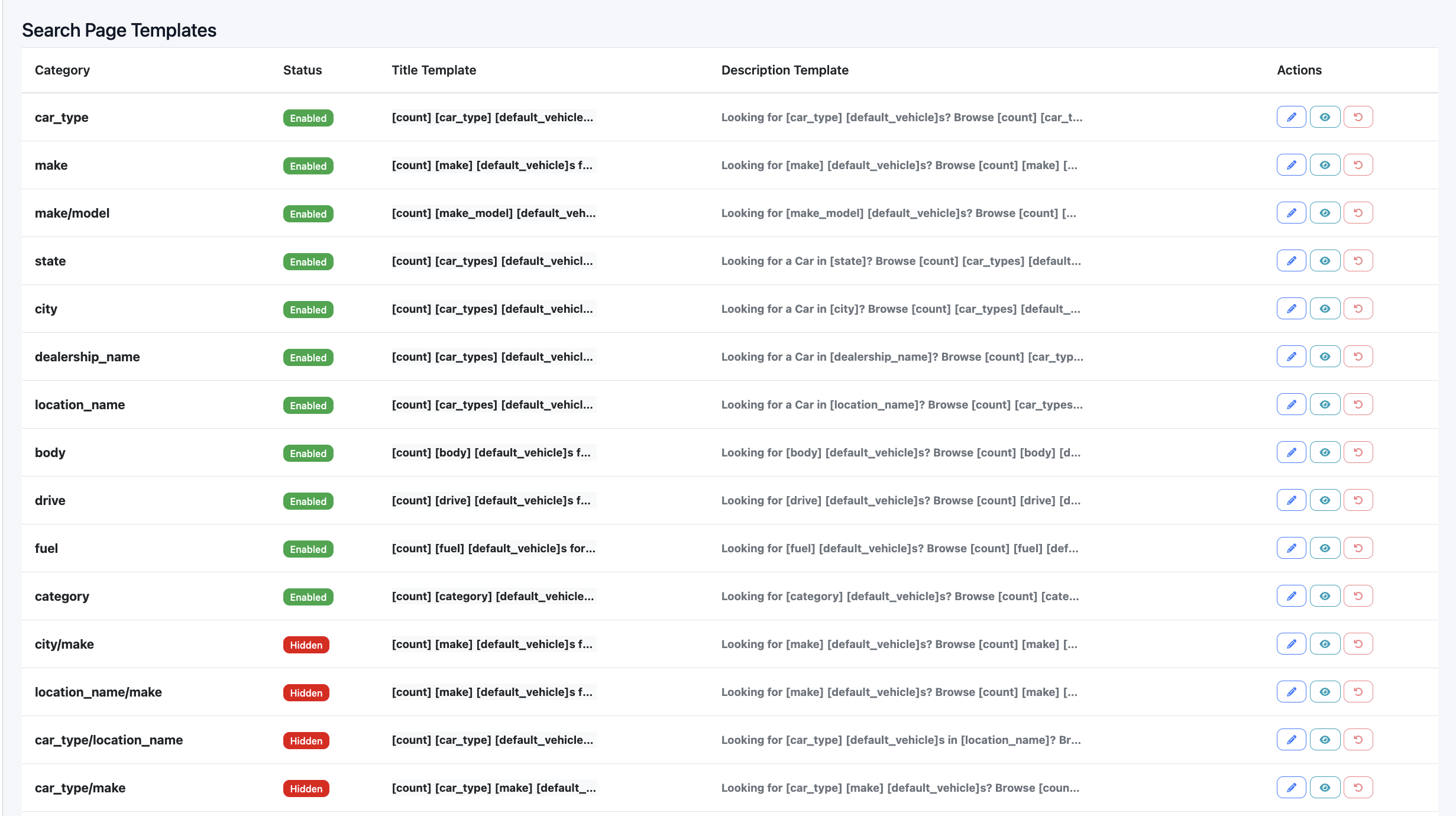
You get a table of templates with:
ColumnMeaning
CategoryType of search page (e.g. make, city, make/model, state, body, fuel, drive, etc.).
StatusEnabled = these pages are built and visible; Hidden = template exists but those URLs are not generated.
Title TemplateTemplate for the page title (and usually the default heading).
Description TemplateTemplate for the meta description.
ActionsEdit, SEO Preview, and (for custom templates) Reset to default.
Each row is either a default template (system-provided) or a custom one you’ve saved. Custom rows can be reset back to the default.


Categories (types of search pages)

Templates are grouped by category. Each category corresponds to a kind of URL/search:
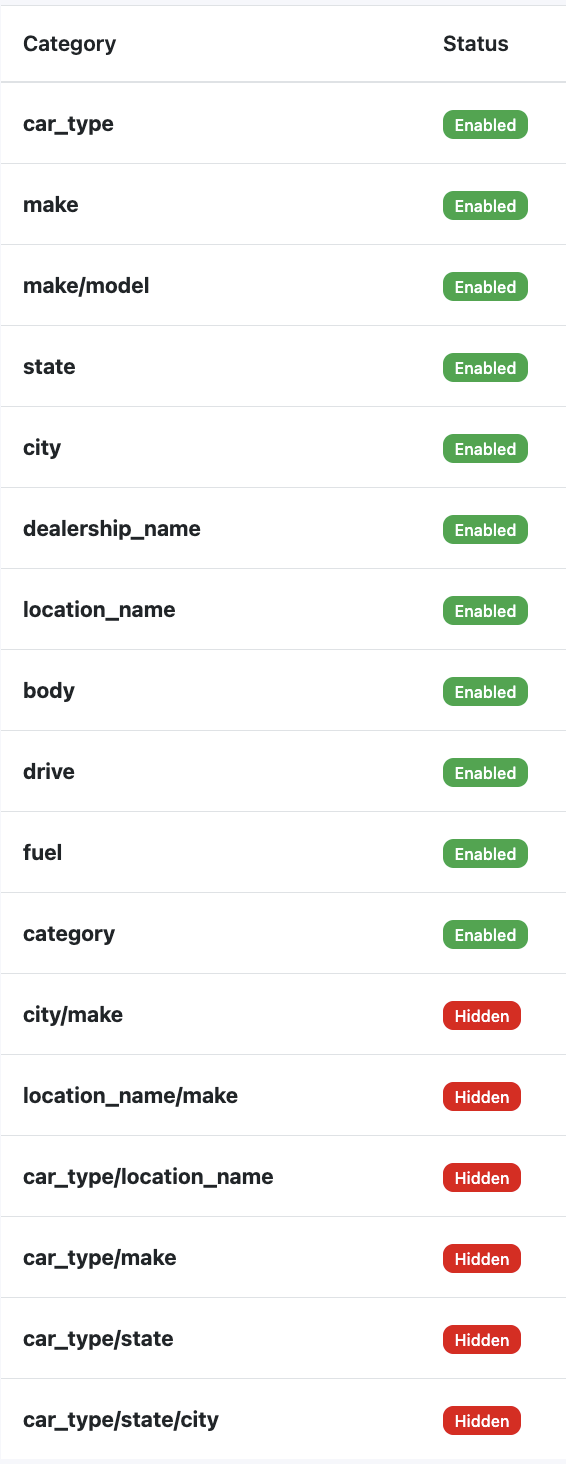
  • Single facet: car_typemakemake/modelstatecitydealership_namelocation_namebodydrivefuelcategory
  • Combined: city/makelocation_name/makecar_type/location_namecar_type/makecar_type/statecar_type/state/city
Examples:
  • make → “Toyota cars in [default city], [default state]”
  • make/model → “Toyota Camry cars in …”
  • city → “Cars for sale in Brisbane”
  • state → “Cars for sale in QLD”
You don’t create categories; you edit or enable/disable the template for each category.


Editing a template

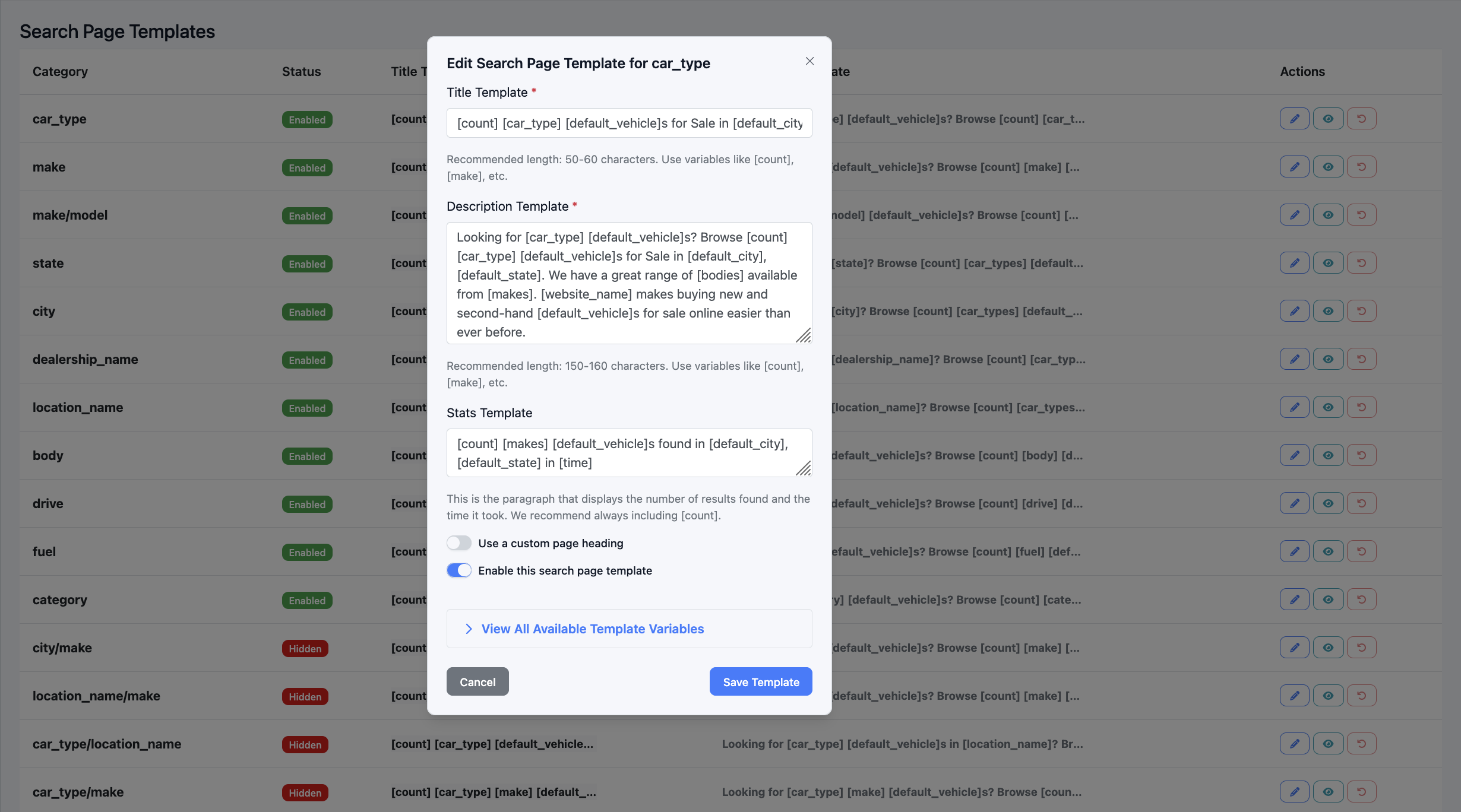
Click the pencil (Edit) button for a row to edit a search template.


 In the form you can set:

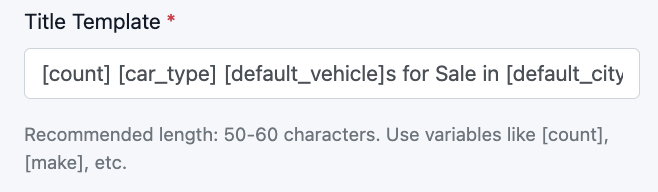
  1. Title template
Used for the page title (and often the main heading).
  • Keep it under 50–60 characters for SEO.
  • Use variables in square brackets, e.g. [count] [make] [default_vehicle]s for Sale in [default_city], [default_state].

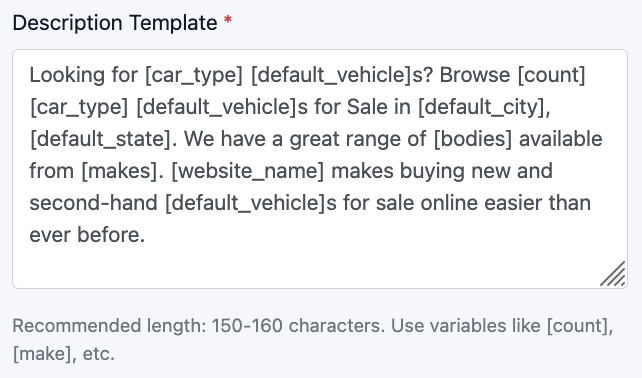
  1. Description template
Used for the meta description.
  • Aim for about 150–160 characters.
  • Same variables, e.g. Looking for [make] [default_vehicle]s? Browse [count] …


  1. Stats template
The line that shows result count and search time.
  • Recommended to include [count] (and optionally [time]).
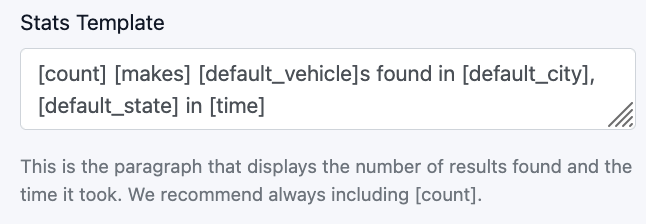


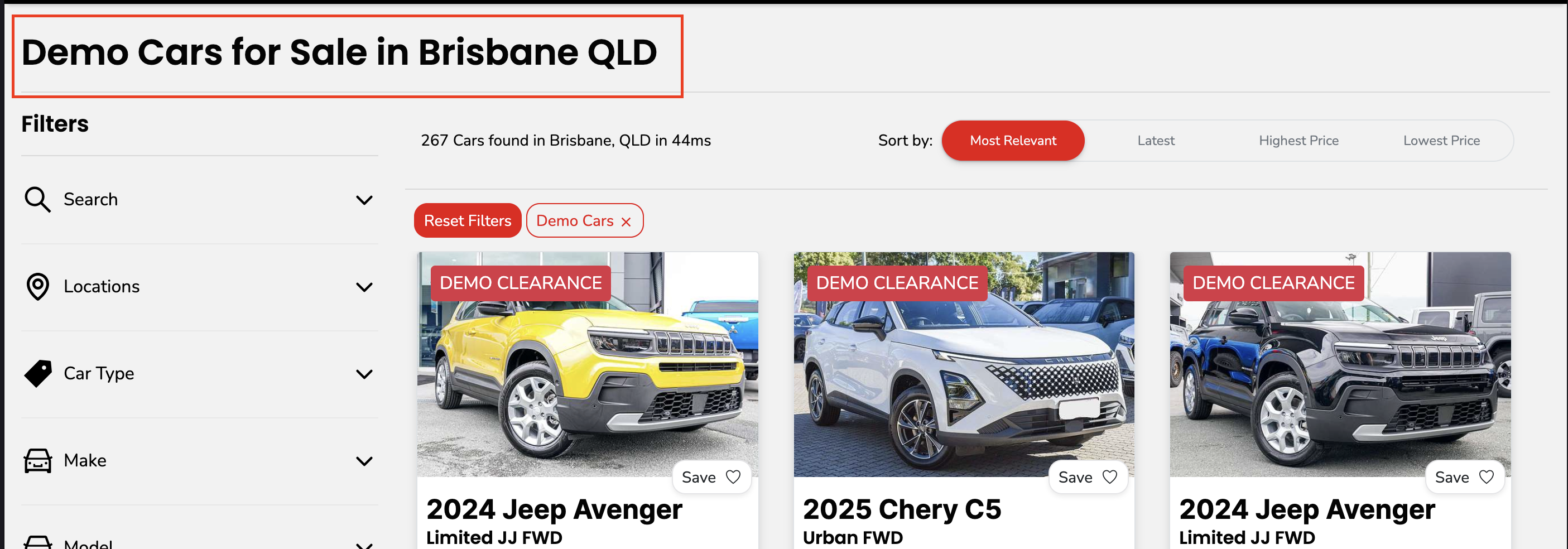
Which looks like this on the live page

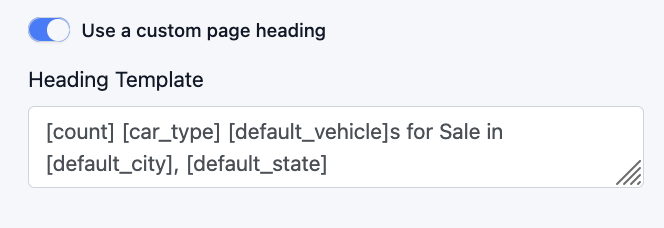
  1. Use a custom page heading
  • Off: heading uses the same text as the title template.

  • On: you get a separate Heading template field so the on-page H1 can differ from the title.
This is what the live version looks like

  1. Enable this search page template
On = generate and show these search pages; Off = hide them (template is saved but URLs are not built).


Only allowed variables (shortcodes) are accepted; the form shows an error if you use an invalid one. Use “View All Available Template Variables” in the form to see the full list and descriptions.

Template variables (shortcodes)

Variables are written in square brackets and are replaced per page. Examples:
ShortcodeDescription
[website_name]Website name
[default_city]Default city of the website
[default_state]Default state of the website
[default_vehicle]Default vehicle sold on the website (Car, Motorcycle, etc.)
[count]Total number of vehicles on the current search page
[time]Time it took for the search query to process
[car_type]Vehicle type of the current page (new, used, or demo)
[make]Vehicle make of the current page
[make_model]Make and model of the current page
[body]Body type of the current page
[drive]Drive type of the current page
[fuel]Fuel type of the current page
[category]Category of the current page (Prestige and Luxury, Sports Cars, etc.)
[state]State of the current page
[city]City of the current page
[dealership_name]Dealership name of the current page
[location_name]Location name of the current page
[car_types]All available car types on the current page (New, Used, and Demo)
[bodies]All available body types on the current page (Sedan, SUV, Truck, etc.)
[makes]All available vehicle makes on the current page (Toyota, Honda, Mazda, etc.)
The edit form’s accordion lists every allowed variable and its description.

SEO Preview

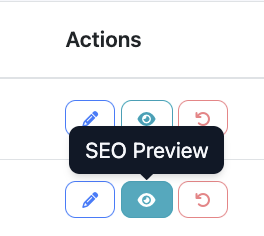
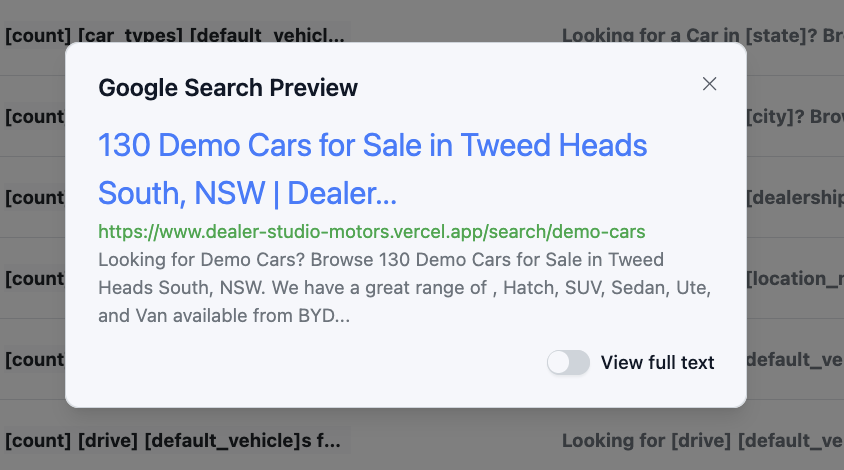
Click the eye (SEO Preview) button to open a Google Search Preview for that template. It uses a real example from your site (the first generated page for that category) to show:
  • Title (as it would appear in search)
  • Meta description
  • URL
No changes are saved; it’s for checking how the template will look in search results.


Reset to default

If you’ve edited a template, it’s marked as custom. The Reset (undo) button appears only for custom templates. Click it to discard your customisations and restore the original Dealer Studio default for that category. The row stays; only your overrides are removed.


Summary

  • Where: Stock → Search Page Templates (/websites/<your-website>/search_page_templates).
  • What: Control titles, descriptions, headings, and stats for vehicle search result pages.
  • How: Edit a row → set title, description, stats, optional custom heading, and enable/disable → save. Use variables like [make][count][default_city] in the text.
  • Preview: Use SEO Preview to see how one example page will look in Google.
  • Revert: Use “Reset to default” on custom templates to go back to the default wording.

Was this article helpful?

That’s Great!

Thank you for your feedback

Sorry! We couldn't be helpful

Thank you for your feedback

Let us know how can we improve this article!

Select at least one of the reasons
CAPTCHA verification is required.

Feedback sent

We appreciate your effort and will try to fix the article