Learn how to set up and use Product Restrictions at the OEM level. Restrictions let you limit certain models, variants or banners to specific authorised retailers (e.g. Electric-certified dealers only), so they only appear on the websites of dealers with the matching authorised retailer status.
1. How to Navigate to The Restriction Reasons Menu
Step 1: Please Login to Dealer Studio.
You will be prompted for your Username and Password
You will be prompted for your 2-Factor Authentication Method, or SSO verification
Step 2: Once Signed in Please Select the Applicable OEM
e.g. Mitsubishi NZ
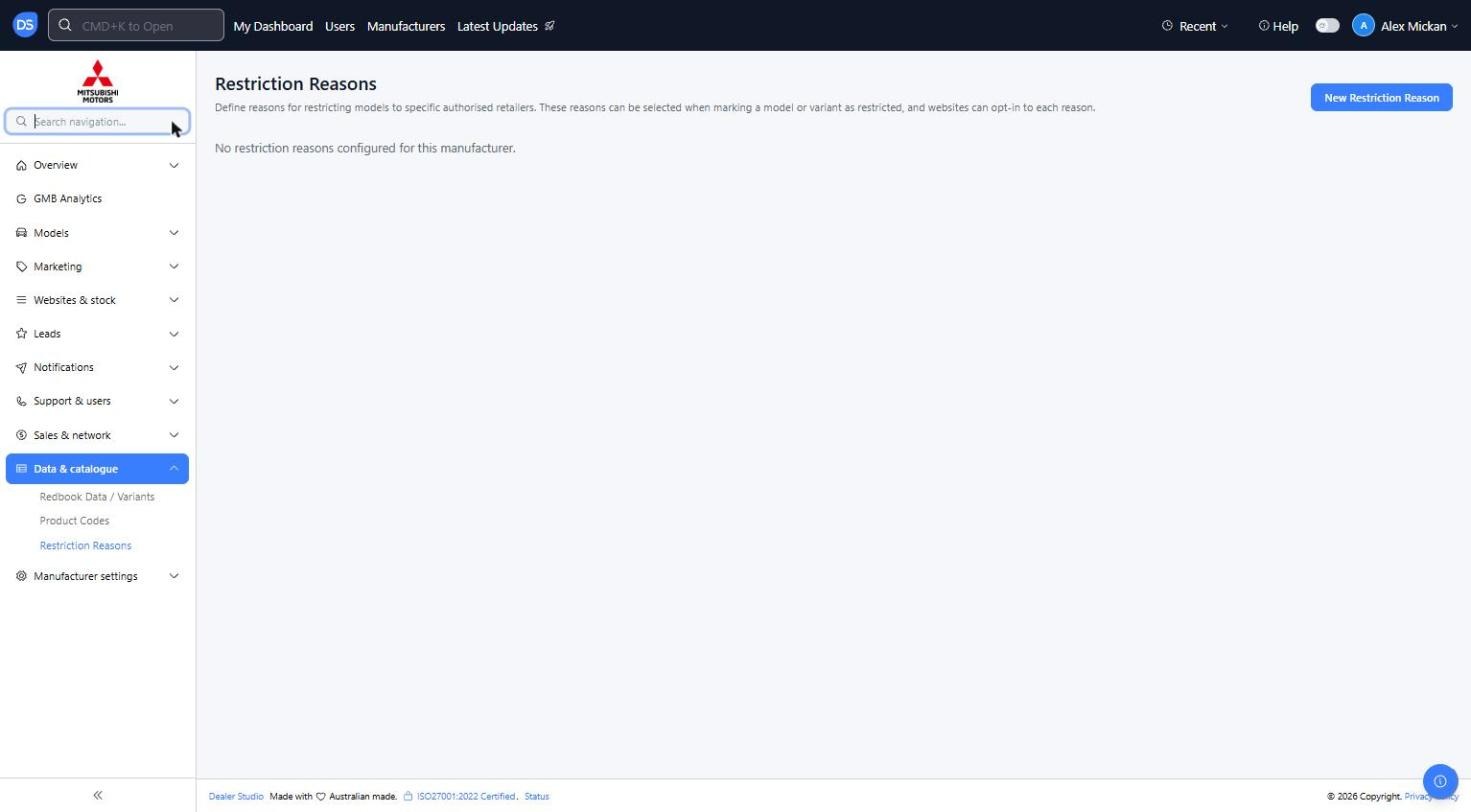
Step 3: Click 'Data & catalogue' on the left, then 'Restriction Reasons'
Restriction Reasons are the reasons for restricting models to specific authorised retailers. They can be selected when marking a model or variant as restricted, and websites can opt in to each reason
2. How to Add A New Restriction Reason
Step 1: Click 'New Restriction Reason' at the top right
Step 2: Enter a Name for the restriction
Name (Required): e.g. 'Electric-certified dealer only' or 'Hybrid-certified dealer only'
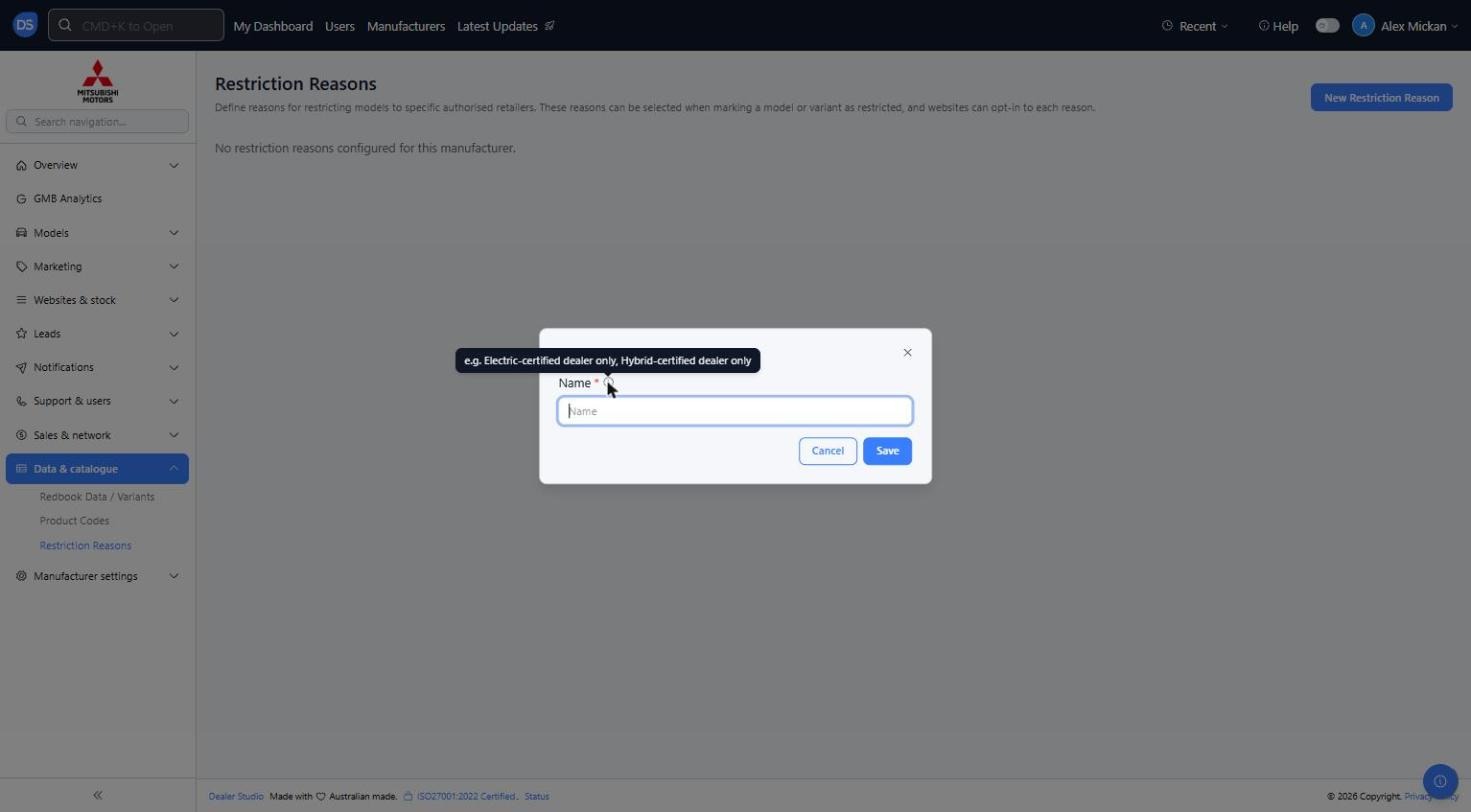
Step 3: Click 'Save'
The restriction reason will now show in the list and can be used on models, variants and banners
3. How to Restrict A Model
Step 1: Go to 'Models' on the left and click 'Edit' on the model
Step 2: Scroll to the bottom of the form and toggle on 'Restricted Model'
When enabled, this model will only appear on websites that have the matching authorised retailer status
Select the Restriction Reason that applies to the model
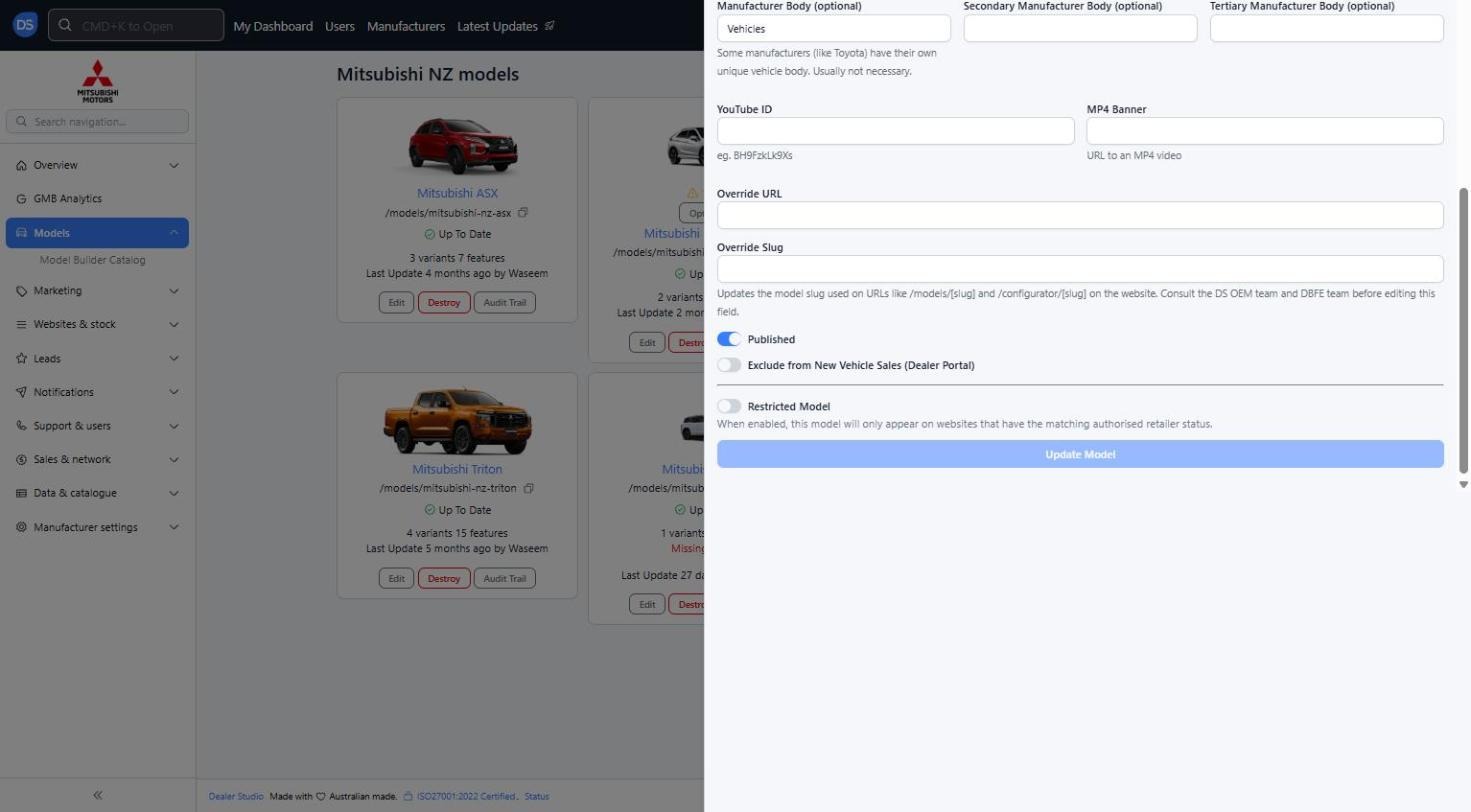
Step 3: Click 'Update Model' to save
Page Banners can also be restricted the same way, using the 'Restricted Banner' toggle on the banner form. Please see 'How to Add in Banners'
Reminder: A restricted model or banner will only show on dealer websites that have opted in to the matching restriction reason. If a model is missing from a dealer's site, check whether it has been marked as restricted.
Was this article helpful?
That’s Great!
Thank you for your feedback
Sorry! We couldn't be helpful
Thank you for your feedback
Feedback sent
We appreciate your effort and will try to fix the article