Dealer Studio has its own shortlink tool, in the same vein as Bit.ly, built into the dashboard. You can create trackable short URLs, give them campaign-friendly custom paths, and see how many times each one has been clicked — all without leaving Marketing.
Where to find it
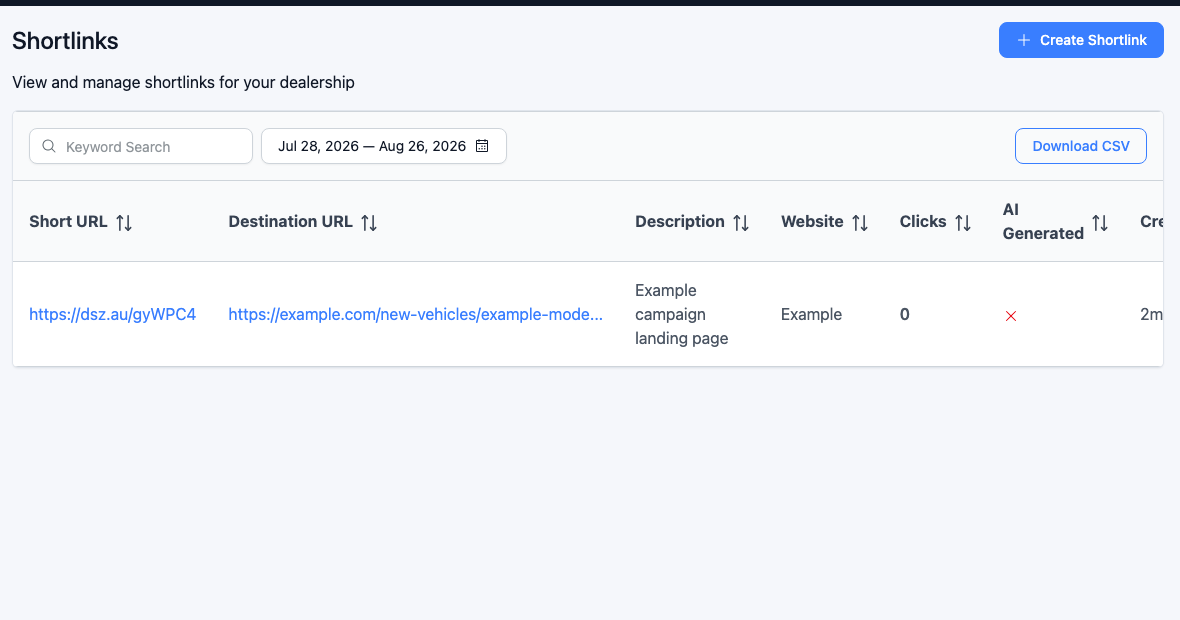
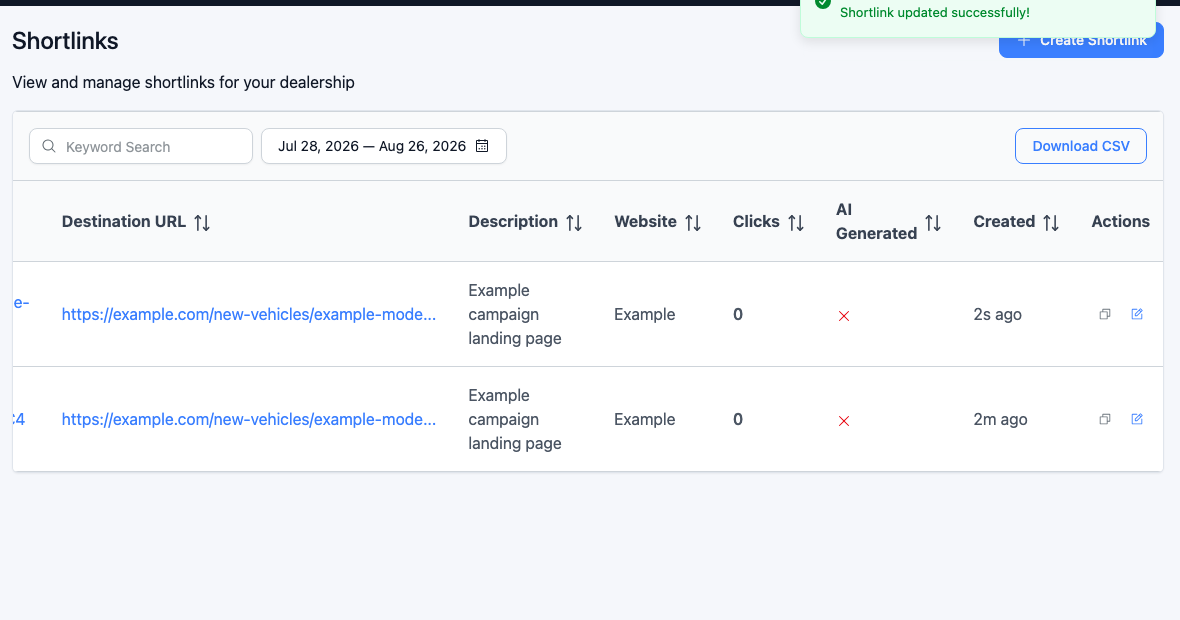
Go to Marketing → Shortlinks. You will see a list of every shortlink for your dealership, including the short URL, destination, description, website, and click count.
Creating a shortlink
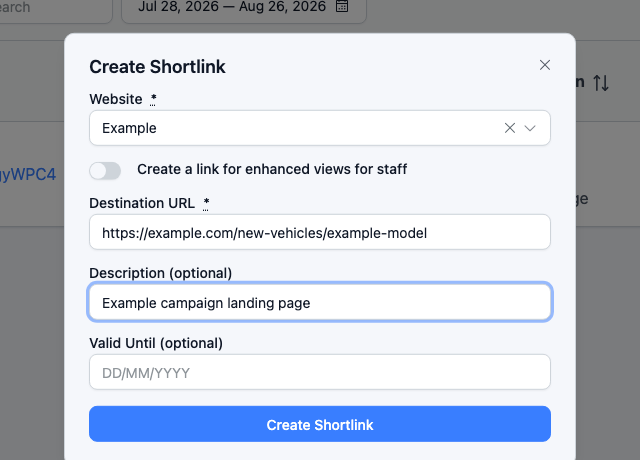
Click Create Shortlink. Pick the website the link belongs to, paste the destination (it needs to be a full https:// address), and optionally add a description.
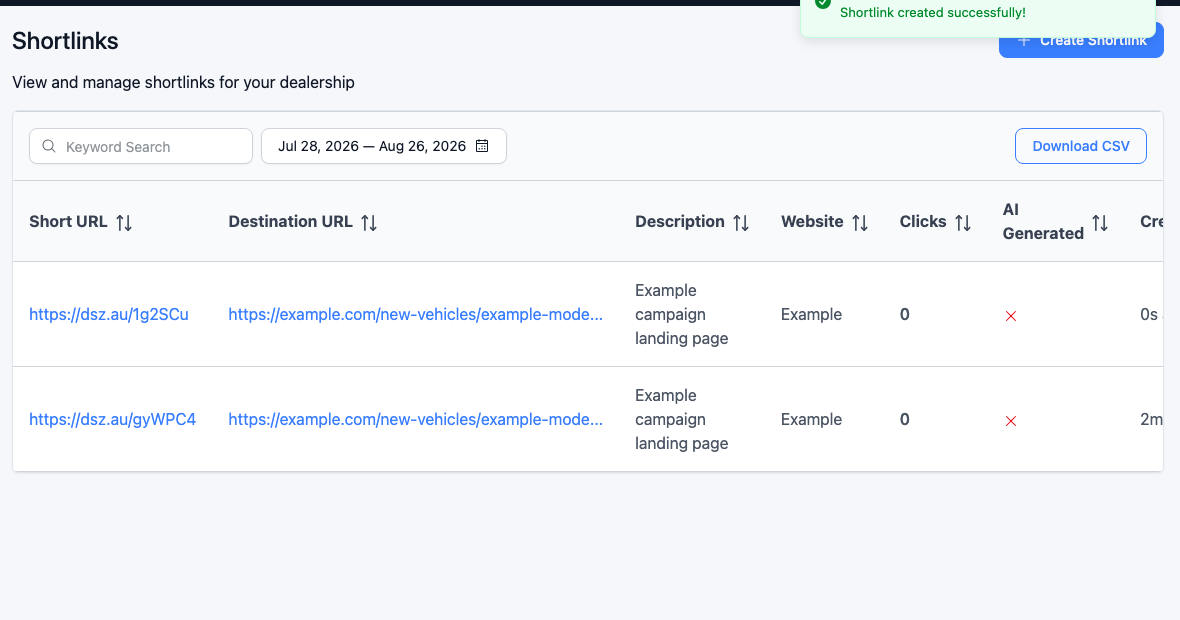
Once created, you get a short URL on Dealer Studio's default domain (https://dsz.au/<random-code>), ready to copy from the list.
Custom names
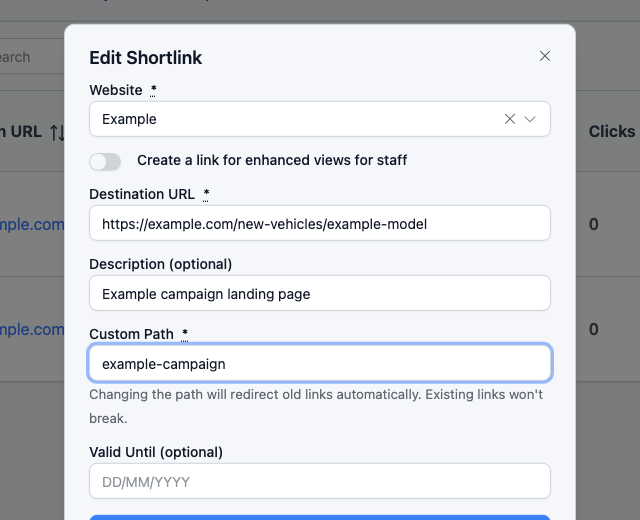
Want something more campaign-friendly than a random code? After the link is created, click the edit (pencil) icon and set a Custom Path — letters, numbers, and hyphens only.
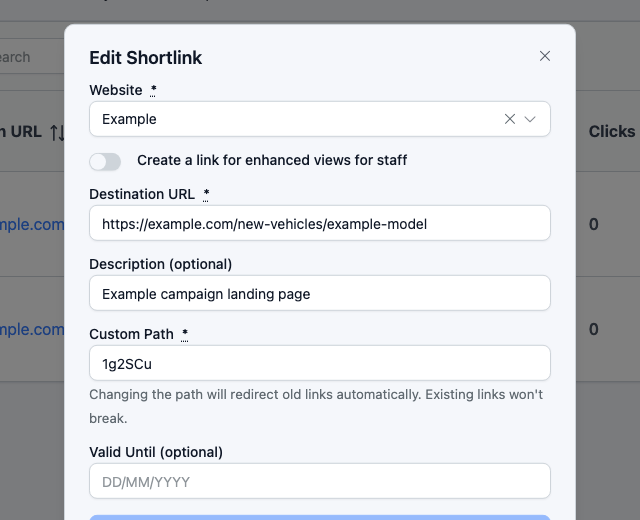
That turns the link into something like https://dsz.au/example-campaign. The path has to be unique — the form will tell you if it is already taken. If you change the path again later, the old short URL keeps working and still redirects to the same destination.
Trackable
Yes — the Shortlinks list has a Clicks column showing how many times each link has been opened. On your main Dashboard, you can also add the Top Shortlink Clicks widget if you want to see the leaders for a given date range.
Worth knowing
- If you want URLs in SMS (and similar messages) shortened automatically, that is a separate switch: Settings → CRM Settings → Enable Shortlinks. You can still create and manage shortlinks by hand without that switch being on.
- Want the short URLs on your own domain (for example
links.yourdealership.com.au)? Email support@dealerstudio.com.au and we can whitelist it first, then you can use it for new links.
If you cannot see Shortlinks in the Marketing menu, that is likely a user-role thing — your account manager can switch it on.
Was this article helpful?
That’s Great!
Thank you for your feedback
Sorry! We couldn't be helpful
Thank you for your feedback
Feedback sent
We appreciate your effort and will try to fix the article