This allows to add a lead tag automatically and makes it easier to identify leads from where they are coming from.
Instructions to create a lead tag in custom form
Step-by-step guide to create lead tag in custom form
Step 1: Open Pages Editor
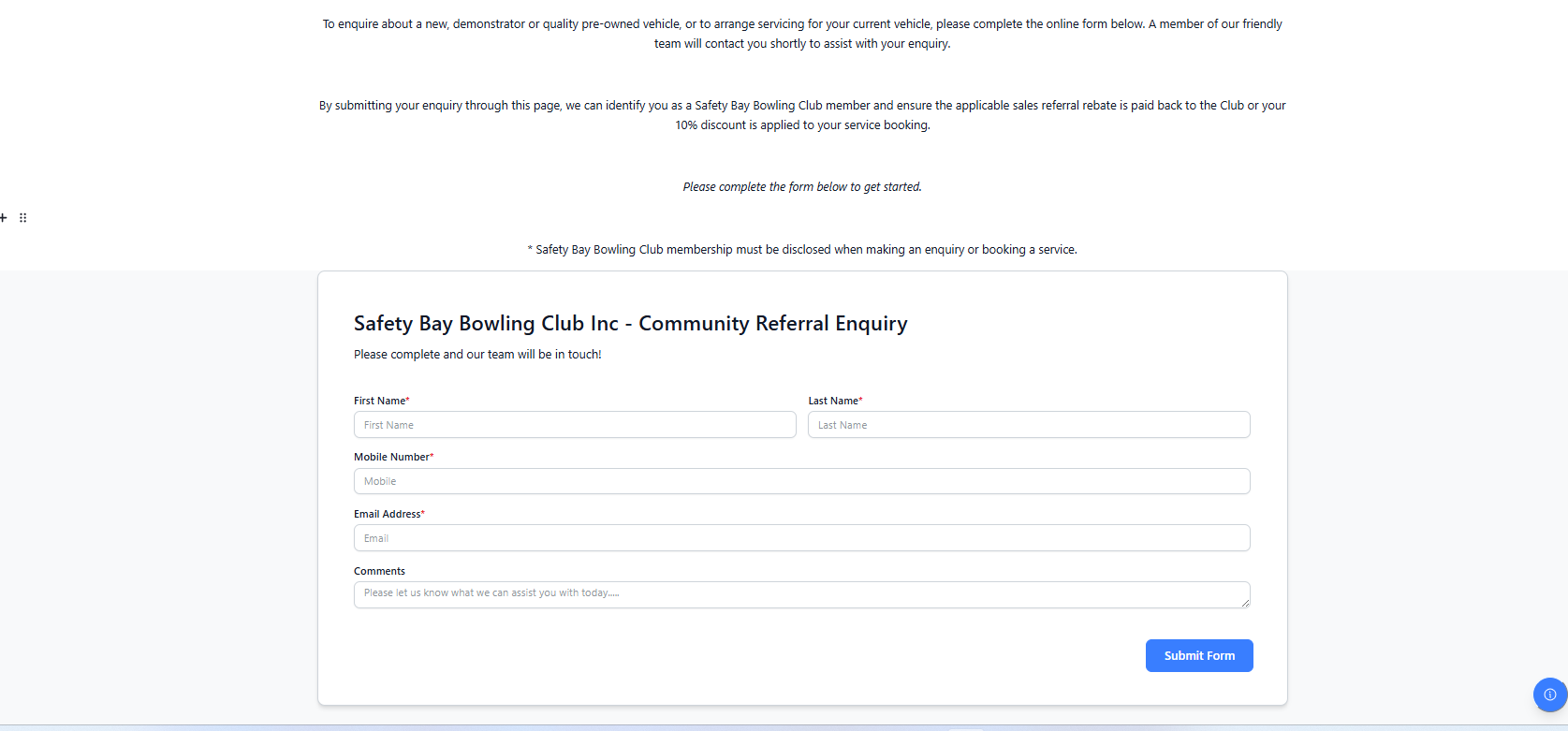
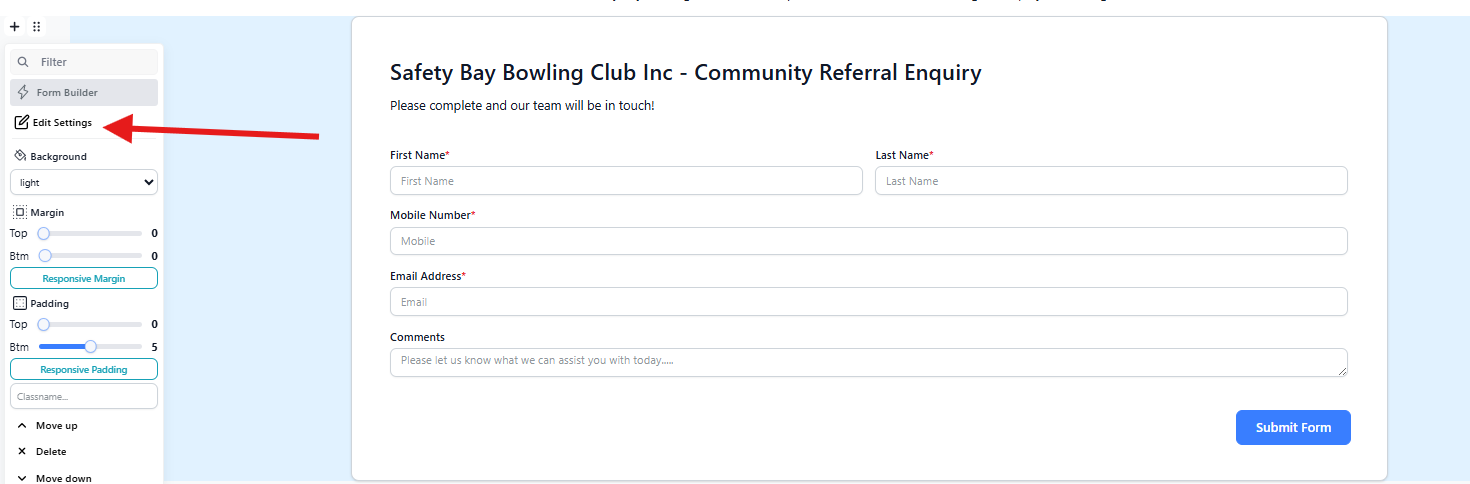
Step 2: Open "Edit settings" on a form's chocolate menu
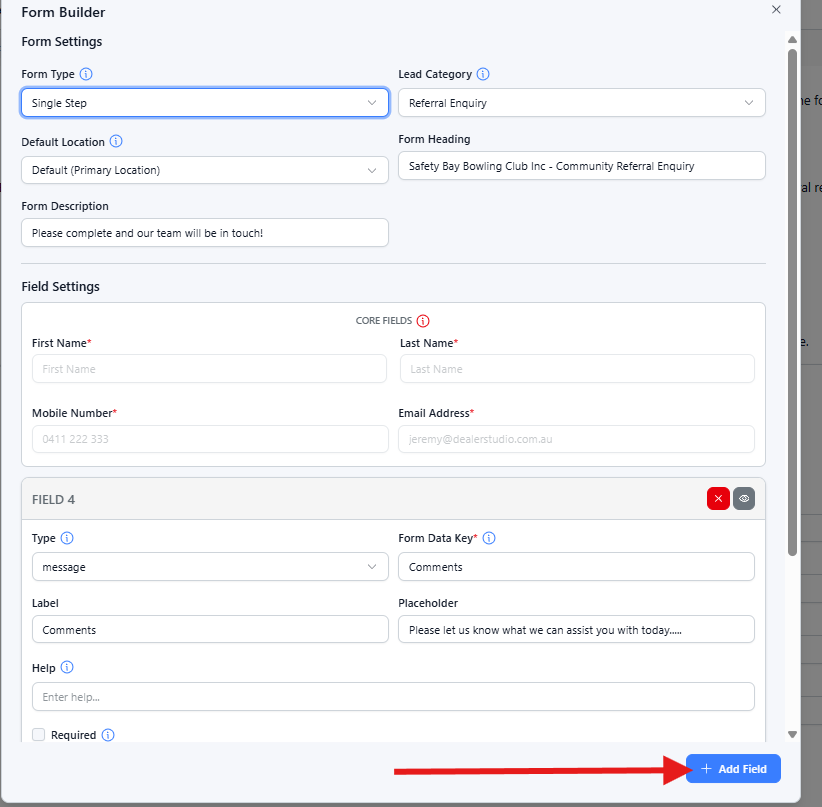
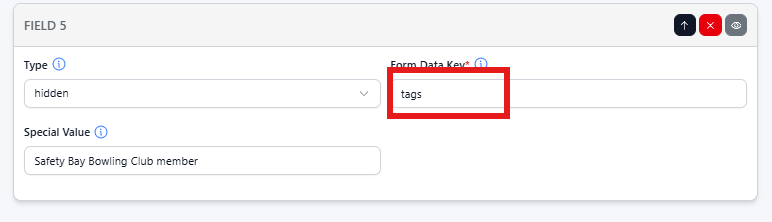
Step 3: Add "Hidden" Type field in the form
- Select "Hidden" as type
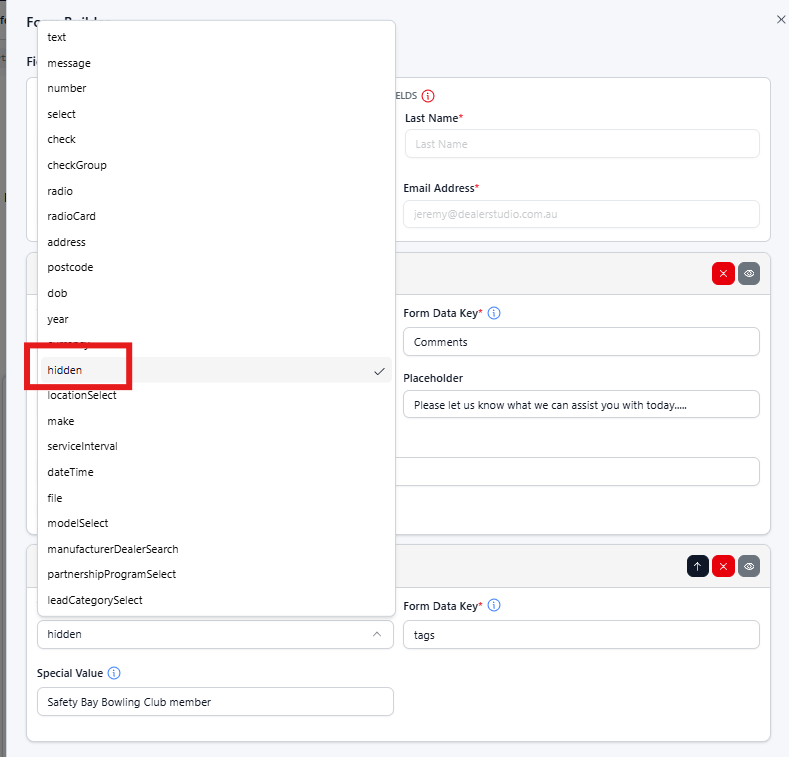
- Name "Form Data Key" as "tags"
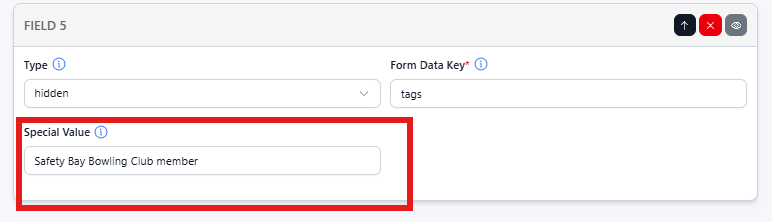
- Add "Special Value" - This will be displayed as your tag name on the leads
- Once a lead is generated through that page's enquiry form, it will automatically have a tag as shown below:

Was this article helpful?
That’s Great!
Thank you for your feedback
Sorry! We couldn't be helpful
Thank you for your feedback
Feedback sent
We appreciate your effort and will try to fix the article