Content Legend is Dealer Studio's AI-powered content tool for dealership websites. Use it to write blog posts and pages from briefs, clone existing web content, and refine drafts with an AI assistant inside the editor.
NOTE: Content Legend is a Beta plugin. Please contact support@dealerstudio.com.au to trial it.
What you can do?
- Briefs - Describe a topic and get a full draft
- Cloning - Paste a URL and turn any page into an editable draft
- AI Chat - Ask the AI to write or edit content directly in the editor
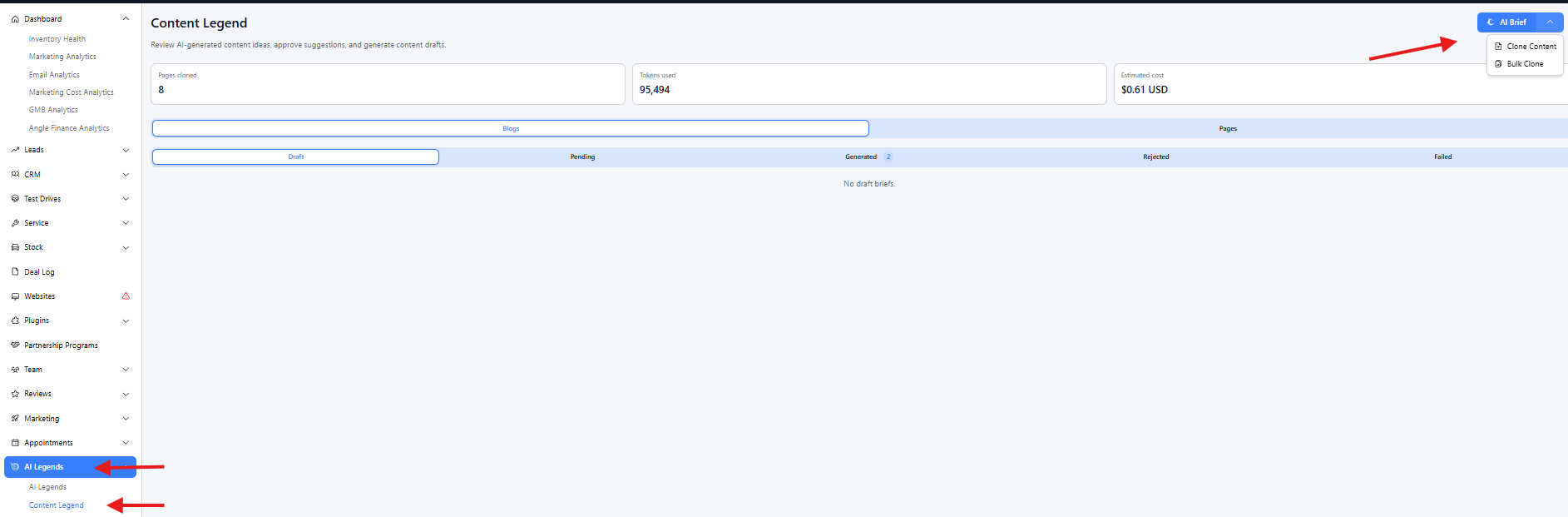
Content briefs - from idea to draft
Use briefs when you want AI to write a new blog post or page from scratch.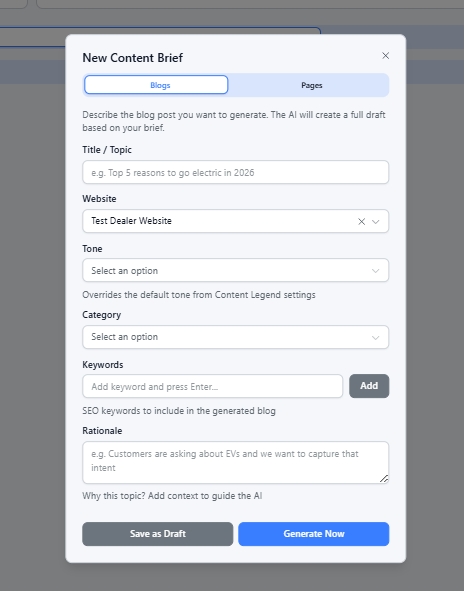
1. Click AI Brief and choose Blog or Page.
2. Add a title (e.g. Top 5 reasons to go electric in 2026), plus optional tone, keywords, and context.
3. Click Generate Now to start immediately, or Save as Draft to come back later.
4. Watch the brief move through statuses on the dashboard - no refresh needed.
5. When it's ready, click View Draft to open it in the editor. The draft stays hidden from your live site until you publish.
Tip: In Settings, you can turn on weekly or monthly auto-generation. The AI will suggest new brief ideas for you to review and generate when you're ready.
Brief statuses
Draft - Saved, not yet sent to AI
Pending - Queued, waiting to start
Generating - AI is writing your content
Generated - Draft is ready in the editor
Rejected - You dismissed the idea; restore to Draft anytime
Failed - Something went wrong; click Retry (your brief is kept)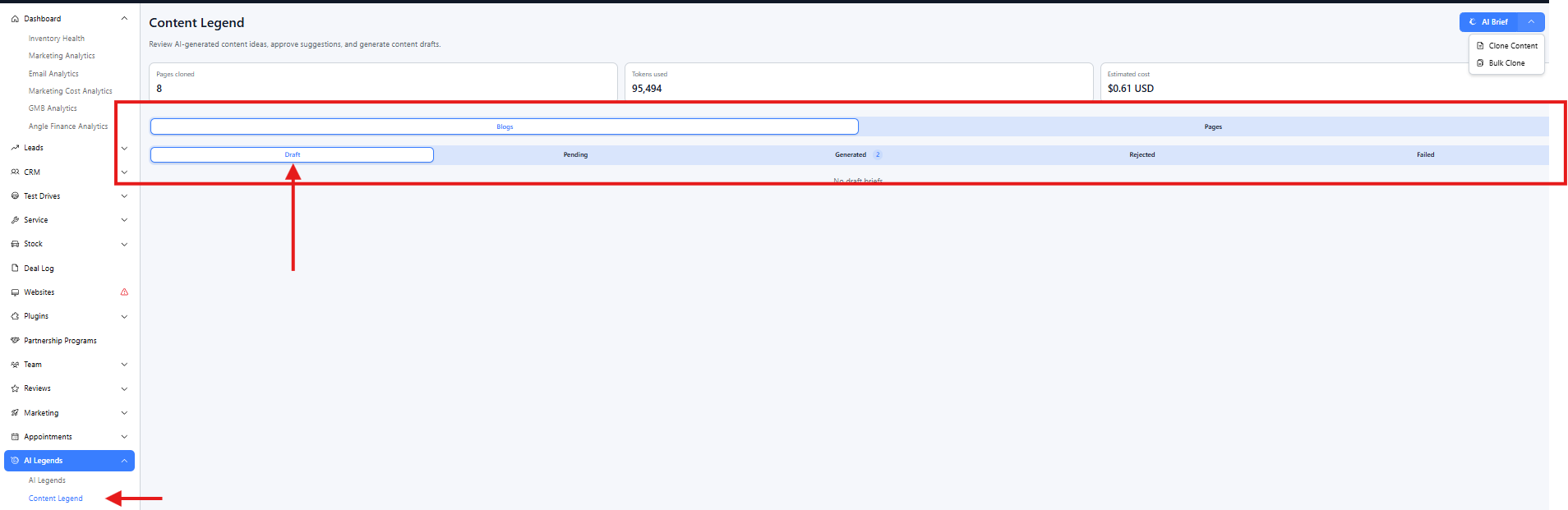
Settings - teach the AI your brand voice
Settings are separate for Blog and Page content.
- Tone and voice - Default tone: Professional, Conversational, Friendly, Authoritative, or Enthusiastic. Override per brief if needed.
- Brand context and rules - Your dealership story, USPs, and hard rules (e.g. Always include a finance CTA, Never mention competitor names).
- Topics and sign-off - Topics to always include or avoid, plus a standard CTA appended to every generated piece.
Content cloning - copy a page from the web
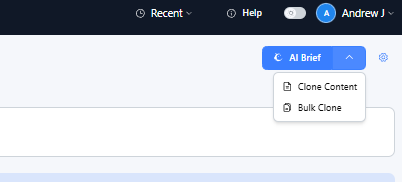
Clone a single page by URL:
1. Open Clone Content from the dropdown.
2. Paste the page URL and choose your target website.
3. Save as a Blog or Page.
4. Optionally upload section screenshots to guide the AI's layout.
5. Submit - you'll be taken to the editor when the draft is ready.
Bulk clone from a sitemap (admin only)
Admins can clone up to 50 pages at once:
1. Open Bulk Clone from the dropdown.
2. Enter a sitemap or listing URL and fetch pages.
3. Filter and select up to 50 pages.
5. Progress updates live - an Edit link appears when each page is done.
Pending - In the queue | Cloning - AI is working | Cloned - Ready to edit | Failed - Can retry
AI editor chat - edit with AI in the editor
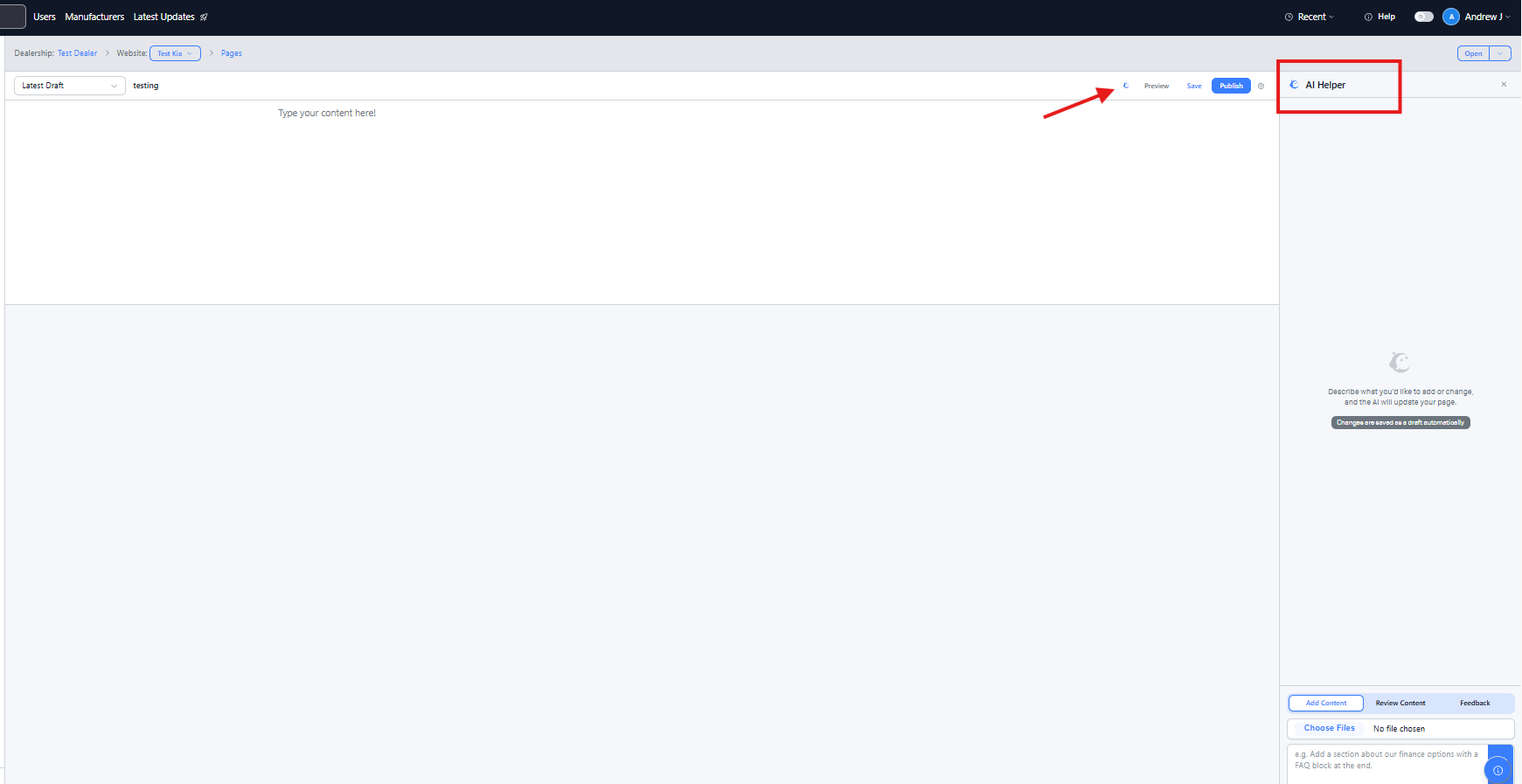
Available in the page and blog editor. Open the AI Helper panel in the sidebar.
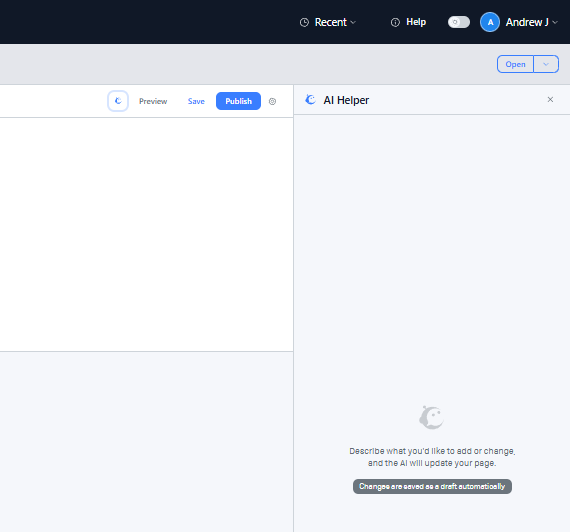
Describe what you need - don't design it. Examples: Add a finance FAQ section or Write an intro for our winter sale. The AI adds content blocks to the editor one by one.
- Undo any AI change - Each response has an Undo AI changes button to remove only what that message added.
- The AI reads your page first - New content fits what's already there and avoids repetition.
- Stop at any time - Hit Stop if it's going the wrong way. Whatever was already written stays in the editor.
Summary - 3 Methods to Edit Your content
1. New content from scratch: AI Brief, fill in the form, Generate Now, View Draft, edit and publish.
2. Copy an existing page: Clone Content, paste URL, submit, edit in the editor.
3. Improve a draft: open the editor, AI Helper, describe what you want added or changed.
Was this article helpful?
That’s Great!
Thank you for your feedback
Sorry! We couldn't be helpful
Thank you for your feedback
Feedback sent
We appreciate your effort and will try to fix the article