Summary
This guide explains how to use the Migration tab in the Autotrader dashboard and outlines the full process for migrating an account within Dealer Studio. The Migration tab provides visibility into:
Autotrader feed sources
Stock counts
Basic vehicle information
NVIC and Redbook status
It also allows you to manage and progress migration states from initial setup through to completion.
Migration Stages
The Migrations tab contains three workflow stages:
1. Not Ready (Handled by the Dealer Studio Team)
This section lists Autotrader accounts that are not yet publishing online and are still in the setup phase.
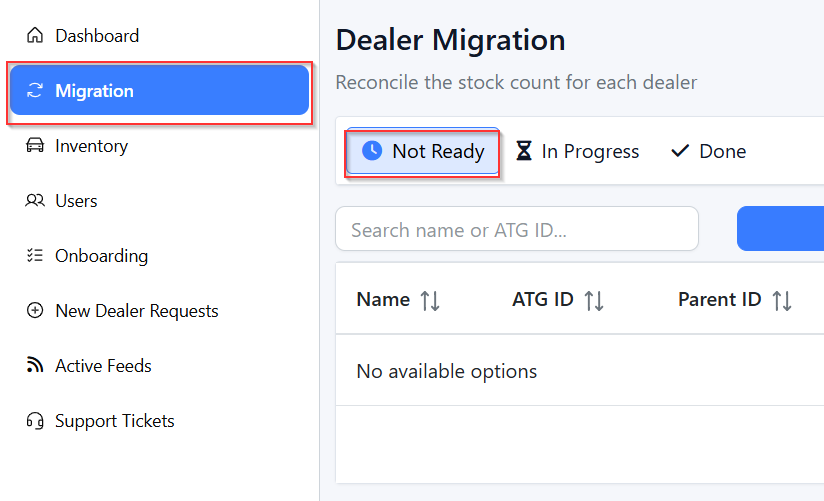
What you can see:
Feed source details
Account information
Migration status
Dealer Studio ID (DS ID) once the feed is configured

Process:
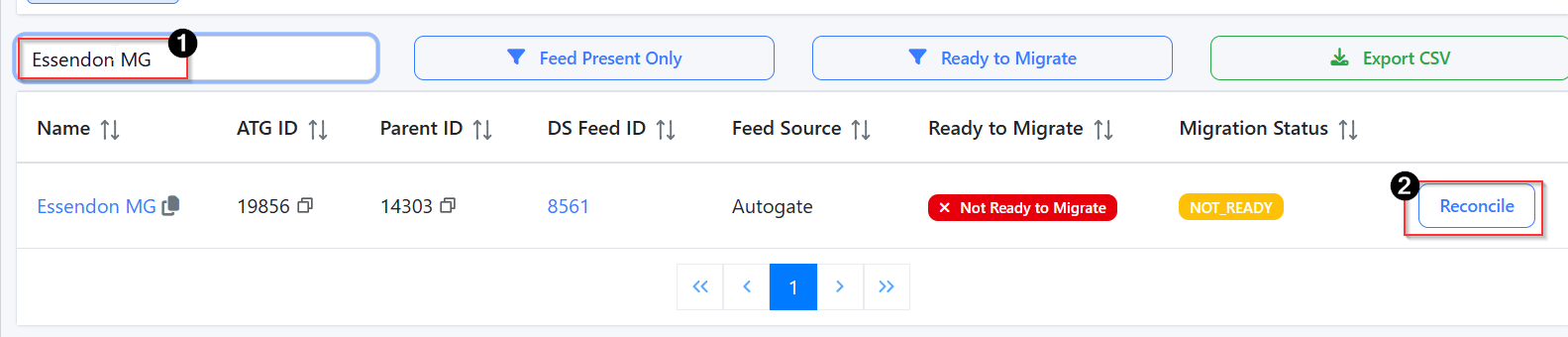
1. Select the account you want to migrate.
2. Click Reconcile to view feed information.
3. Review the basic vehicle data displayed.
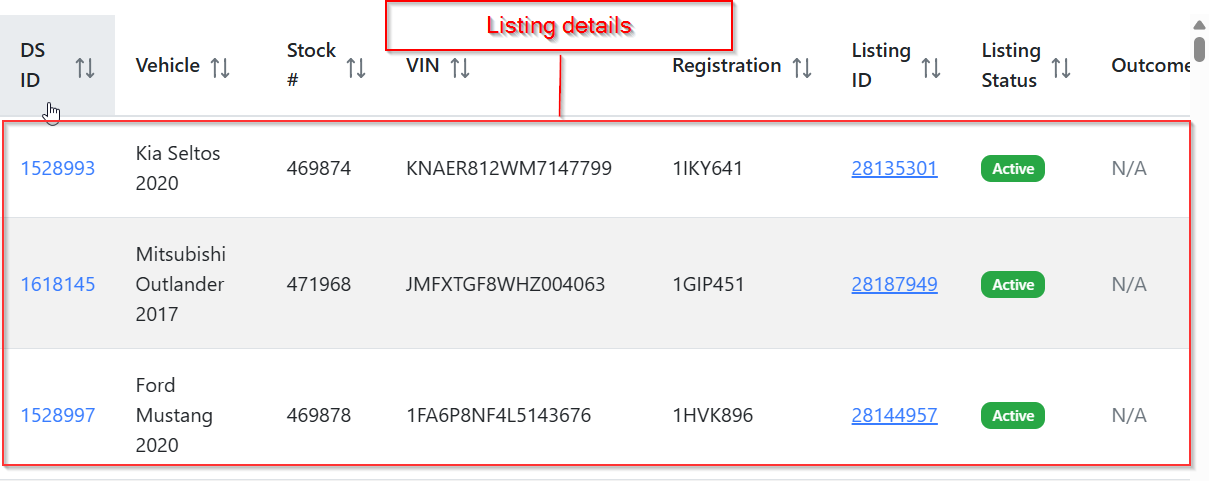
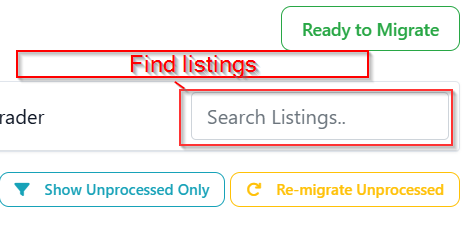
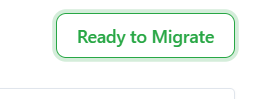
4. Once you confirm the data is correct, click Ready to Migrate.
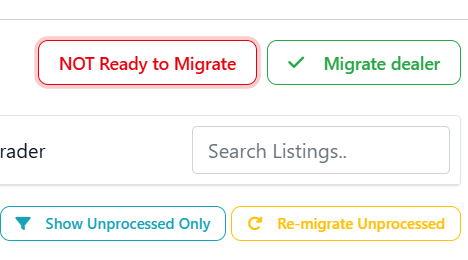
5. Once the accounts are ready, click Reconcile again, then select Migrate Dealer.
2. In Progress (Handled by the Autotrader Team)
Once an account is marked as Ready to Migrate, it moves into this section.
Process:
1. Click Reconcile to review the feed data again.
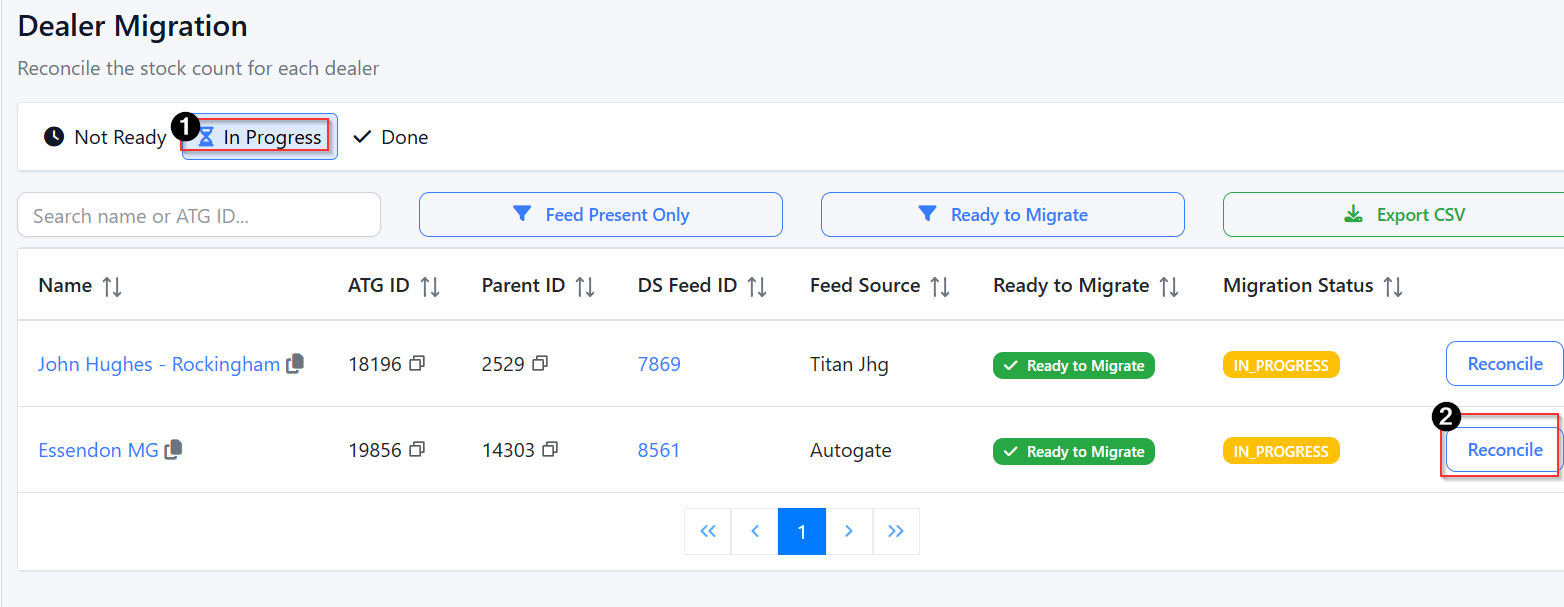
Verify that all information is accurate.
When everything is confirmed, click Verification Done to bring the account online.
The Autotrader team manages the verification and activation of the account from this stage onward.
3. Done
Accounts that have completed migration appear in the Done tab.
Features:
Search active Autotrader feeds by name or ATG ID.
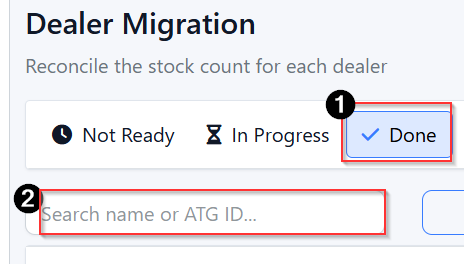
Click Reconcile to view feed data for any completed account.
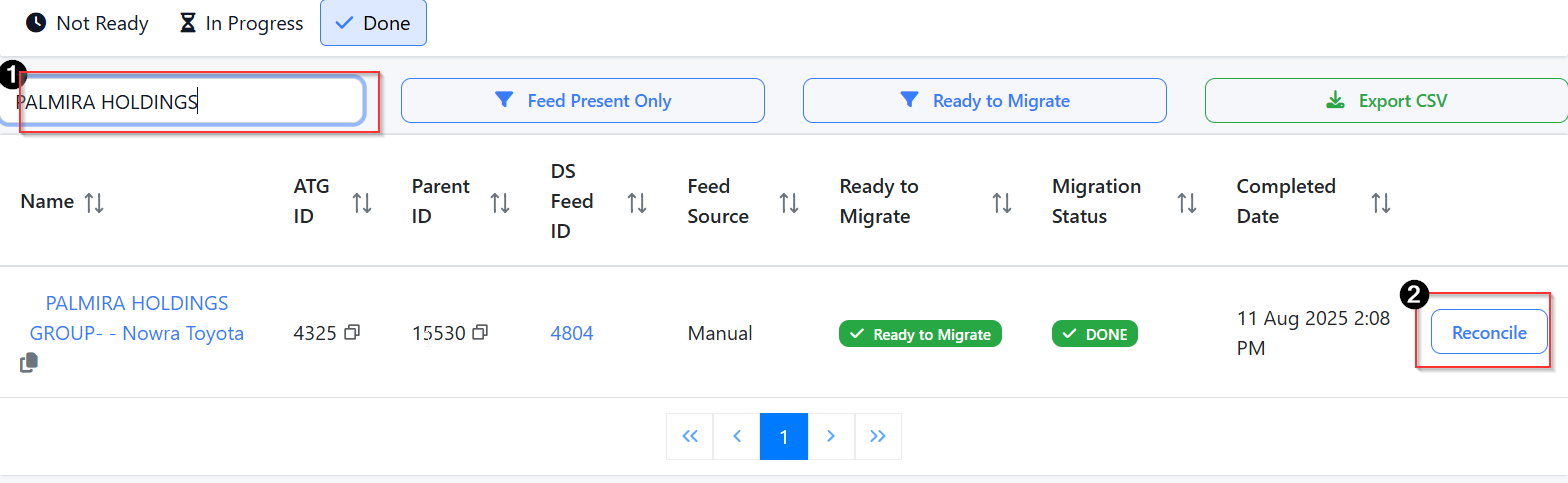
Export all Autotrader account information using Export CSV.

Was this article helpful?
That’s Great!
Thank you for your feedback
Sorry! We couldn't be helpful
Thank you for your feedback
Feedback sent
We appreciate your effort and will try to fix the article