Metadata is the meta title and meta description of a page. They’re what show up in Google (and other search engines) as the clickable title and the short text under it. Setting them in the Pages editor lets you control how the page looks in search and when it’s shared.
We will walk through adjusting the metadata: title and description for pages that exist in the pages editor.
1. Navigate form the dealership level to the website level
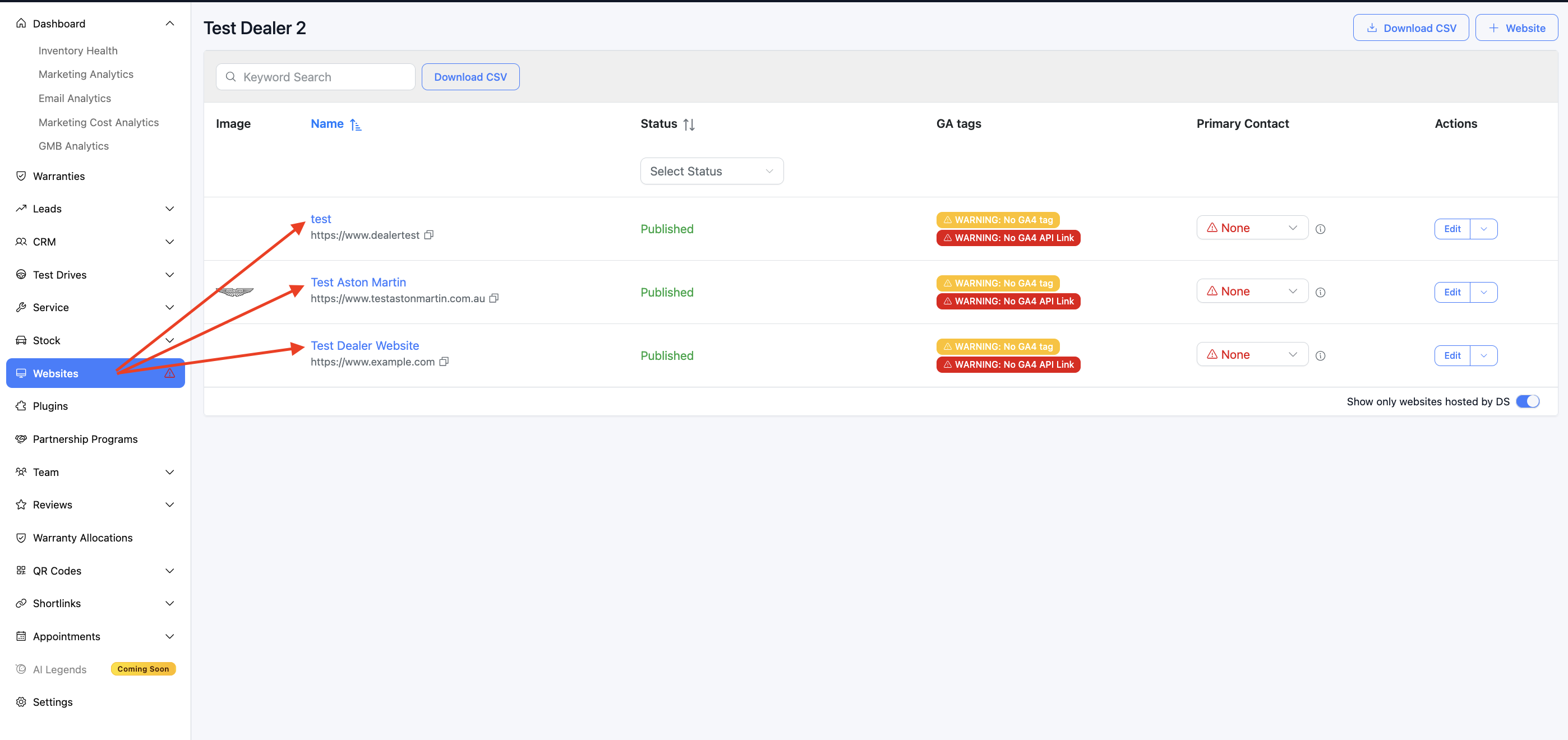
Now you are on the 'website level'. Go to the Website -> select 'Pages'
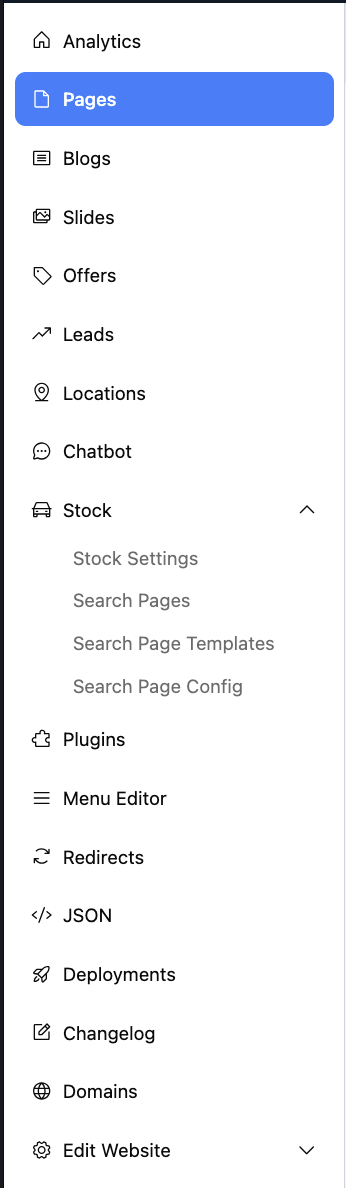
2. You will now see the list of pages already created - the url will end in /pages, for example:
https://dashboard.dealerstudio.com.au/websites/website-name/pages
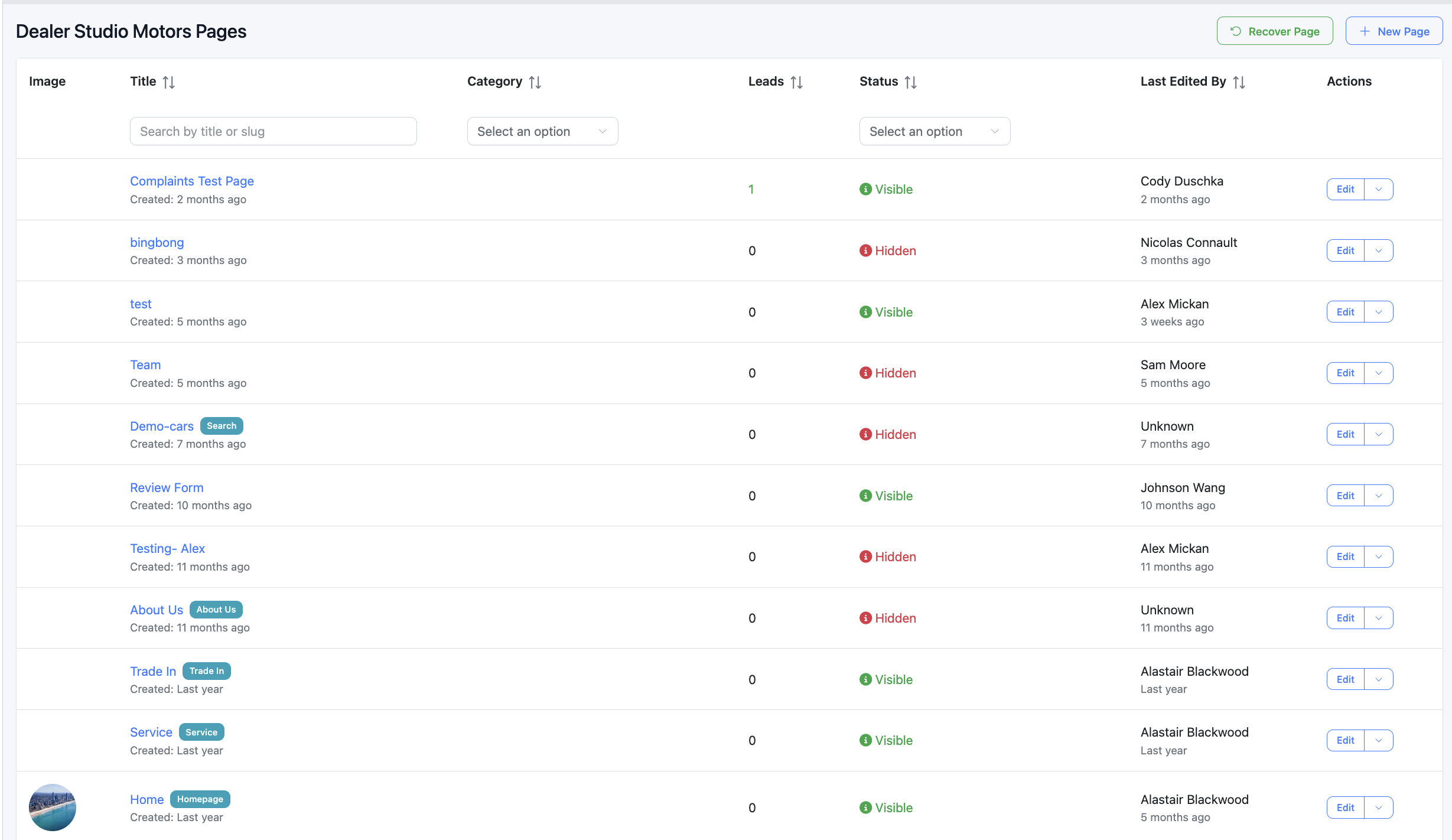
3. Select any page and go to the 'settings' in the top right
4. The settings slide out will appear which is where you can adjust the meta title/description
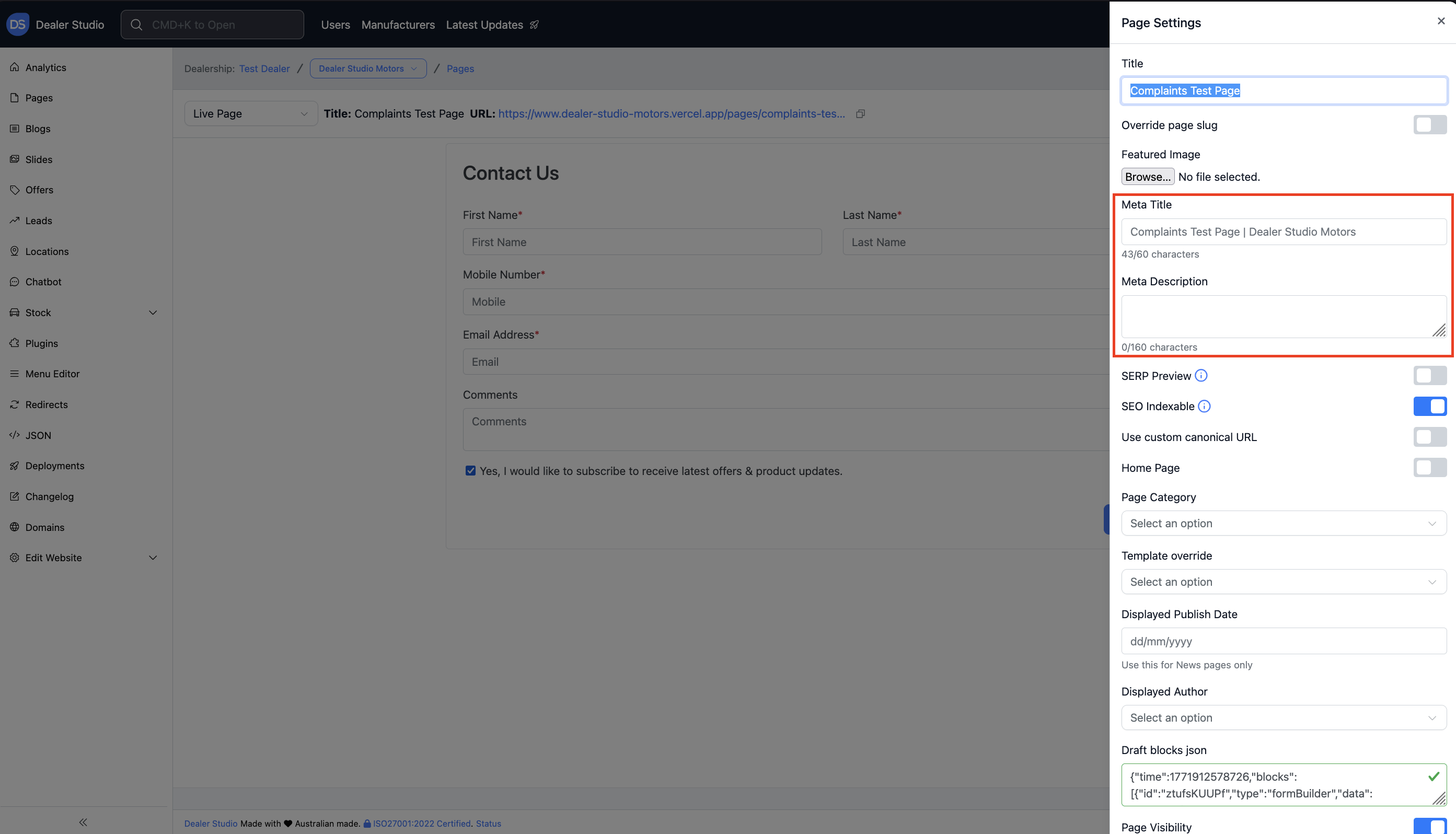
5. So now you can adjust the meta title and description a

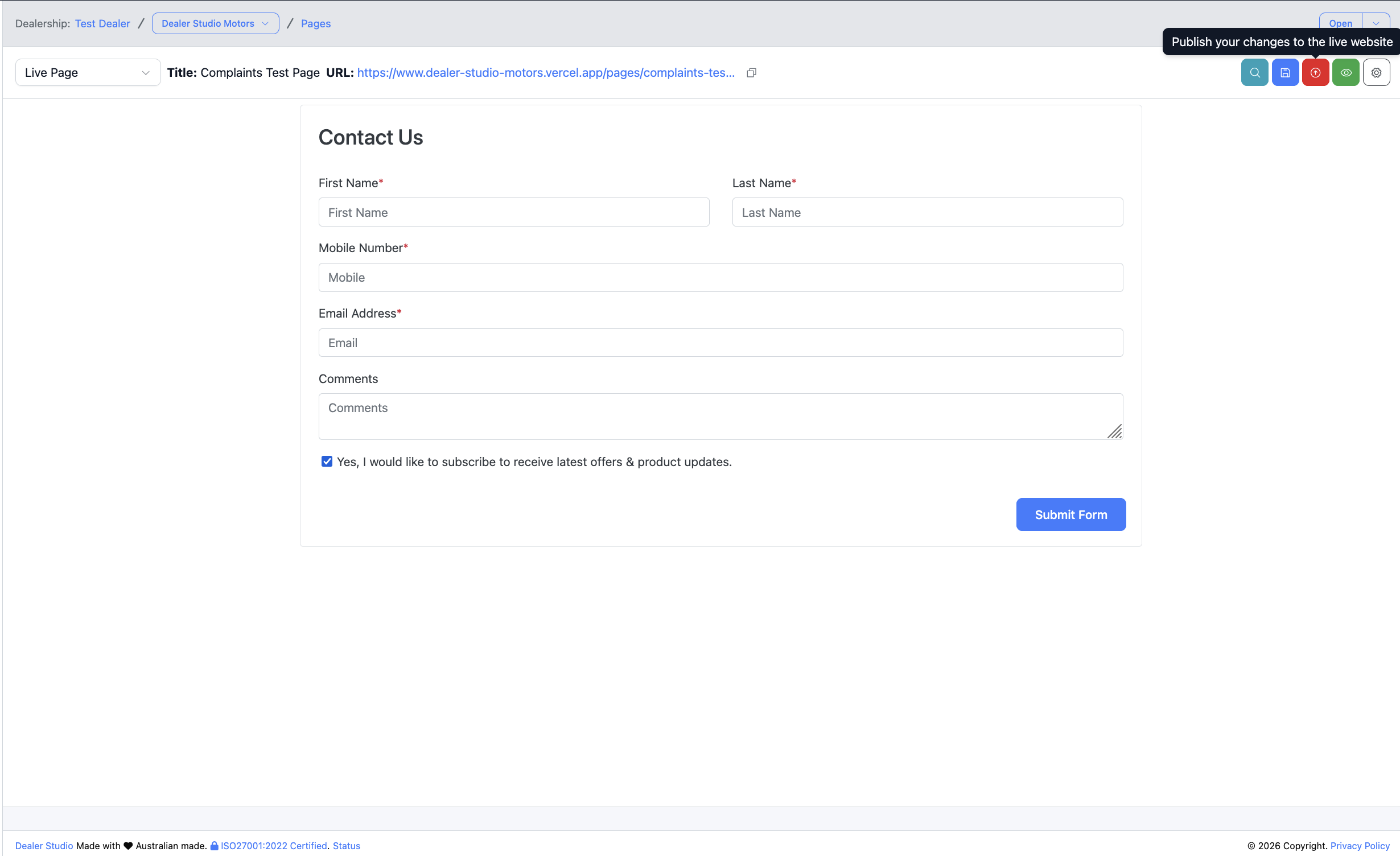
6. Don't forget to click 'Publish' in the top right!
Was this article helpful?
That’s Great!
Thank you for your feedback
Sorry! We couldn't be helpful
Thank you for your feedback
Feedback sent
We appreciate your effort and will try to fix the article