Google Vehicle Listing Ads (VLA) have a limitation: they do not support Demo vehicles. Google requires vehicles to be categorised strictly as New or Used, as Demo cars are treated as refurbished stock and are therefore excluded from standard VLA catalogues.
If your dealership would like to include New, Demo, and Used vehicles in a single export for internal Google advertising or custom workflows, you can create a custom Google VLA CSV export in Dealer Studio by following the steps below.
Step 1: Navigate to Stock Feeds
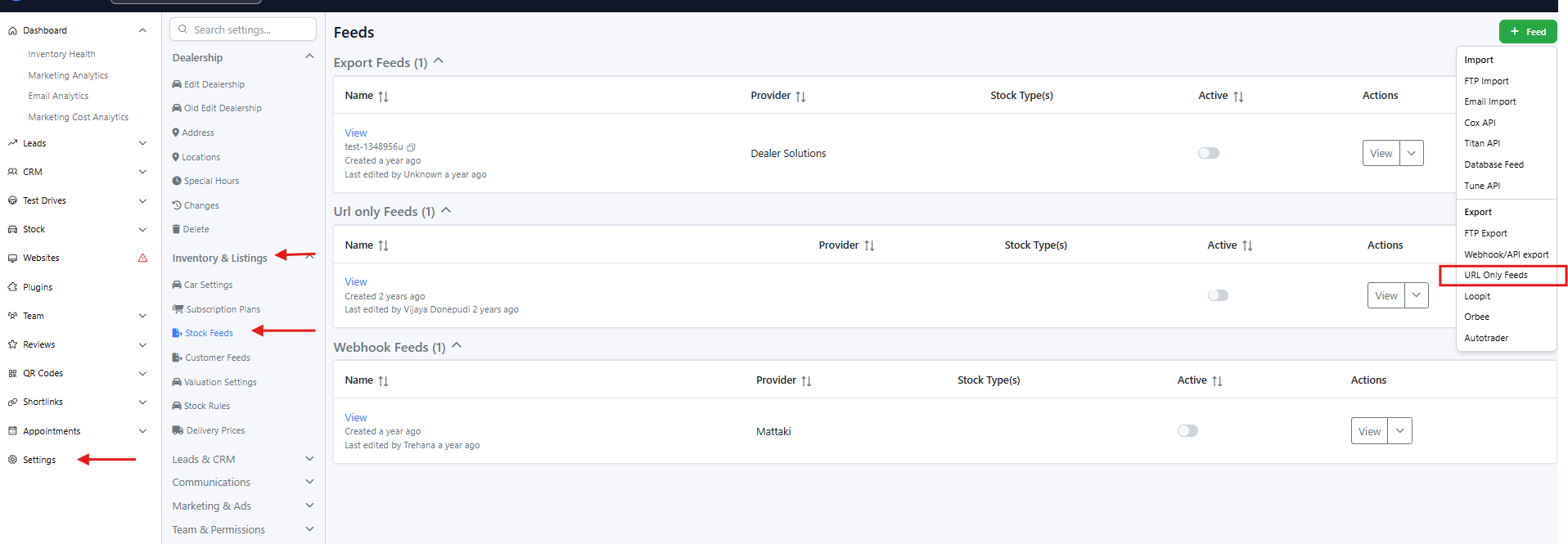
Log in to the Dealer Studio dashboard
Go to Settings
Under Inventory & Listings, select Stock Feeds
Click + Feed (top-right corner)
Select URL Only Feeds
Step 2: Configure the Feed
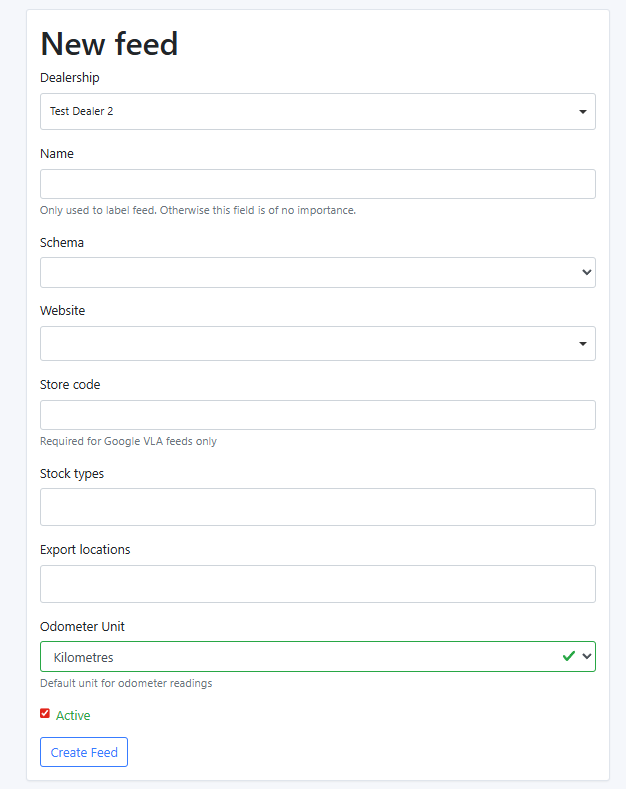
Fill in the following fields:
Name
Use a clear and descriptive name (e.g. Google VLA – New, Used & Demo) so it’s easy for your team to identify later.Schema
Select Google Vehicle AdsWebsite
Select the website this feed should be associated with.This can also act as a filter if required.
Store Code
Enter the Google Store Code provided by your dealership (used for Google VLA).Stock Types
Leave this blank to include all stock types (New, Used, and Demo).This field can be used as a filter if needed.
Export Locations
Leave this blank to include vehicles from all locations.This field can also be used as a filter if required.
Step 3: Create the Feed
Click Create Feed
Step 4: Access the CSV URL
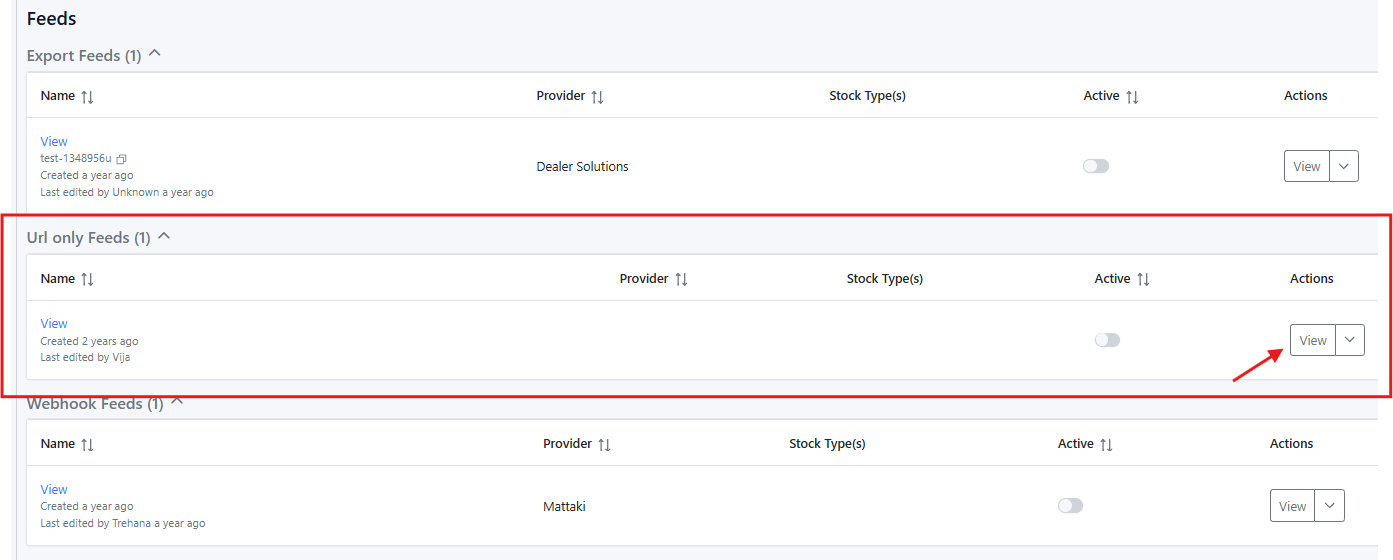
Locate the feed you just created
Click 'View'
In your browser’s address bar, add
.csvto the end of the URL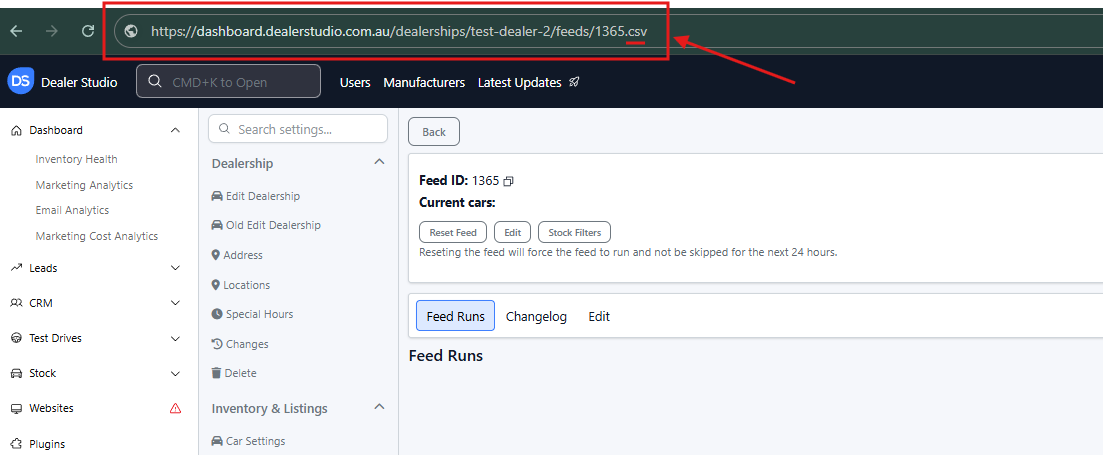
Copy this URL — this is the CSV feed link you can provide to your team or use in Google workflows
Tip:
After adding .csv, pressing Enter will download the CSV file so you can preview the data included in the feed.
That’s it!
You’ve now successfully created a custom Google VLA export that includes New, Demo, and Used vehicles, allowing greater flexibility for internal Google advertising and campaign management.
If you need help filtering the feed or confirming the data output, feel free to contact the Dealer Studio support team support@dealerstudio.com.au
Was this article helpful?
That’s Great!
Thank you for your feedback
Sorry! We couldn't be helpful
Thank you for your feedback
Feedback sent
We appreciate your effort and will try to fix the article