*Please note: the ID/code will have to be acquired from within your Google accounts.
How to add Plug-In's
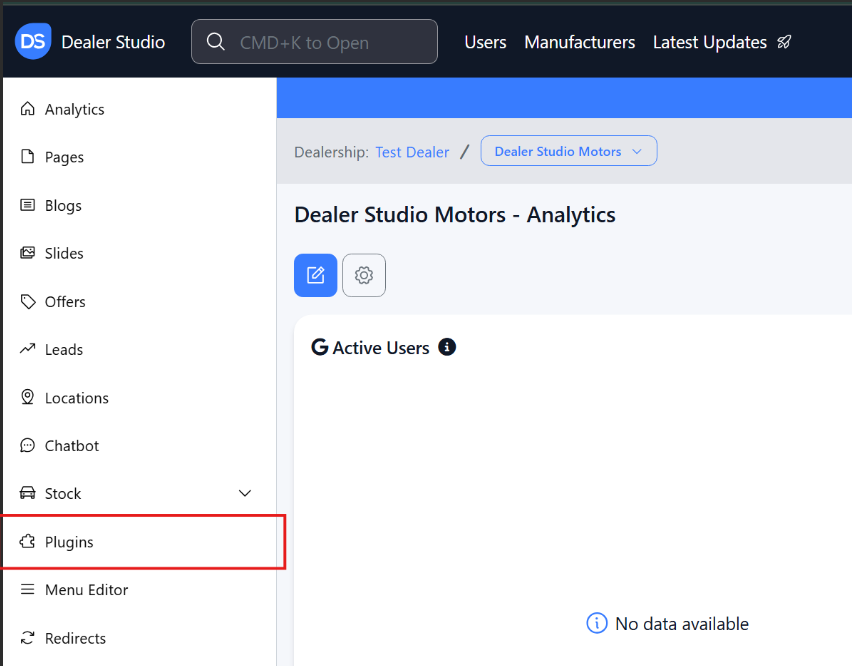
Navigate to Websites > select the relevant website > Plugins
Enter in your provided code:
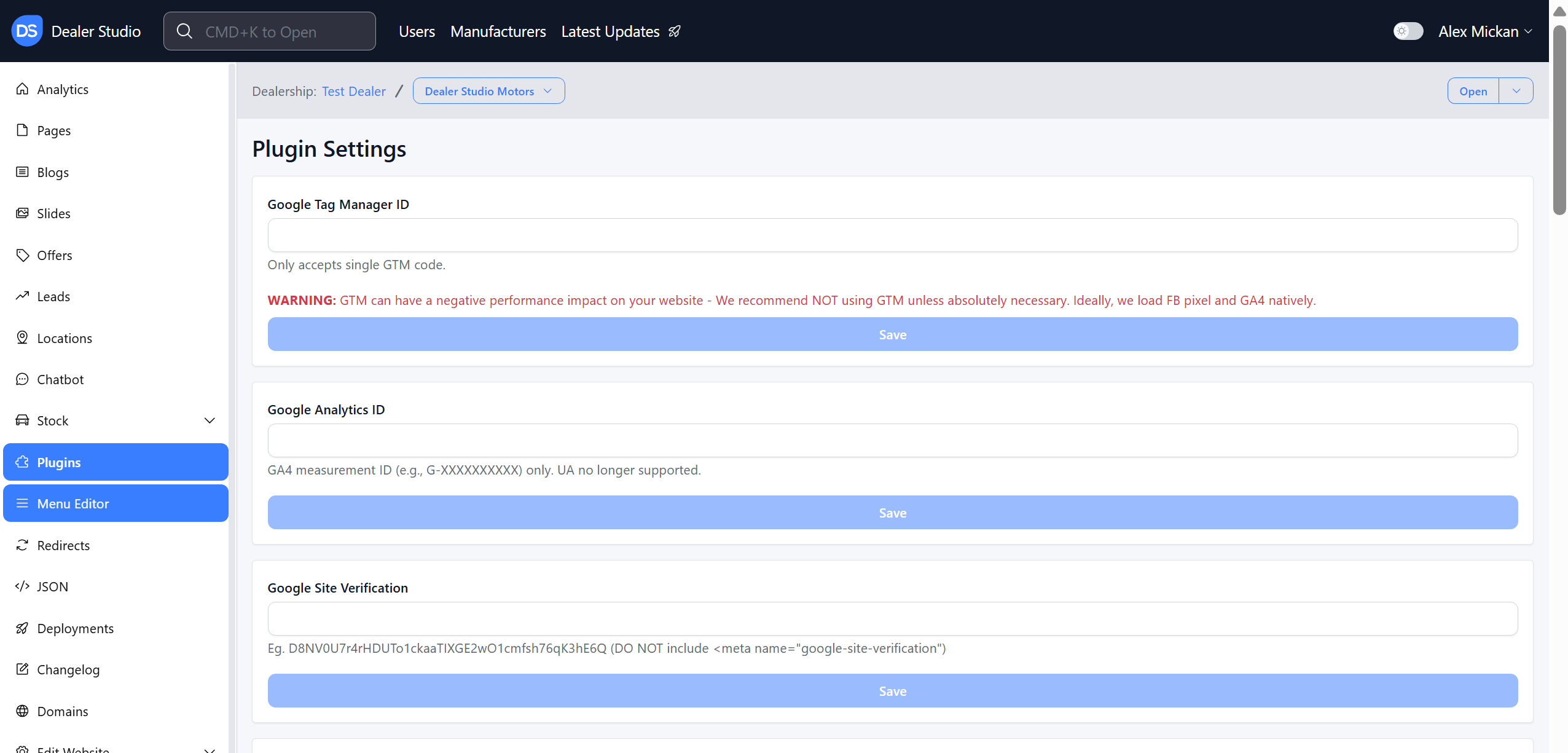
Google Tag Manager helps you manage and deploy tracking codes on your website without needing to edit the site’s code each time.
- Centralises all marketing and analytics tags in one place
- Allows quick updates to tracking without developer involvement
- Improves site performance and reduces tracking errors
Google Site Verification confirms that you own or manage a website so you can access Google’s tools.
- Verifies site ownership for services like Search Console
- Enables access to search performance and indexing data
- Helps Google trust and properly manage your website
The website will need to be redeployed in order for these updates to go live, please contact the support team to action this.
Was this article helpful?
That’s Great!
Thank you for your feedback
Sorry! We couldn't be helpful
Thank you for your feedback
Feedback sent
We appreciate your effort and will try to fix the article