How to Change a Logo
Dealers may want to update their logo, whether it’s due to a new design or for seasonal changes like holiday-themed logos. Follow the steps below to easily change the logo on your website through the dashboard.
On Website Level
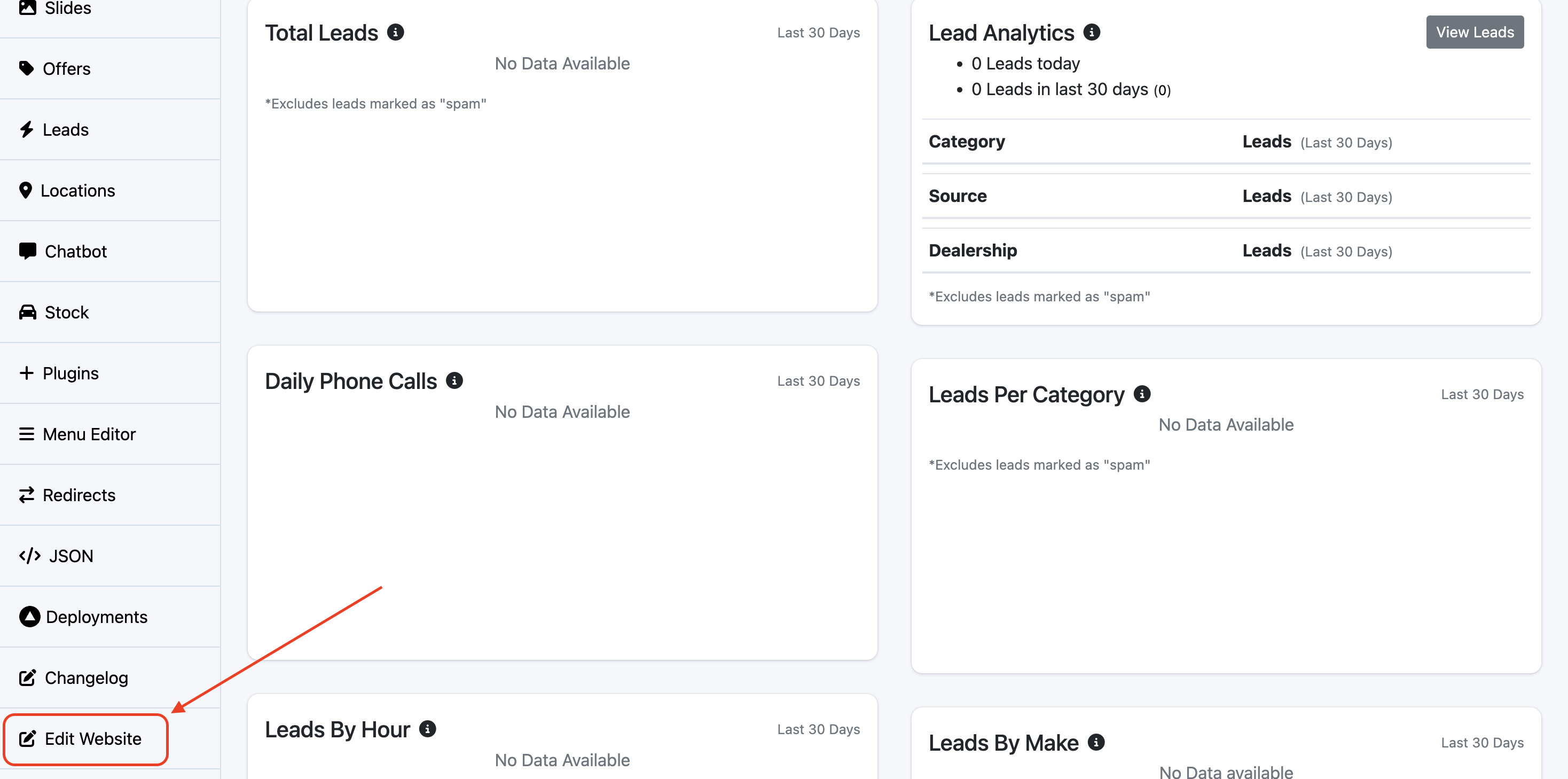
On the Website dashboard find Edit Website on the left-hand side.
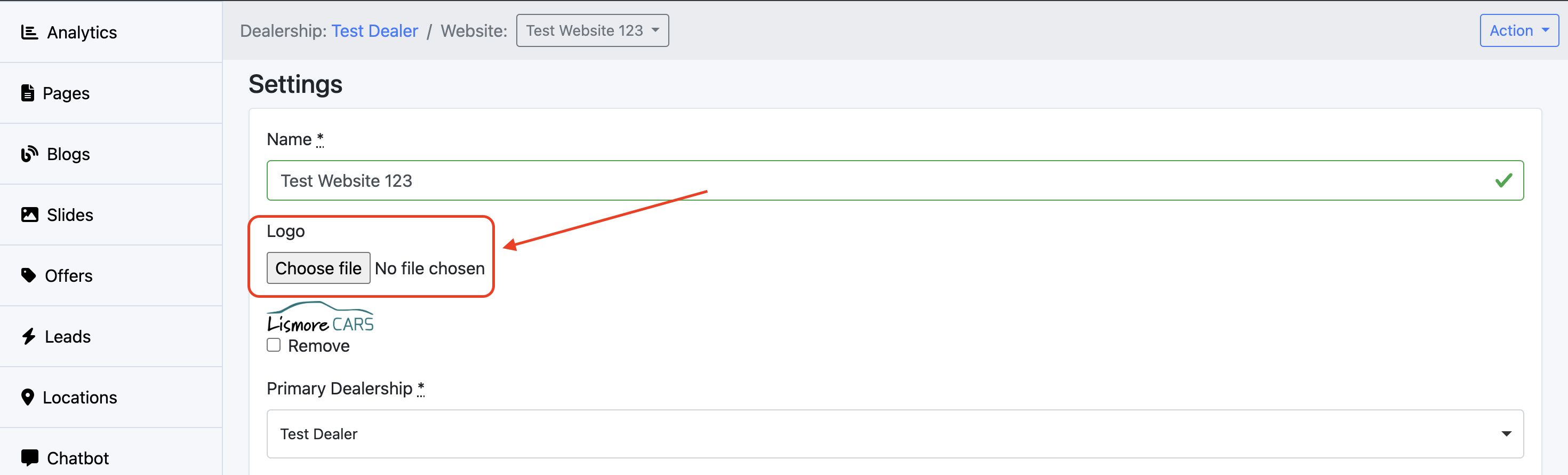
Find Logo and select Choose File.
On Dealer Level
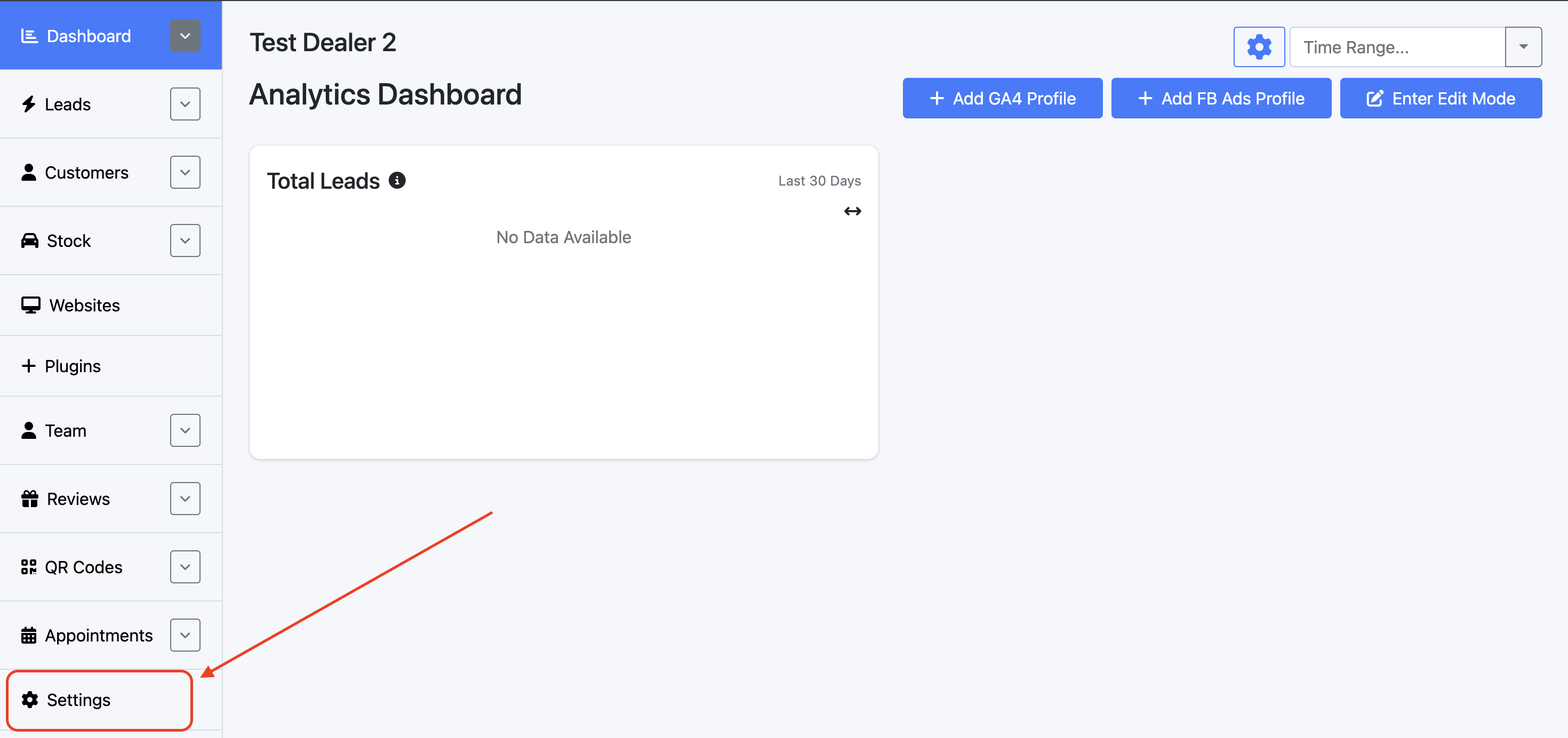
Open the Dealer dashboard and find Settings on the left-hand side.
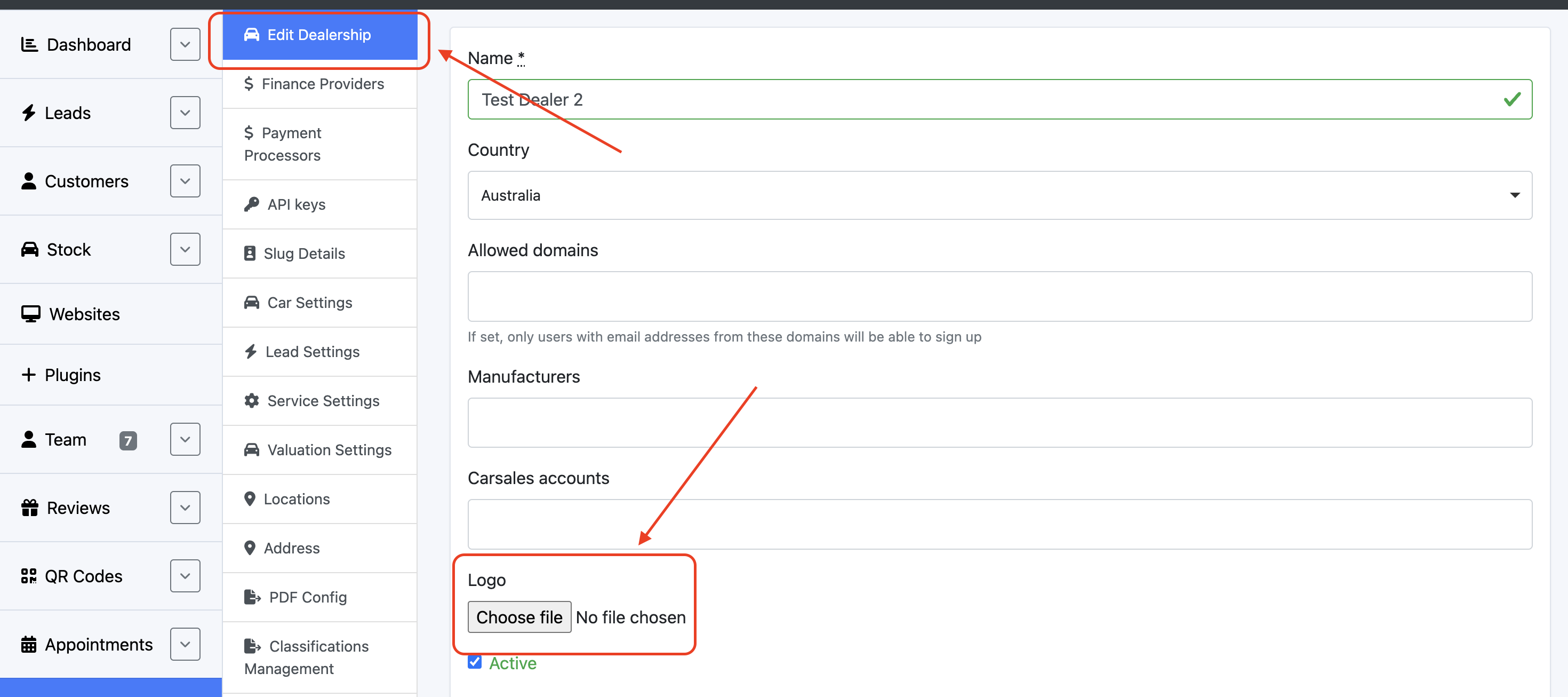
Under Edit Dealership, find Logo and upload the desired file.