
Blocking Service Timeslots
Blocking service time slots helps manage scheduling around closures, public holidays, or planned downtime.
When blocking service timeslots, it will apply to all websites under the dealership as there is currently no option to define it for individual websites. If needed, specific blocks can be hardcoded for particular sites. Additionally, the blocked timeslots will only be available during the set hours for each dealership.
Follow these steps to block out service time slots on the Dealer Studio dashboard:
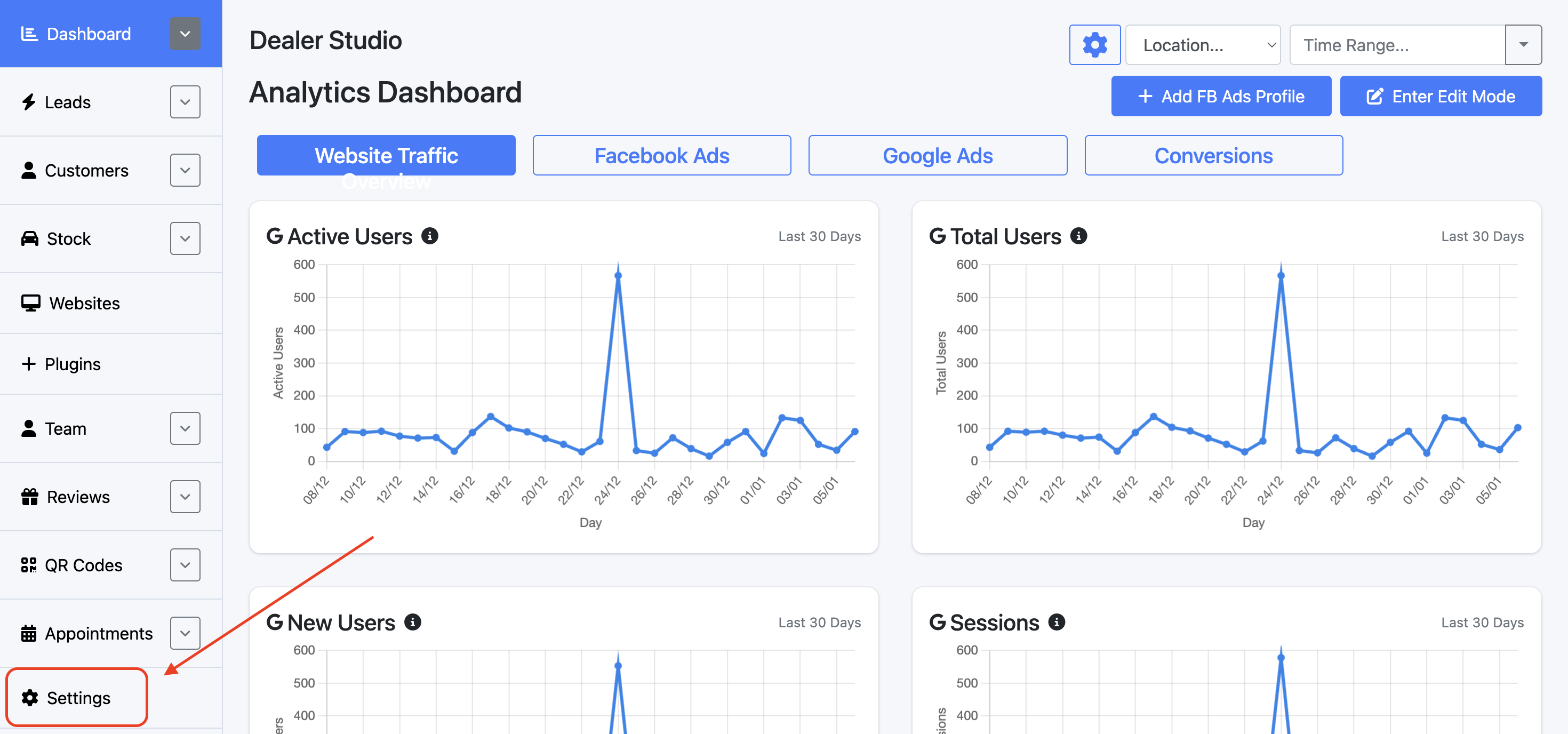
Step 1: Open the Dealership Dashboard and select Settings
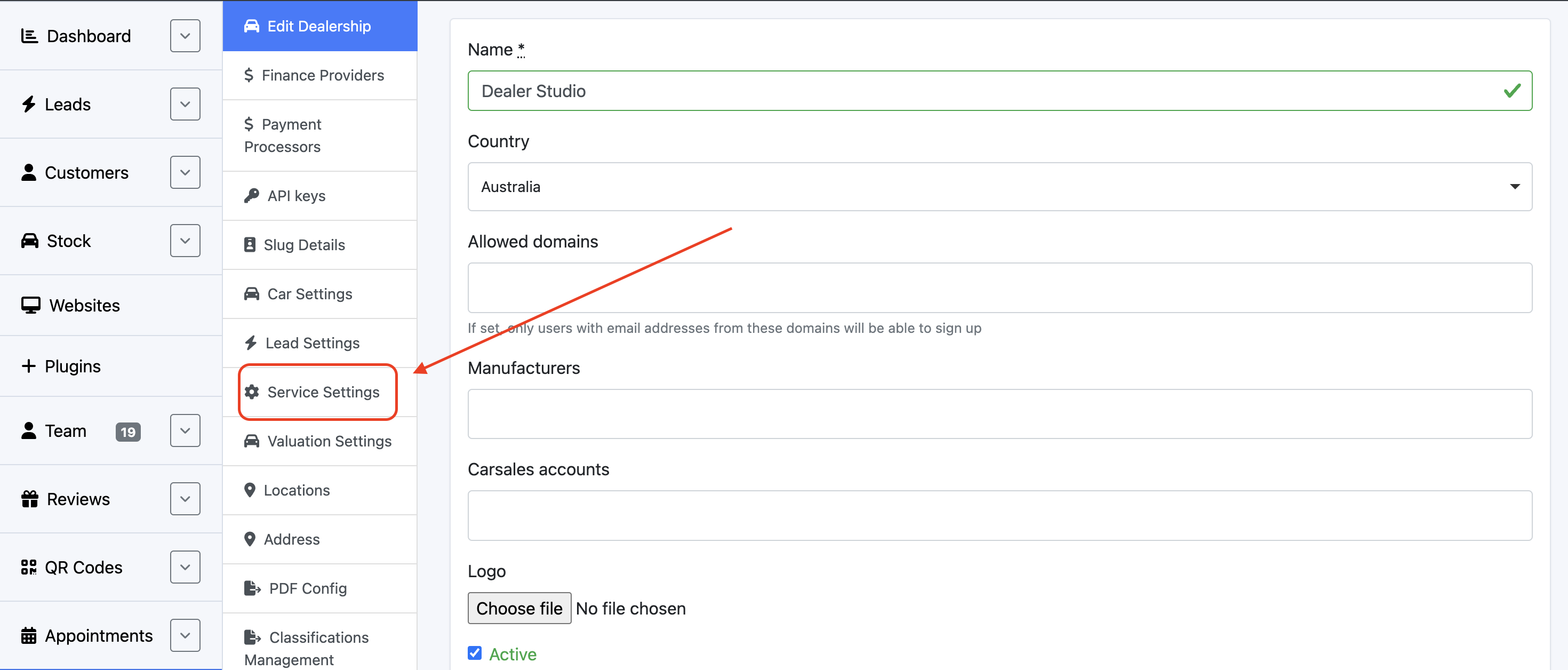
Step 2: Select Service Settings
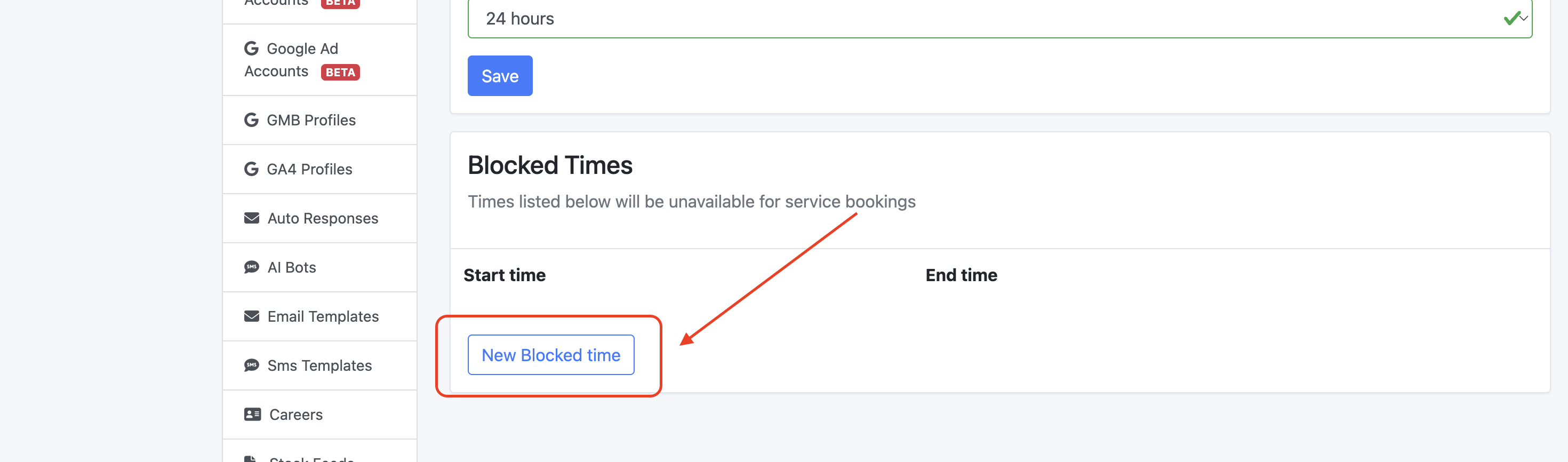
Step 3: Scroll down and select New Blocked Time
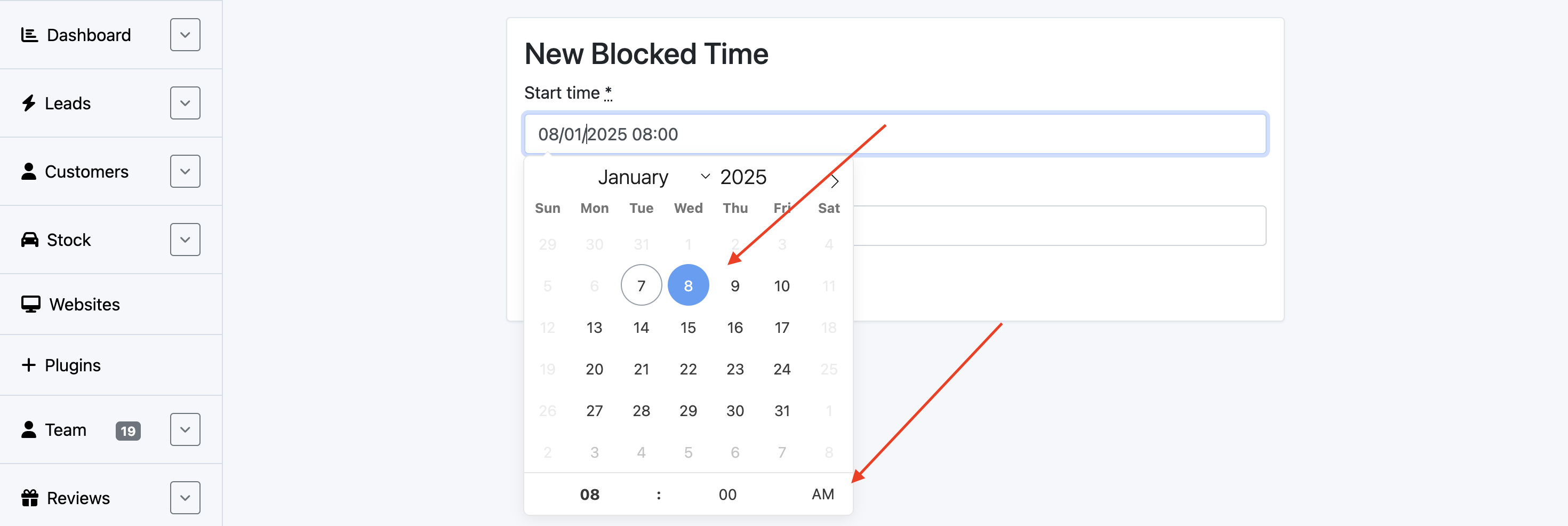
Step 4: Select the desired date and time
Always remember to save and review the changes made.