
Customers Dashboard: A Quick Guide
The Customer Tab provides a detailed view of all your contacts. Information is organised by full name, email, phone number, and source, allowing you to easily access and manage your customer data.
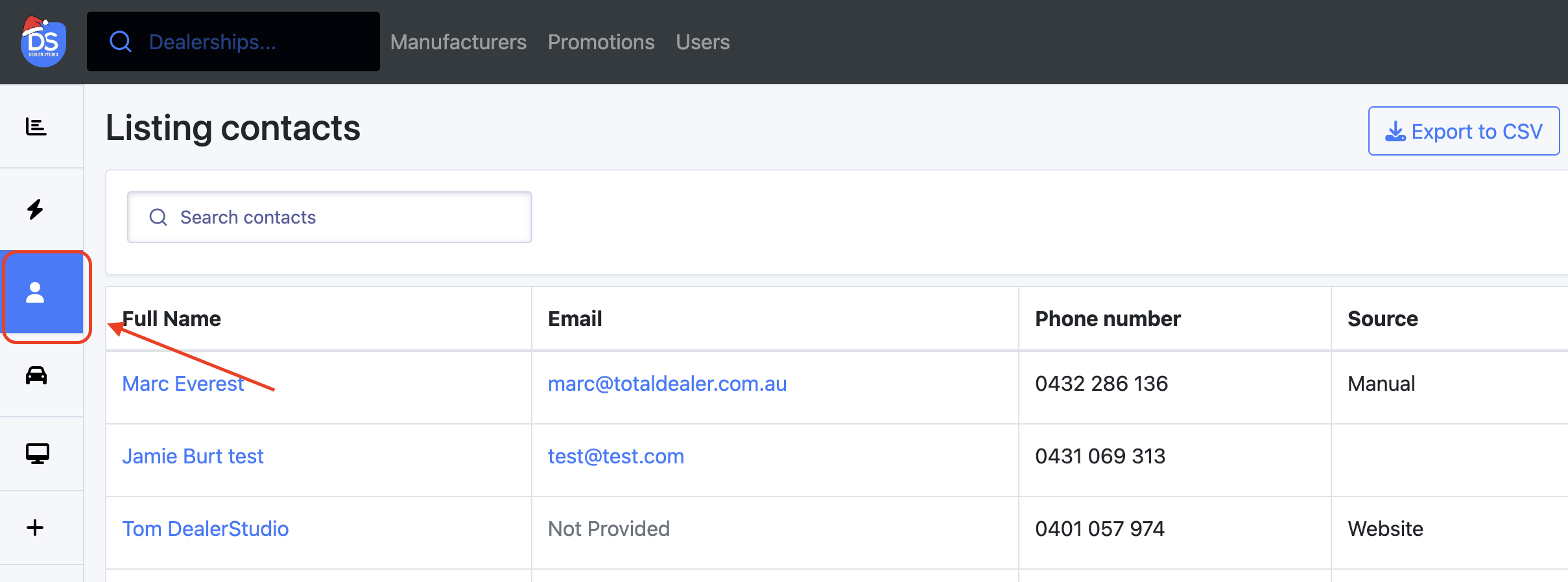
From this page, you can view, edit, or delete contacts as needed.
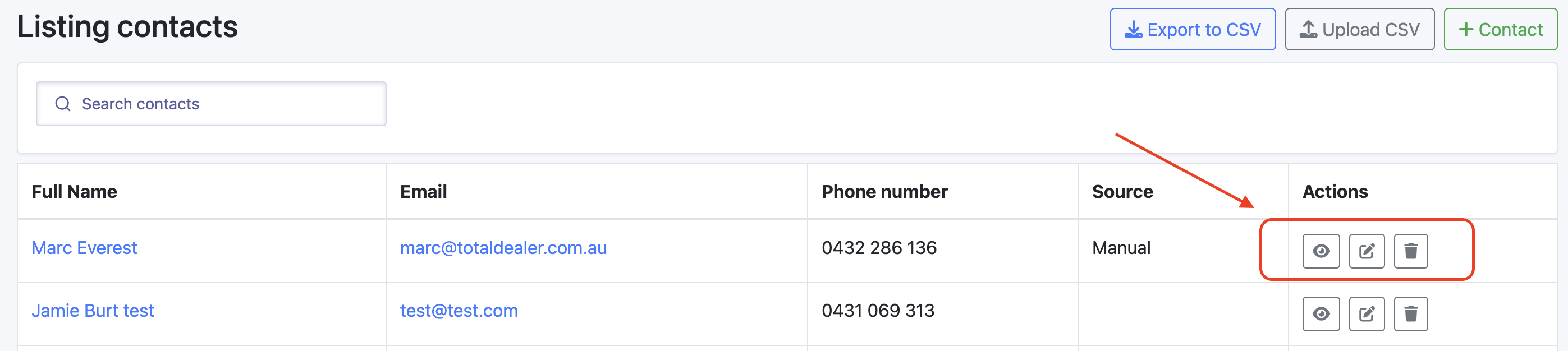
The Customer page allows you to export or upload contact lists in CSV format. You can easily export your customer data to a CSV file for further analysis or reporting, upload external contact lists and add new contacts to your database, ensuring your records stay up-to-date and complete.
