
"We're Sorry But Something Went Wrong" While looking at stock - Delete your cookies
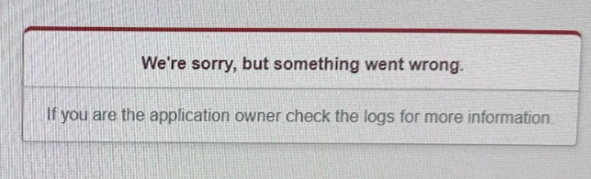
This error has been known to occur when searching stock
Currently until we find the cause the current best solution is to temporarily swap browsers, or clear cookies.
Delete Cookies: For Chrome
Open Chrome:
Make sure you have the Chrome browser open on your computer.
Go to Settings:
- Click on the three dots (⋮) in the top-right corner of Chrome.
- Select "Settings" from the dropdown menu.
Privacy and Security:
- Scroll down to the "Privacy and security" section.
- Click on "Cookies and other site data."
See All Cookies and Site Data:
- Scroll down a bit and click on "See all cookies and site data."
Search for Specific Sites:
- In the search bar at the top right, type in "totaldealer.com.au."
- Chrome will filter the cookies and show only those related to "totaldealer.com.au."
Delete Cookies:
- Click the trash can icon next to "totaldealer.com.au" to delete all cookies for this site.
Repeat forDealerstudio.com.au:
- In the search bar, now type "dealerstudio.com.au."
- Click the trash can icon next to "dealerstudio.com.au" to delete all cookies for this site.
Delete Cookies: For Microsoft Edge
Open Microsoft Edge:
Make sureyou have the Edge browser open on your computer.
Go to Settings:
- Click on the three dots (⋮) in the top-right corner of Edge.
- Select "Settings" from the dropdown menu.
Privacy, Search, and Services:
- In the left sidebar, click on "Privacy, search, and services."
Cookies and Site Permissions:
- Scroll down to the "Cookies and site permissions" section.
- Click on "Manage and delete cookies and site data."
See All Cookies and Site Data:
- Scroll down and click on "See all cookies and site data."
Search for Specific Sites:
- In the search bar at the top right, type in "totaldealer.com.au."
- Edge will filter the cookies and show only those related to "totaldealer.com.au."
Delete Cookies:
- Click on the arrow next to "totaldealer.com.au" to expand the list.
- Click the trash can icon next to each entry to delete cookies for this site.
Repeat for Dealerstudio.com.au:
- In the search bar, now type "dealerstudio.com.au."
- Click on the arrow next to "dealerstudio.com.au" to expand the list.
- Click the trash can icon next to each entry to delete cookies for this site.