
Anchor links
- Setting up a className for the component you want to reference
- In the Component Settings, scroll down to the input field called Classname.
Example: we’re currently using the className
id-form-section.You can use any name, but make sure:
- It’s unique.
- It has no spaces.
- It follows this format:
id-AnyClassName.
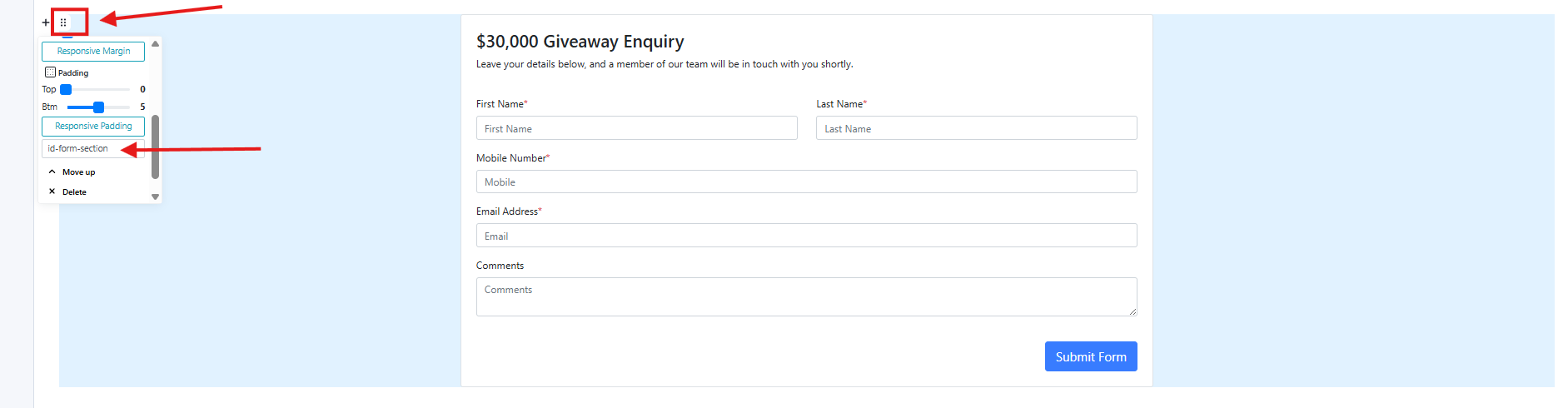
- Setting up the CTA button
- Find the input field called Link URL.
Enter the className so the CTA button links to the component you set up earlier.
Important: Add a # before the className (do not include
id).- Example:
#form-section
- Example:

- Save and Publish
- Once everything is set, save your changes and publish.