
How to Update a Chatbot Icon
Dealer Studio provides a standardised chatbot icon for all its sites. However, if you'd like to personalise the icon to better match your brand or website design, you can easily do this through the dashboard. Follow the steps below to customise your chatbot icon:
Step 1: On the Dealership Dashboard, select Websites

Step 2: Select the desired website where you would like to update the Chatbot

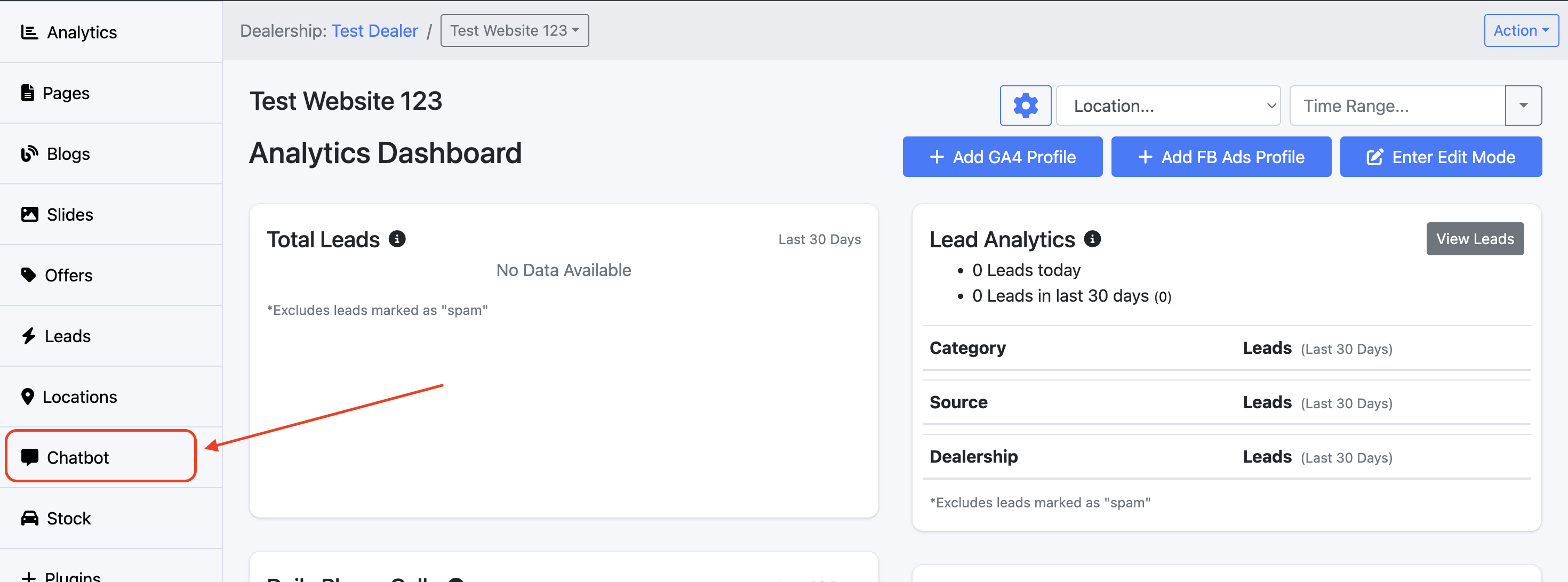
Step 3: Once on the Website Dashboard, select Chatbot
Step 4: Here, you can update the Chatbot name, as well as upload the desired image to be used as the face of your Chatbot
We recommend using a 1:1 aspect ratio for the icon, with dimensions around 500x500 pixels for clarity and optimal display.
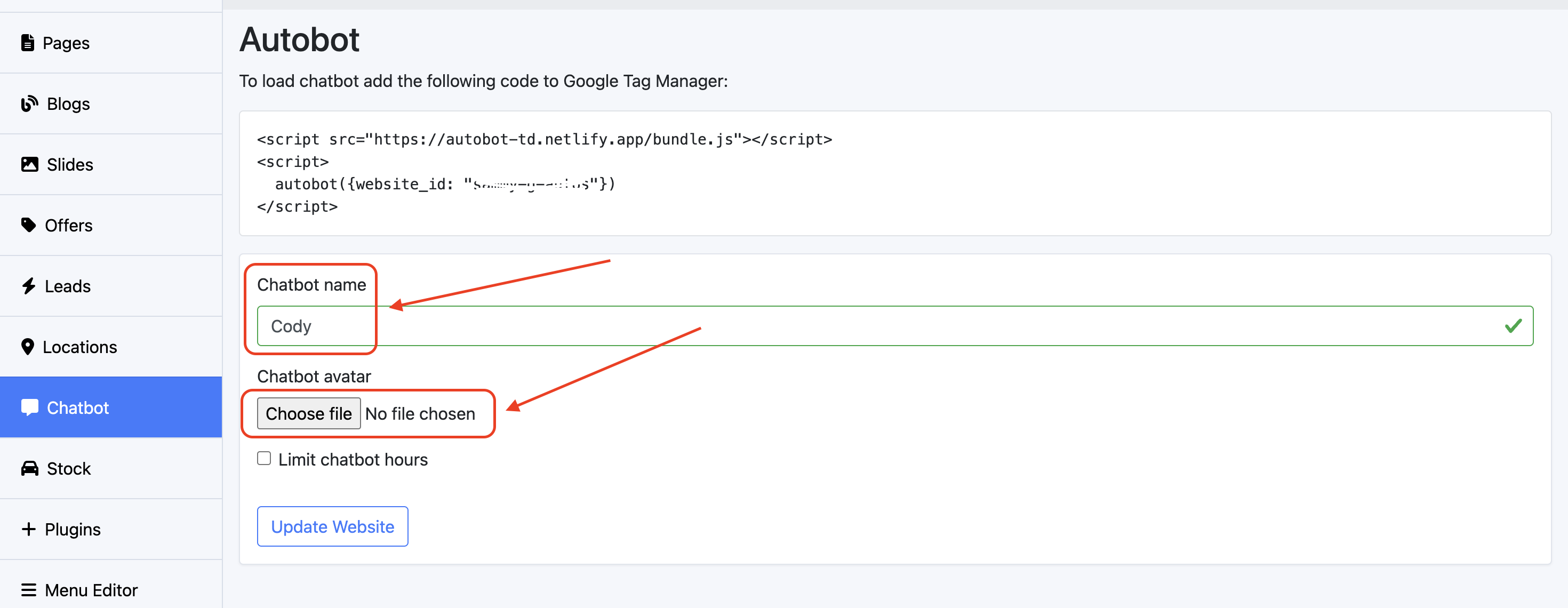
Remember to select Update Website to finalise your changes!